Rather Blue NEF files

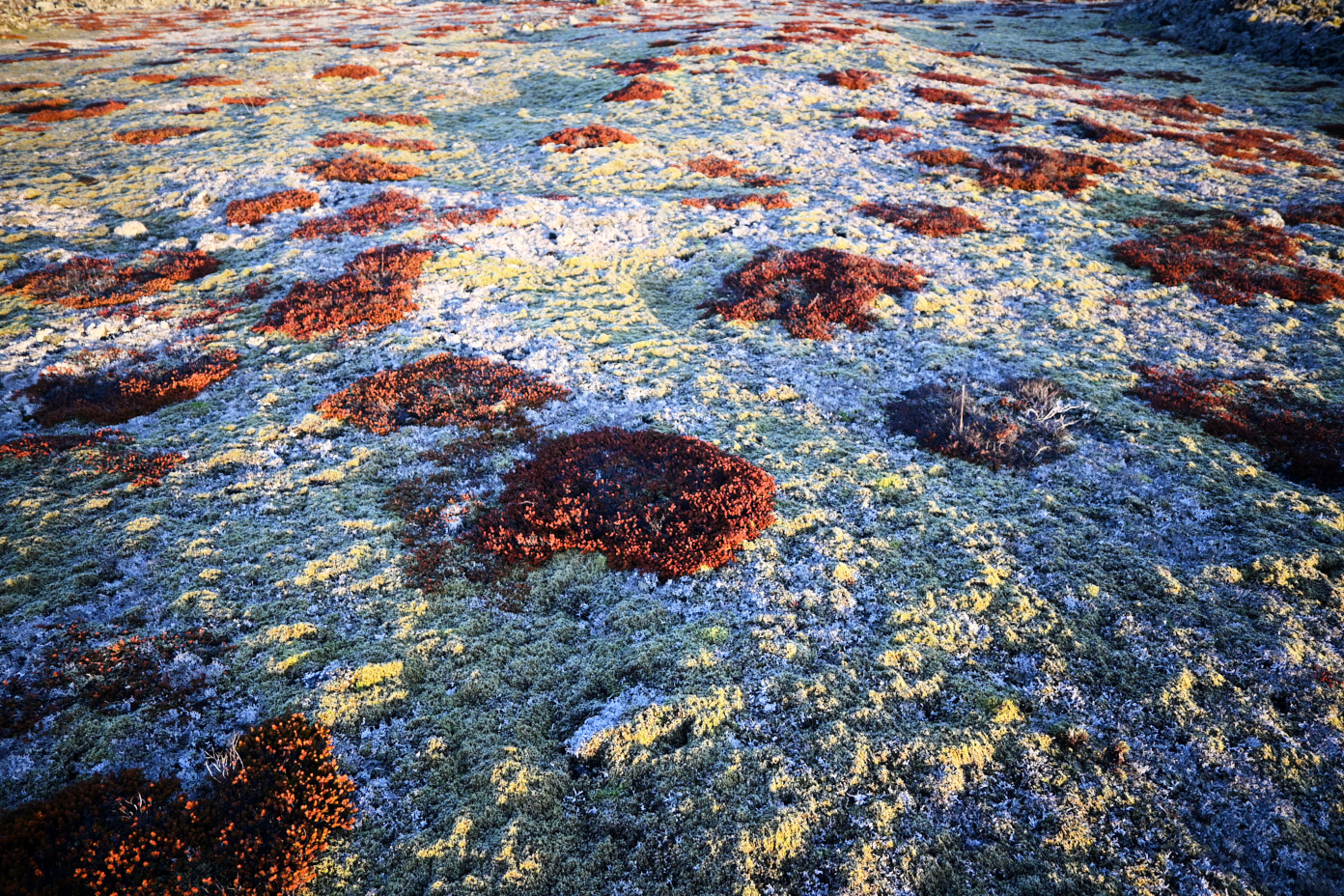
Took these photos early morning with low light sun. When I use Auto Adjust then it turns the photographs way too blue. Used Nikon Z50. The one that is less blue is the original JPEG from the camera. 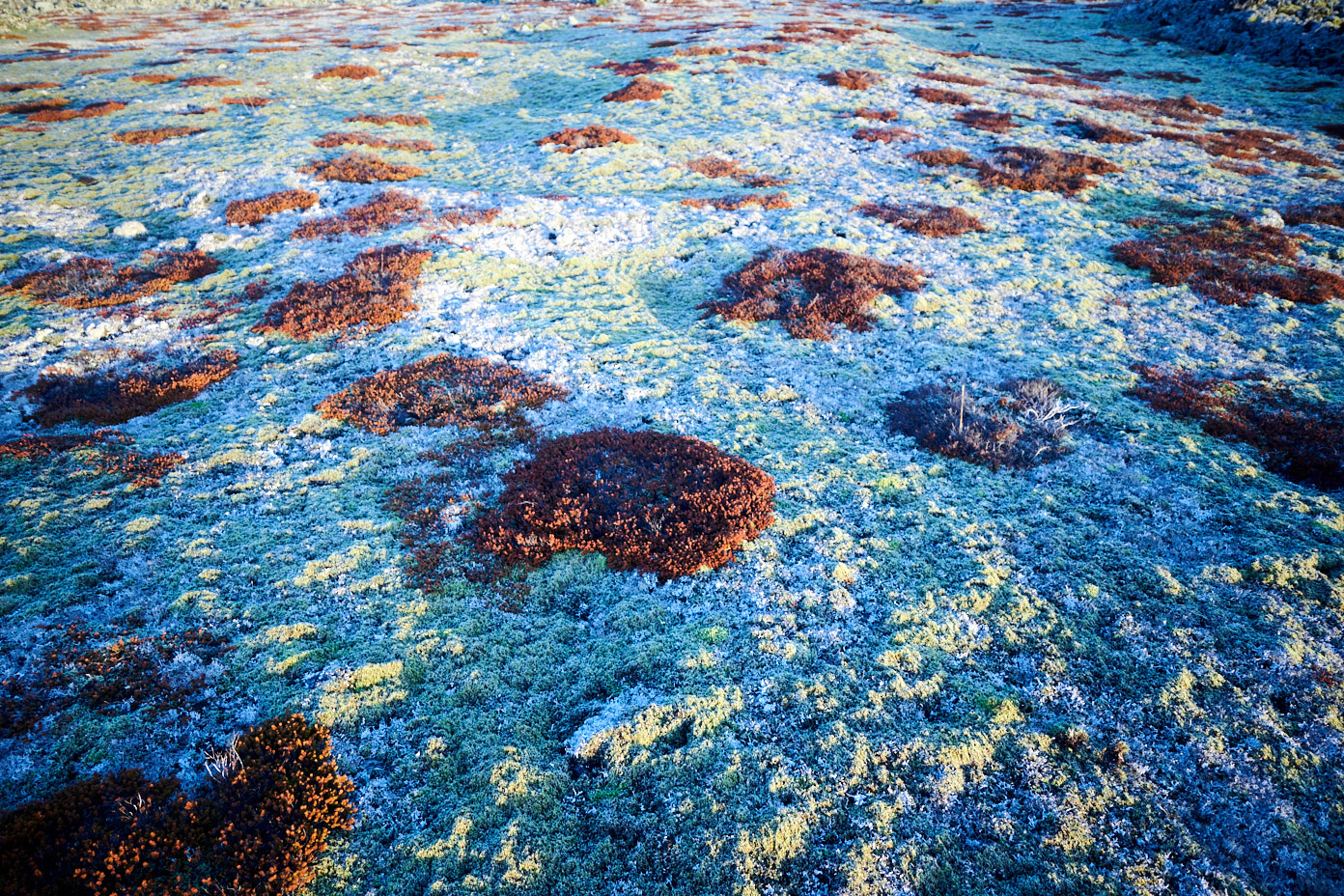
-
I would suggest that this is a challenging scene for auto white balance to get right, whether by the camera or by Capture One. It's not obvious to me what I am looking at, and what the "correct" colour should be. (If it's a picture of frosty ground and vegetation, then I'd say that the first one is too blue, but the second one is too yellow.)
I find with photos where the right WB is not easy to arrive at, sometimes the Auto function in Capture One gets it right, and sometimes it doesn't. If I am struggling to get it right myself, I may try the auto setting in Capture One to see what it will do; sometimes I prefer it, sometimes I prefer what the camera did (and I almost always have the camera on auto-WB) and sometimes neither looks good and I have to expreiment.
You say the first one (the bluer one) is the result of applying the auto function in Capture One. But how does the raw look in Capture One if you leave it on the As Shot setting for WB?
Ian
0 -

Took these photos early morning with low light sun. When I use Auto Adjust then it turns the photographs way too blue. Used Nikon Z50. The one that is less blue is the original JPEG from the camera.
Well FWIW, I regularly shift the white balance in my landscape images a smidgen to the right to warm them up. I think it reflects the Western Australian light better than some of my images out of camera. I'm probably the only one who can see the difference, but it makes me feel better. :-)
At the end of the day, it's your image and you were there - and you've got to be happy with it. A piece of Danish software or Japanese hardware can only "guess" the colour of an image so far.
0 -
Yep, I realise that I can adjust this or that. I am not a professional, but experienced amateur. I assume that most professionals want to tweak each and every image. But when you are shooting for stock mainly then you want to be quick. At least that is what I want to at this moment. But I might change my tune and take fever pictures but of higher quality or stop this stock nonsense. So what I want is to have he program get it right with one click. The camera gets it right and DXO Photo Lab gets it fairly right. But again I realise that Capture One has certain aim like other programs and that aim is adhering to the professional that wants as much quality as possible and as much tweaking and creating power as possible. And that is what Capture One delivers. Not some Auto quality nonsense that some idiotic amateur is complaining about.
0 -
I have to add to my observation. The camera or DXO Photo Lab does not always get it right in this light situation. They get it right it seems in long view situation, but they get it wrong in close view situation.
0

Post is closed for comments.
Comments
4 comments