C1 20 does not display partially processed images

Hello,
wanted to export some photos for book today. I have all the raw pictures displayed in the browser and then I notice that a part of the edited versions are not displayed. Then when I make a new version from one of these unedited raw images it suddenly shows me all the already edited versions too. If I close C1 and open it again, the same game. What am I doing wrong?
Windows 10, Capture One 20
Hope someone can help me, I'm freaking out.
Michael
-
I'm not sure what you mean by "a part of the edited versions are not displayed". Perhaps a screenshot would make it clearer?
Ian
0 -

> Michael Vates: a part of the edited versions are not displayed
What is an "edited version"? Is it an exported non-raw file, or is it a Capture One variant?
0 -
 0
0 -
 0
0 -
 0
0 -
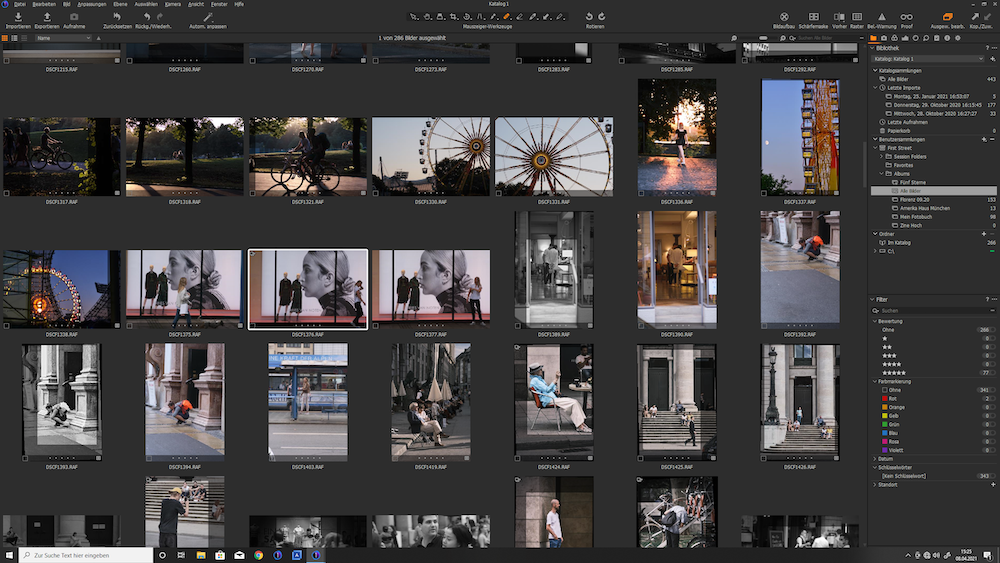
the first screenshot shows the browser as it looks when C1 is turned on. Here the edited black and white version of the white framed photo is not visible
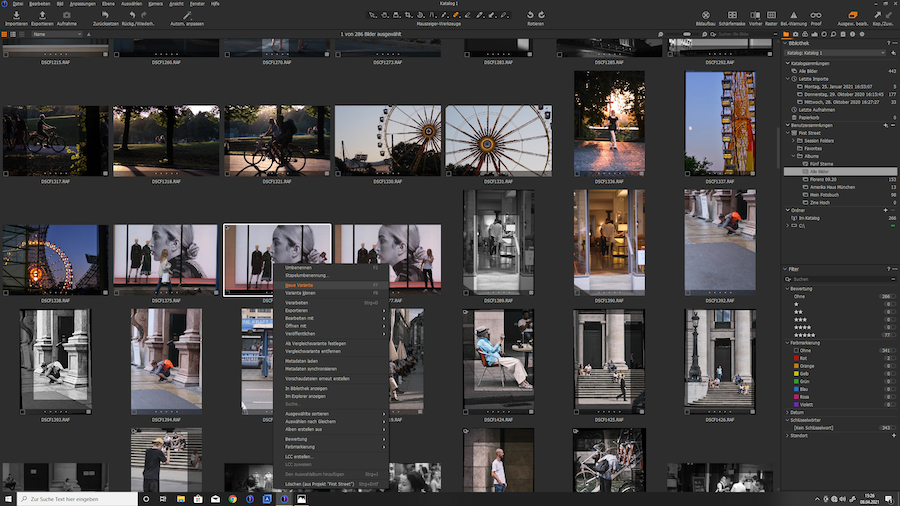
second screenshot:right mouse button to create a new version
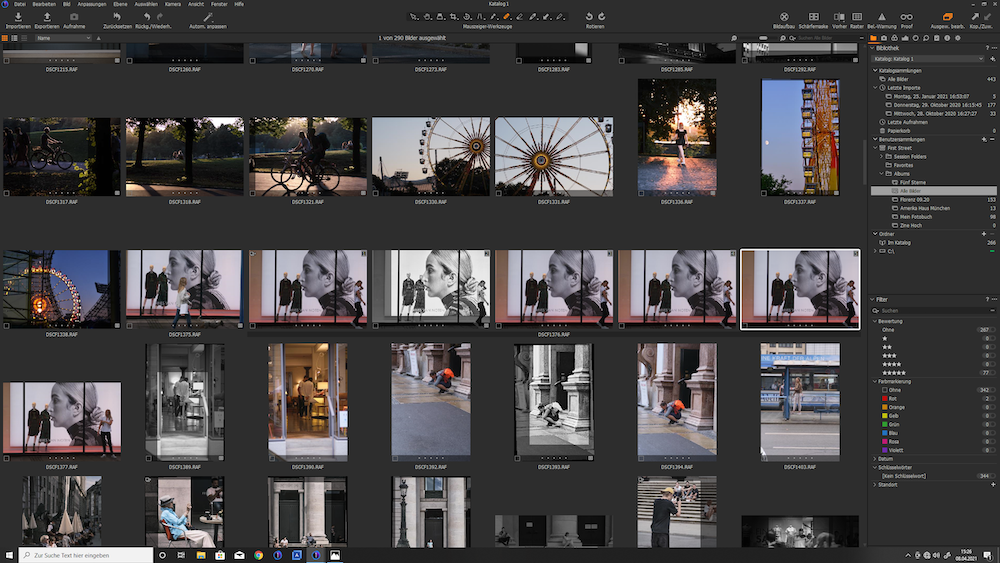
third sceenshot: now suddenly all versions of this photo are visible, even the black and white versionvery strange
i hope, you know, what i mean
0 -
Capture One lets you toggle between viewing variants as a single thumbnail or one thumbnail each. Try clicking a few times on the little "stack" icon in the upper left corner on the main variant's thumbnail (has "1" shown in upper right corner)
0 -
yes perfect, that is the problem
can i enable/disable this for all images at once or do i have to do this for each individual image0 -
> Michael Vates: ...can i enable/disable this for all images at once
Top menu -> Image -> Collapse All (or Expand All) ?
0 -
yes, thank you so much
0

Post is closed for comments.
Comments
10 comments