Recently imported pictures disappeared

I have done the following on my holiday:
1. Day 1: "New session"
2. Day 1: Imported pictures number 1 .. 100.
3. Day 1: Edited pictures, then exported
4. Day 1: Close C1
5. Day 2: Imported pictures number 101 .. 200
Problem: Die pictures number 1 .. 100 were now not any more accessible for editting, but only the pictures number 101 .. 200.
How can I access the pictures number 1 .. 100 for editing again?
-
Was it really a Session, or was it a Catalog?
In a Catalog, you see recent imports at the top of the Library panel, like this.
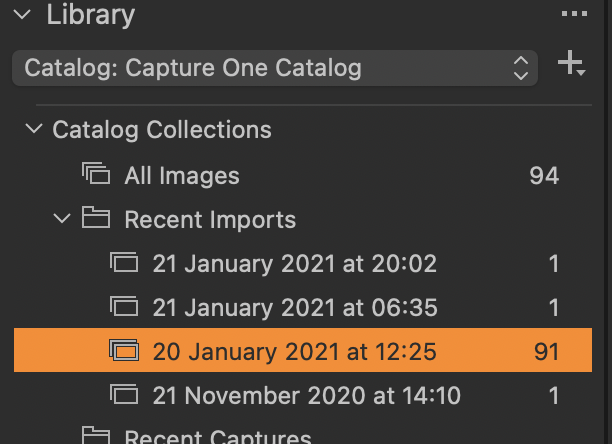
By default, Capture One will show you the latest import, but you can select the previous imports by just clicking on them from the list. And of course, you can instead select the actual folder the images are in, in the Folders section of the Library tool, if you prefer.
Or is it really a Capture One session?
Ian
0 -
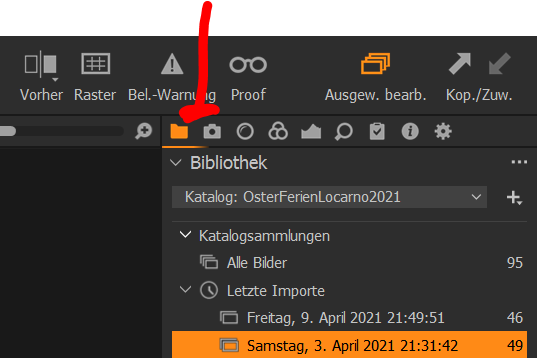
Thank you Ian: That helped!
 0
0

Post is closed for comments.
Comments
2 comments