Exporting image alters histogram

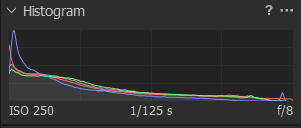
I exported my image as an uncompressed 16bit sRGB tiff, and a fairly large shift in color, shadows, and highlights can be observed upon inspection of the image. Furthermore, this shift can also be noticed in the histogram (reimported tiff back into C1). It seems like this occurs most noticeably with very fine, intricate details such as hair, fur, leaves, and grass. Less complex images also have a shift in the histogram, but it's far less egregious and unnoticeable to the eye in the actual image (this is acceptable).
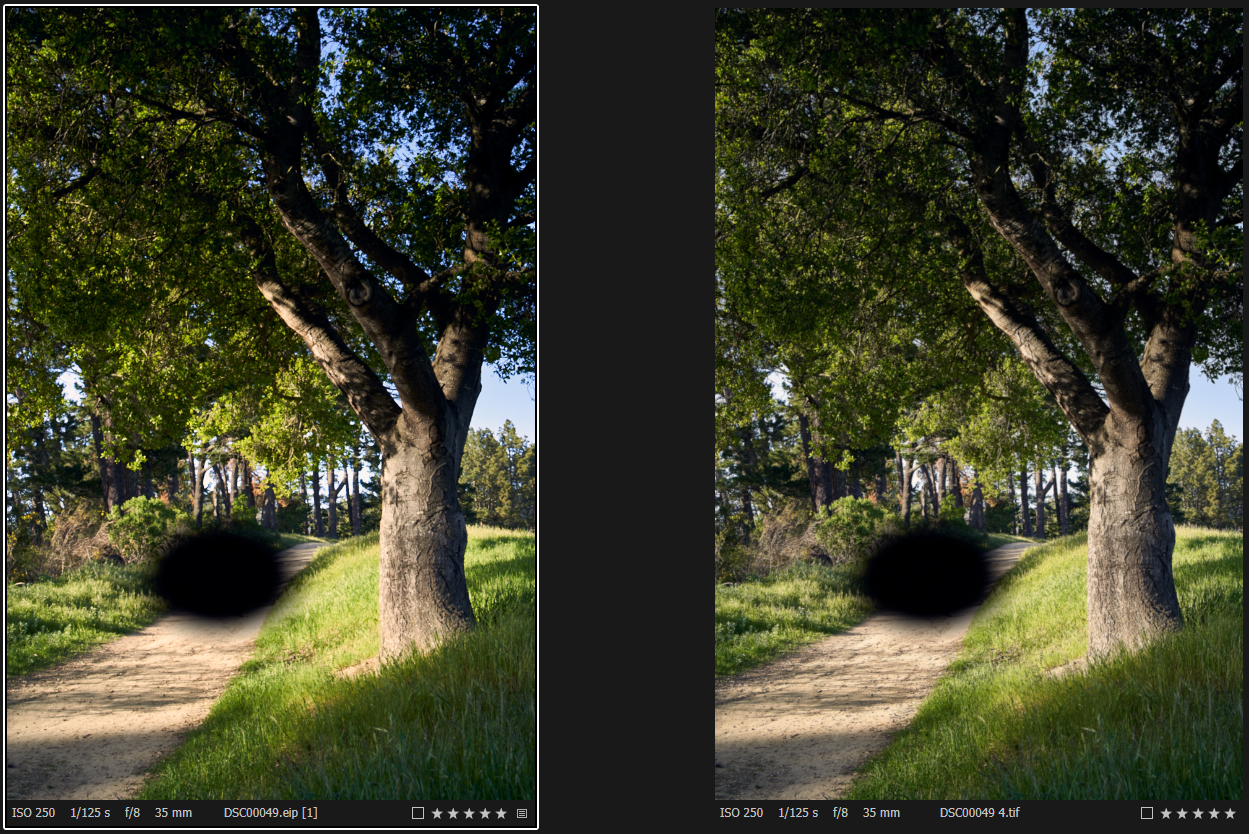
A sample image. Not sure if this is the best way to show the issue, but at least on my display the screengrab still shows a pretty big difference between the two images. The two most noticeable differences are the less saturated sky and less saturated/warm leaves above the black spot. Had to black out some people for privacy.
Histogram from raw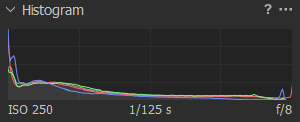
Histogram from tiff
-

and more importantly, your personal experienceMindfully using our emotions as data about our inner state and knowing when it’s be kodi.software tter to de-escalate by taking a time out are great tools. Appreciate you reading and sharing your story, since I can certainly relate and I think others can too
-1
Post is closed for comments.
Comments
1 comment