How I can view low resolution image stretched to full screen?

Hi!
I am trying to use Capture One and don't understand how to do one simple thing: I have a catalog with some old images in low resolution - for example 2600 x 1900px - and they take only about 60% of available width and height (4K monitor). What I need is that when in preview mode it will show the image stretched to full available width and height. How I can do it? I understand that the stretched image will be in low quality but I am ok with that. I just need to see it always taking maximum available space.
(setting zoom to 200% etc doesn't work because then I will see only a part of an image imported from my camera in 60MP resolution)
This works in Lightroom without any customization
-

I am not quite sure to understand, but maybe the full screen mode would be what you are looking for : just press the F key. And one again F to go back to the standard preview display.
0 -
No, this will stretch the application window itself, not the image inside it.
0 -
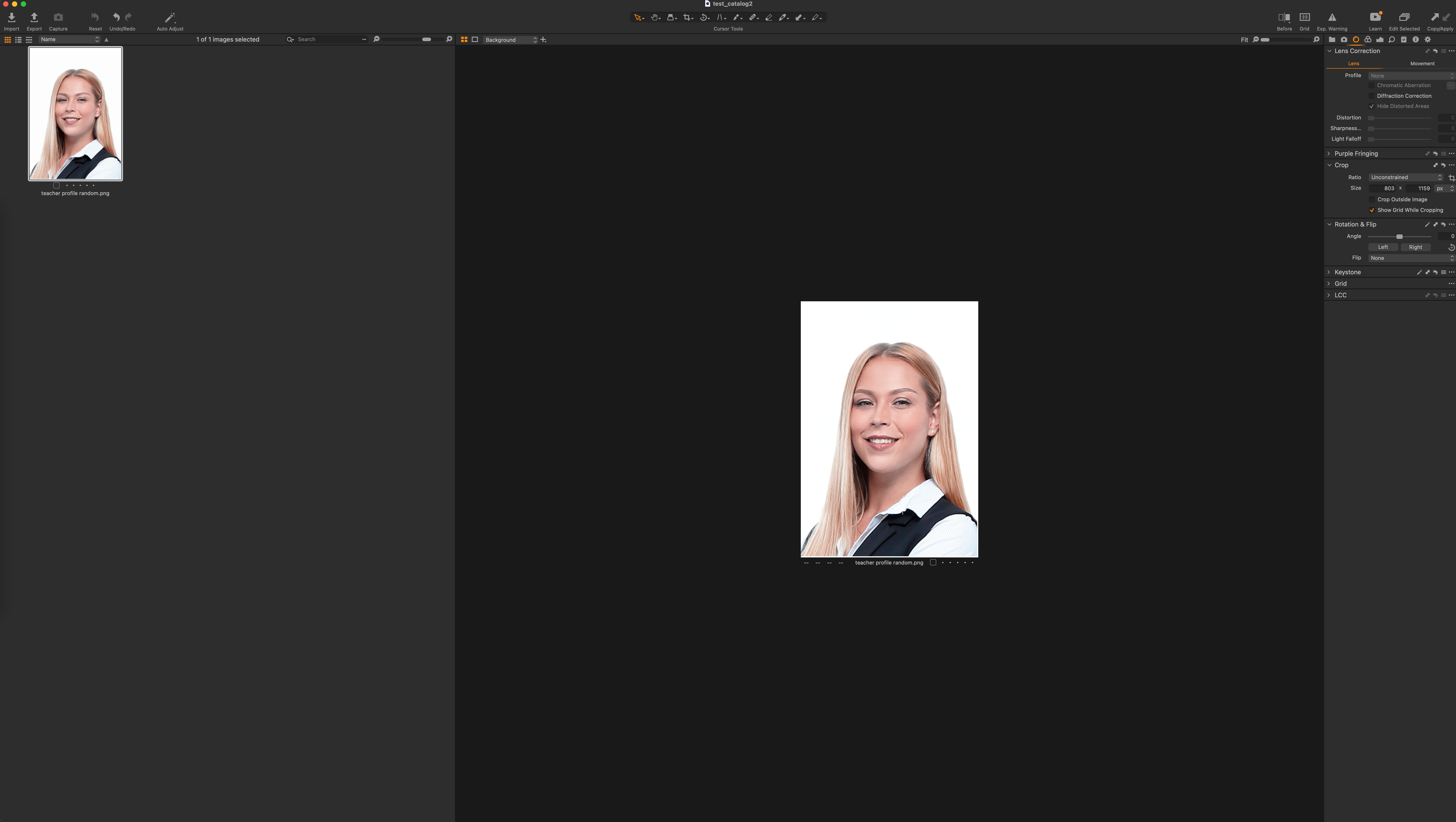
This is how a small image looks in Capture One:
 0
0 -
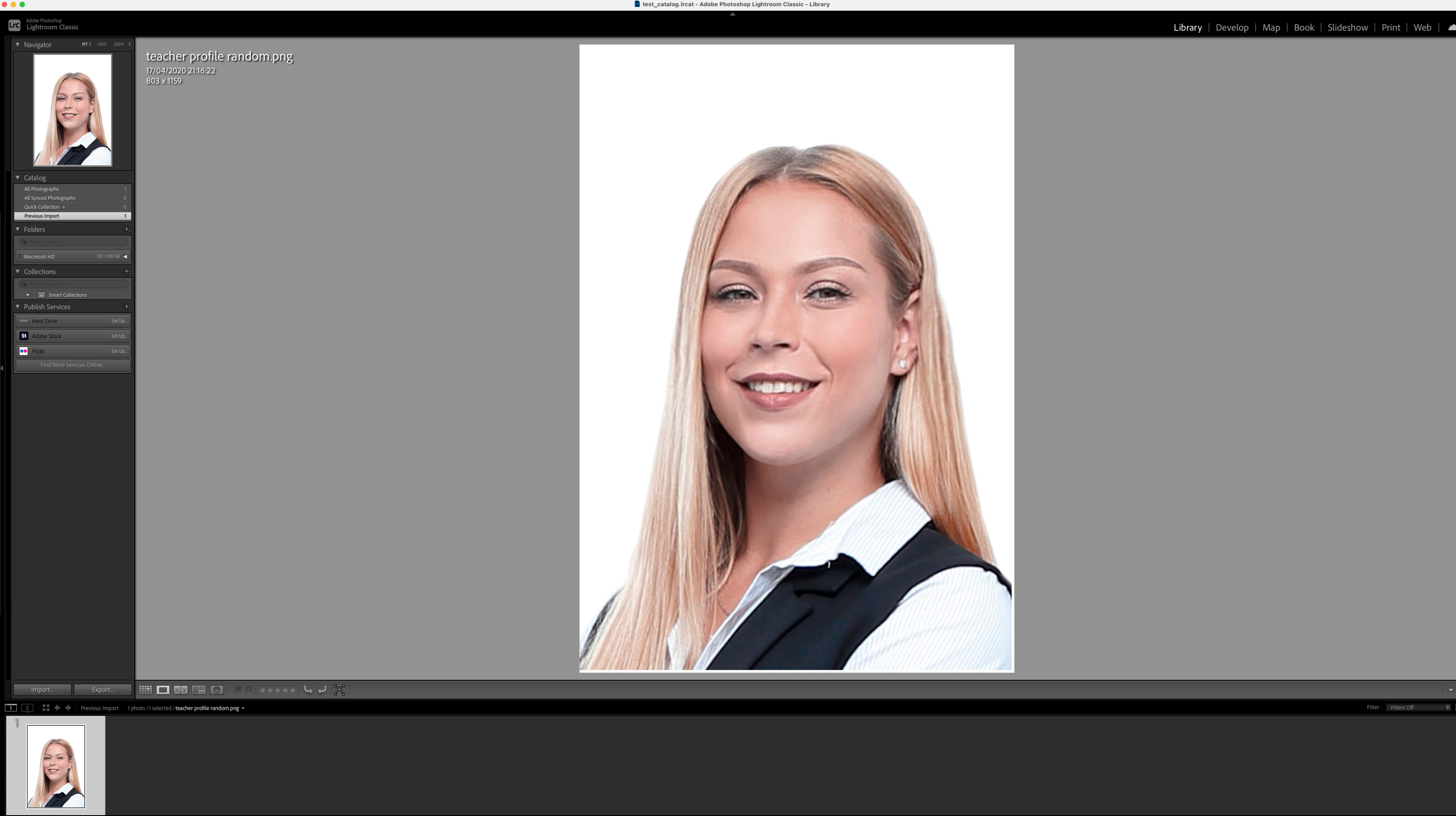
And this is the same image in Lightroom:
 0
0 -
Notice that in the second screenshot it takes full height
0
Post is closed for comments.
Comments
5 comments