Lost "Command 0" full size image function...

Anyone know what happened to the standard keyboard shortcut to zoom out (to full size) of the viewer image? Standard is 'command 0'. Worked on my last version of Capture One but I just upgraded (unwisely right before a big shoot), and the wrench its thrown into my workflow is excruciating...
Any suggestions on where this typically standard function went would be appreciated! Thanks!
-

Same problem for me, and other problems too...
0 -
It seems to work for me. You can check whether Cmd+Zero is still set as zoom to file by looking on the View menu and checking what is shown against that item as shown here.
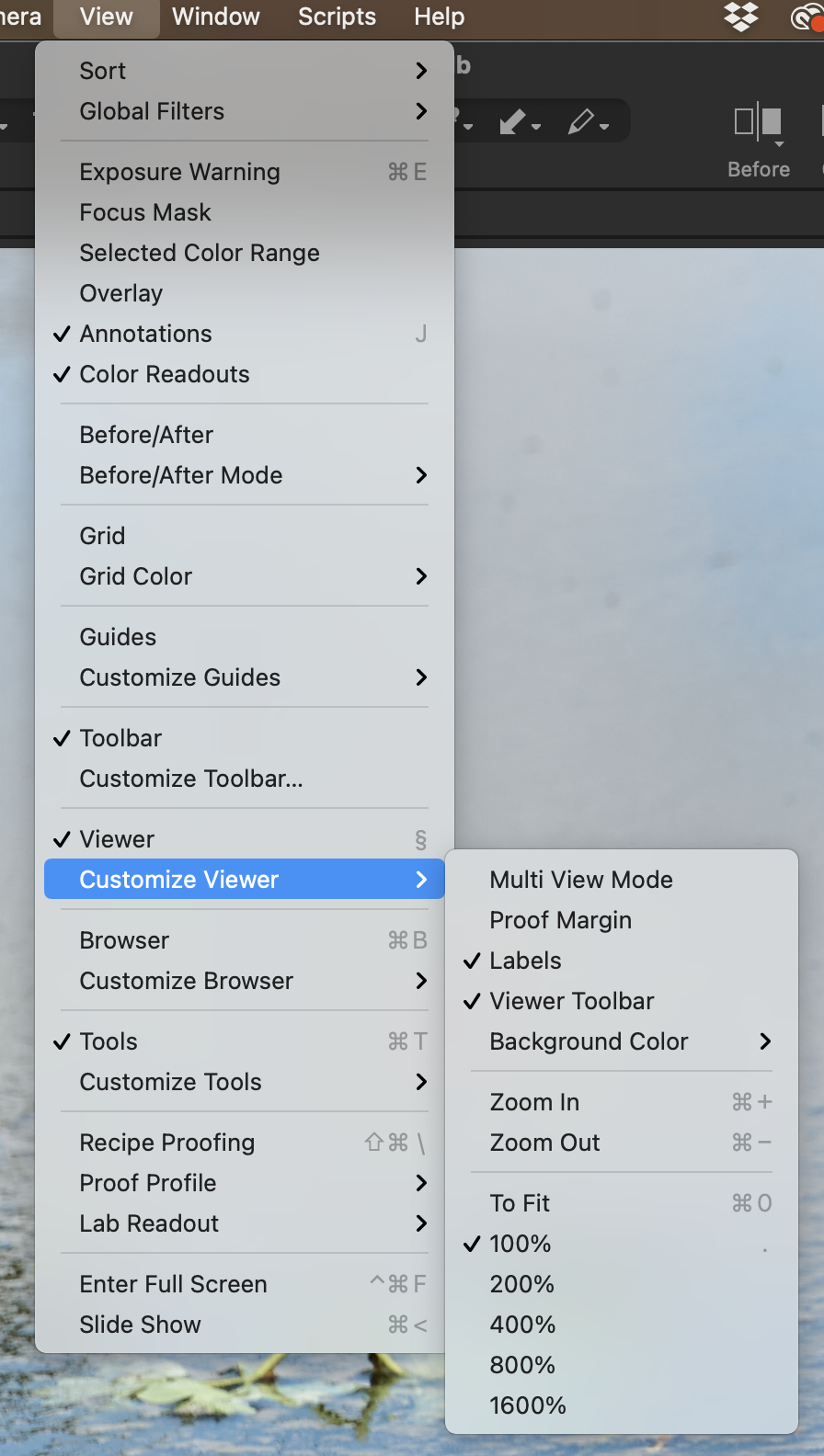
(You'll see that ⌘0 is shown against To Fit.)
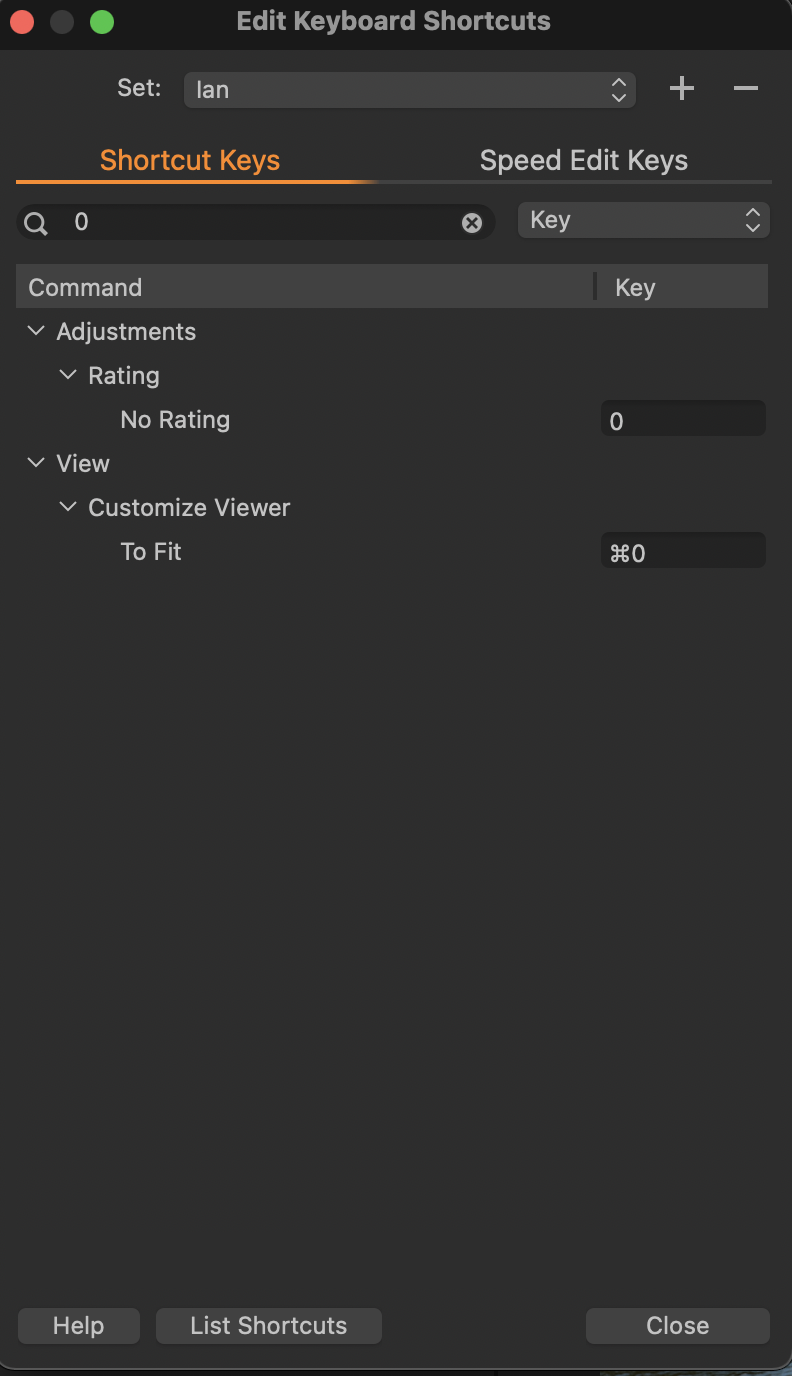
If that is not shown, or something else is shown there, then it may have somehow got changed in Edit Keyboard shortcuts. I have mine set to use ⌘0 for this in my customised shortcuts, like this.
But the default now for that is , as shown here, in the default set, like this.
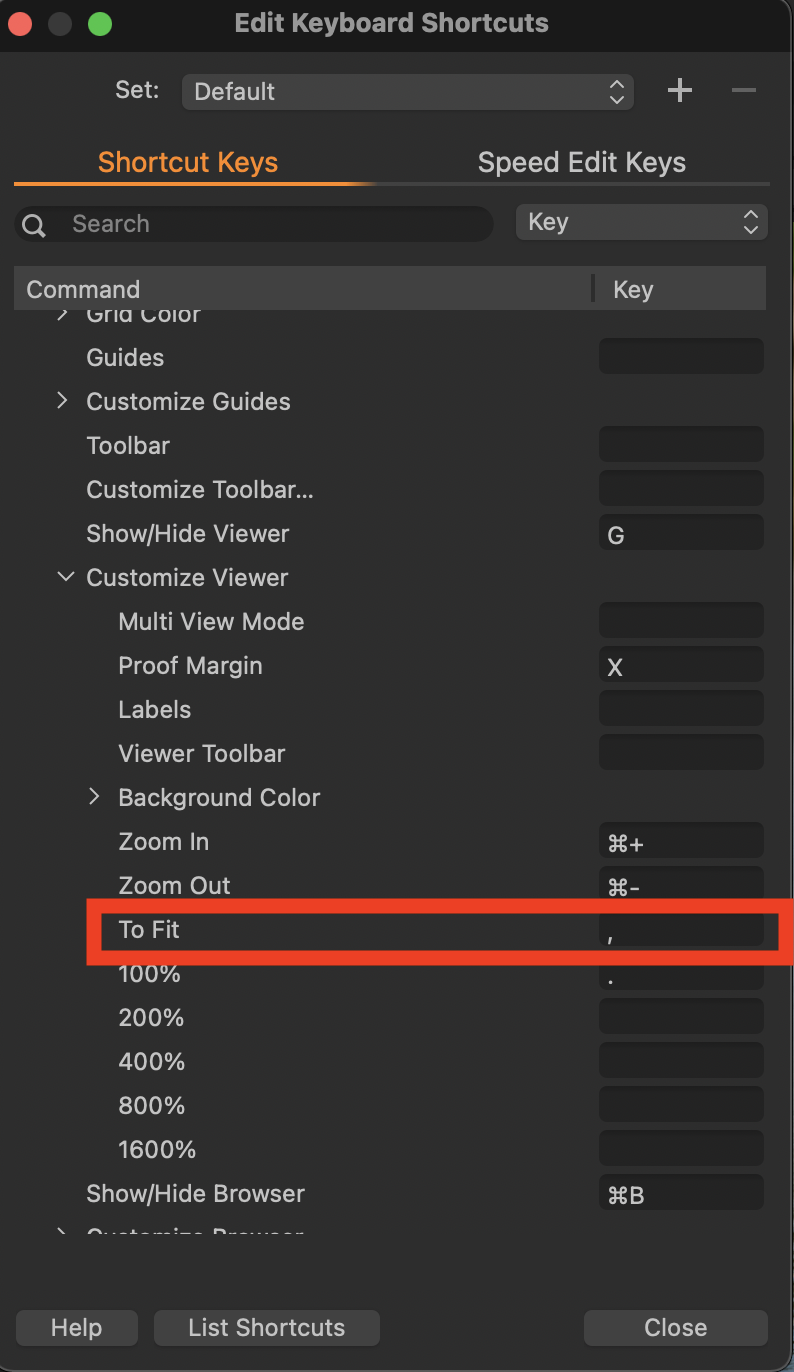
I find that too frustrating since every other app I know of uses ⌘0, so I set that as the shortcut in my customised keyboard shortcuts.
If you had a customised set of shortcuts, perhaps you need to load that again. Or alternatively perhaps you have upgraded from a version before they changed that default, and you need to set up customised shortcuts now to get it to be how you want it.
Instructions for that are here. https://support.captureone.com/hc/en-us/articles/360002490757
Ian
0 -
Just seems odd to remove what is a standard shortcut across most software... I'll try that customization though..
One more... toggling between image names using the TAB key is convenient for jumping between file names, but shift TAB used to be a way to step backwards... at a certain point shift TAB was disabled... Does that make sense? Anyone know how to customize that?
0

Post is closed for comments.
Comments
3 comments