Export keyword library?

I can see how to import a keyword library from text file. However I cannot see how to export a keyword library as a text file. Could someone explain how please?
-
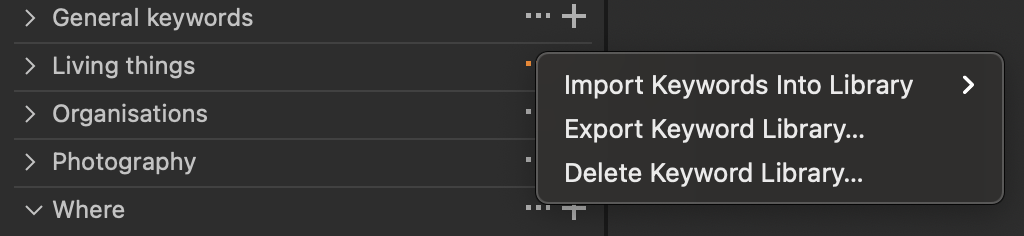
On the keyword library you want to export, click the ... next to the name of that keyword library (to the left of the +). The pop-up menu includes an option to export that keyword library.
Ian
0 -
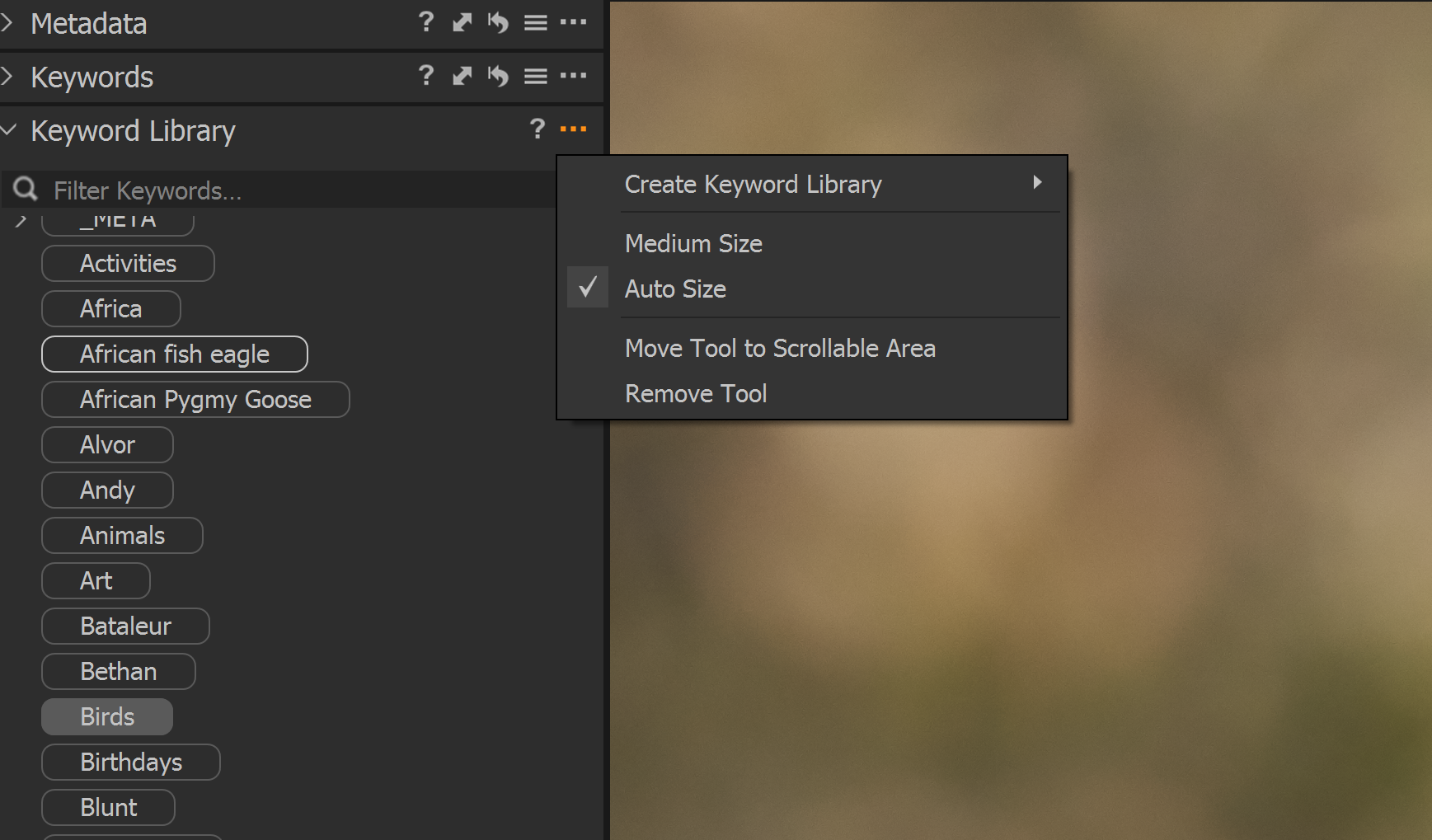
Thank you Ian. Something wrong with my setup I guess. I don't have a list of libraries, just a long list of keywords inherited from iMatch DAM so what I see is this:
 0
0 -
Strange...
The box under the Keyword Library heading on my computer says Search, not Filter Keywords.
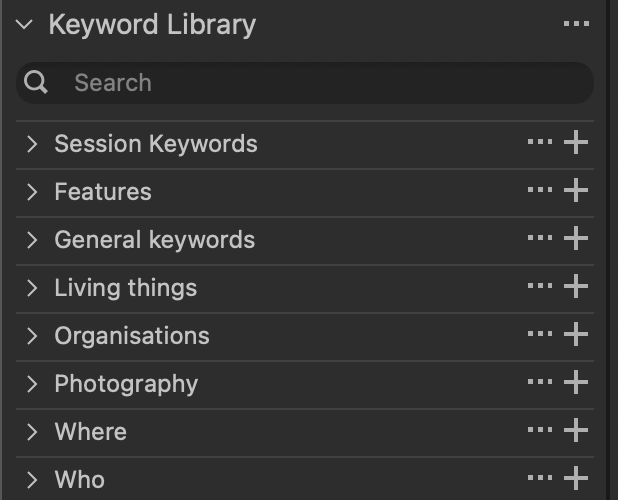
I'm not sure whether that is because you're on version 20, and I'm on version 21, or because you're on Windows, and I'm on Mac, or perhaps you are on an Express version and I am on Pro?
(A quick check on my other computer shows that it isn't to do with it being version 20 - that shows Search not Filter Keywords as well.)
If you scroll right to the top of the list of keywords you have there, what do you see? Is there a title for a keyword library, such as the Living Things, Organisations, etc in my screenshot, or indeed Catalog Keywords (where mine shows Session keywords, because I was in a session when I took the screen shot.)
Have you ever, as far as you can recall, created a keyword library? There is a difference between
- Session Keywords (or Catalog Keywords) and
- creating a Keyword Library.
Session (or Catalog) Keywords are particular to the current session or catalog. But if you create a keyword library it is available for every session and catalog on that computer. If you have not created one, you could try using the Create Keyword Library feature as shown in your screen shot. Maybe just create one called Test. Then drag any keyword you like from your existing list into it and see what happens.
- Is it in fact possible for you to do that?
- If you do that and click the ... next to the Test title is there then an Export Keywords option?
- And if so is there now also an Export Keywords option next to the Catalog Keywords heading?
Ian
0 -
Thanks again for your help. I am using C1 20 Pro on Windows 10.
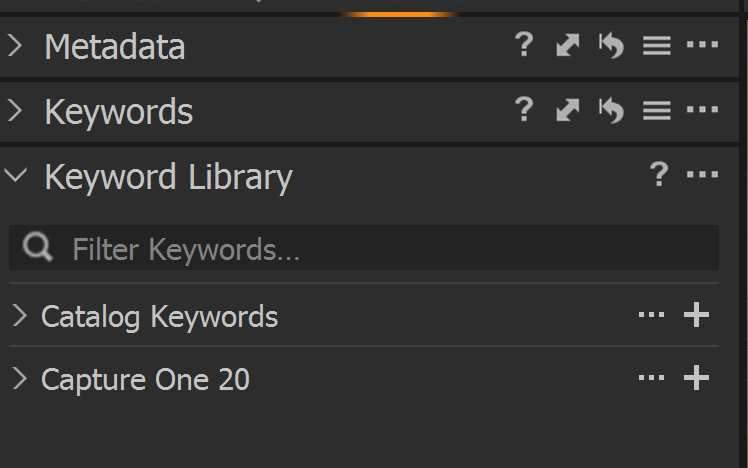
I found I had something called Catalog keywords which is where my long list resided. Once found I was able to export it as a text file and edited it in Excel to tidy up hierarchy and stray entries and then imported it back into a new library which I labelled Capture One 20 to match my default catalogue.
 0
0 -
Great. I'm pleased that you have been able to sort it out. You can remove stray entries in Capture One as well, but your solution is fine, I am sure.
Ian
0 -
There was a little reorganisation required too so made easier by a longer and wider view than I could get in C1P I think.
I'm grateful for your help Ian.
0

Post is closed for comments.
Comments
6 comments