How to migrate all C1 20 catalogs and sessions to C1 21After updating

After updating from C1 20 to C1 21, I don't see my C1 20 Catalogs and Sessions. IS there a way to migrate ALL of my C1 20 catalogs and sessions to C1 21?
Also, why is this not automatic? When I update or upgrade any other kind of software it normal for dat to be available just as it was in the previous version.
-

Have you tried double clicking catalogue from Finder or opening a catalogue from within C1?
0 -
Each time I upgraded or updated to a new version, it was automatic. You won't have to do anything. But if it doesn't work this time, you could try pressing the alt/option key while opening C1, and the list of your running sessions/catalogues should appear.
0 -
When you say you don't see them, what I presume you mean is that you don't see them in this drop down list at the top of the Library tool.
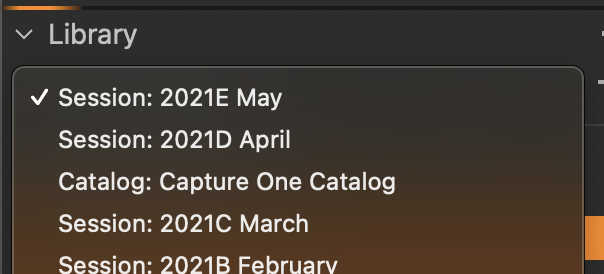
That is just a recent documents list - when you upgrade to a new version of Capture One, it clears the list and starts again. As Shane says, you can navigate to any catalog or session file using Finder, and open them that way. Or go to File>Open in Capture One and navigate to the catalog or session file. It will ask you whether you want to upgrade the catalog or session to version 21 - you can safely say yes, because it will back up the older version of the file automatically. The list in Capture One will gradually repopulate up to a maximum of 10 entries.
Ian
1 -
What Ian said. The recent documents list is nothing more than another way of looking at the File -> Open Recent menu item. That item is cleared when a new version is loaded. I think it is macOS that does the clearing, not Capture One.
In addition to using Finder you can always use File -> Open... (or cmd-O) to get the standard Mac open dialog window. Navigate to the location of your catalog or session and open it. Capture One will perform any required updates due to version changes.
0 -
So the list under the Library heading is not actually what's in your library. It's a list of recents. They should label it as "recents". So the see my catalogs and sessions from before, I have to go outside of C1 to find the catalogs and sessions manually.
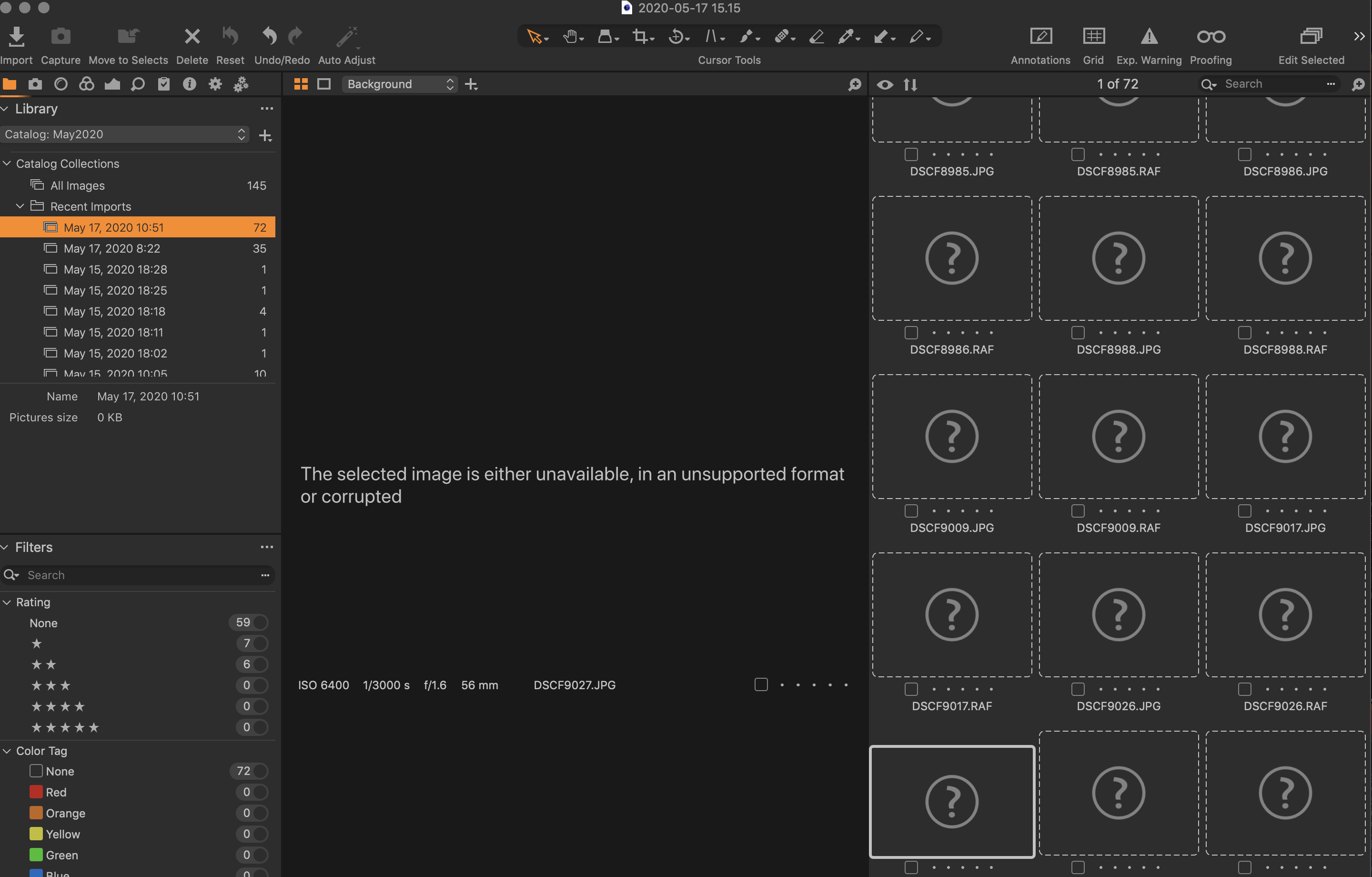
One of the problems I found that C1-21 is using a different default location. Would be nice and logical if it just automatically defaulted to the same location as the previous version with no intervention from me. When I try to open a session from before sometimes it fails to find or thinks the files are wrong format or corrupted. The error message couldn't me much more inspecific. Issues with file formats and locations are 2 unrelated things. Trying to locate the files hasn't been working. C1 does many things well but file management in't one of them. Over the many years I Used Aperture, I never lost files. With C1, it's not hard to misplace them.
Now I have take a bunch of time to migrate the files that were save in the new location to the old location. I'll have to do a lot of testing along the way because I can't put trust in Capture 1 not losing them
 0
0 -
So the list under the Library heading is not actually what's in your library. It's a list of recents. They should label it as "recents". So the see my catalogs and sessions from before, I have to go outside of C1 to find the catalogs and sessions manually
This is just like many other apps, such as Microsoft Word. If a Word document isn't on the recents list, you similarly have to go to File>Open or go to Finder to open it. I agree that a more informative label on the list would help.
Ian
0 -

I think you may find that the list in the Library tool is for Sessions and Catalogues that have already been updated to the relevant release version.
Obviously you would want to choose which ones you need to update by selecting them and opening them, at which point C1 will save a copy of the session or catalog in its current state and then deliver a revised version of the session or catalogue for use with the new release.
If one runs with one catalog then that is all the is needed.
If one runs with multiple catalogues and/or sessions then they can be updated as and when required. C1 seems to be able to maintain the ability to update older sessions and catalogues for several releases so there is not immediate need to update all of them if one has no plans to revisit them.
0

Post is closed for comments.
Comments
7 comments