Can I have Folder structure like LR?

I am trying to get the imported images off of a memory card to load into a catalog identical to what I have setup in Lightroom in terms of folder structure. Currently using the Nikon Express edition.
Namely I require: \YYYY\YYYY-MON-DD\
Instead of what CO21 is doing: \YYYY\M\D\ inside of the 'Originals' folder.
And the software needs to automate this based on date-stamps on the images as LR does. I don't yet see import features to specify the folder structure in the settings.
Is what I'm after possible in CO21 (any edition) ?
-

> D D: Is what I'm after possible in CO21 (any edition) ?
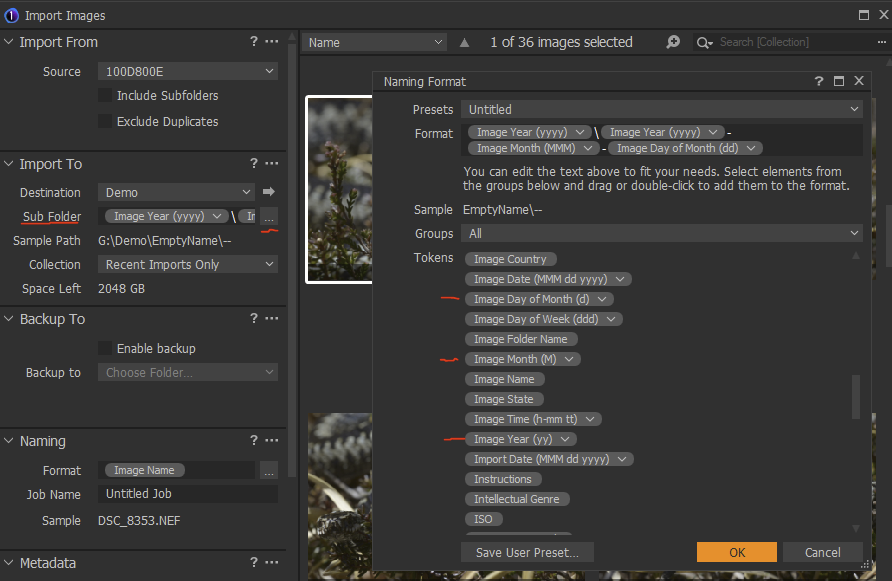
Some C1 tokens have a little down arrow (actually more like a "v") at the right end. Time tokens, the Image date is among them, will present a list of possible formats if you click that down arrow.
0 -
I don't see a item for creating a pattern for changing the folder structure of catalogs on the import screen in doing this. What is it called specifically in the menu?
0 -
> DD: What is it called specifically in the menu?
Import. That is what you're after, right?
The example shown imports to G:\Demo\2021\2021-apr-25
 1
1 -
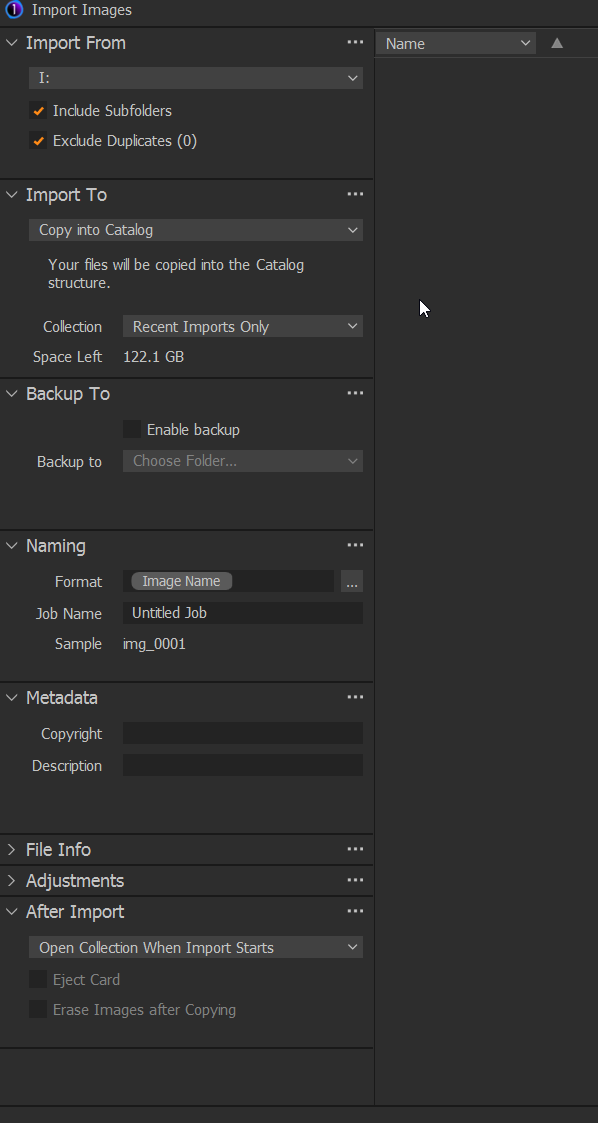
How did you get the Destination, Sub Folder, and Sample Path items to display? I don't get those both in the Express Edition and in the Pro Edition (30 day trial).
All I see is this:
 0
0 -
Oh I figured it out. There was a disconnect in missing a step -- The missing link was in using the catalog. Instead one must manually create a new folder ("Copy to Folder" option) and then using the tags generate new sub folders. That does work.
Edit: One can use \year\ in the tags and get the sub tree higher tier folders too. Thanks!
1
Post is closed for comments.
Comments
5 comments