Unable to transfer from C1 & edit RAF files in Photoshop

Hello,
I am encountering an issue since a couple of weeks now.
C1 won’t let me transfer & edit a RAF file in Photoshop unless it is the original version unedited in C1.
What could be the issue ?
-

No issue. That is the way capture one works. No other application can process Capture One edits. To send your edits to another app Capture One must create a new file with the edits "baked in". There is no way to do that in a raw image. Use tiff or jpeg or psd formats in you need further editing in another app.
If you select DNG as the format you will get the unedited image.
0 -

All correct!
You can right click on the thumbnail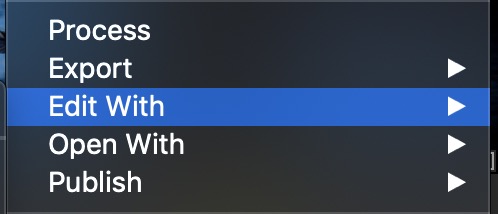
and choose the format and other options and it will open automatically
— I use Affinity Photo but it makes no difference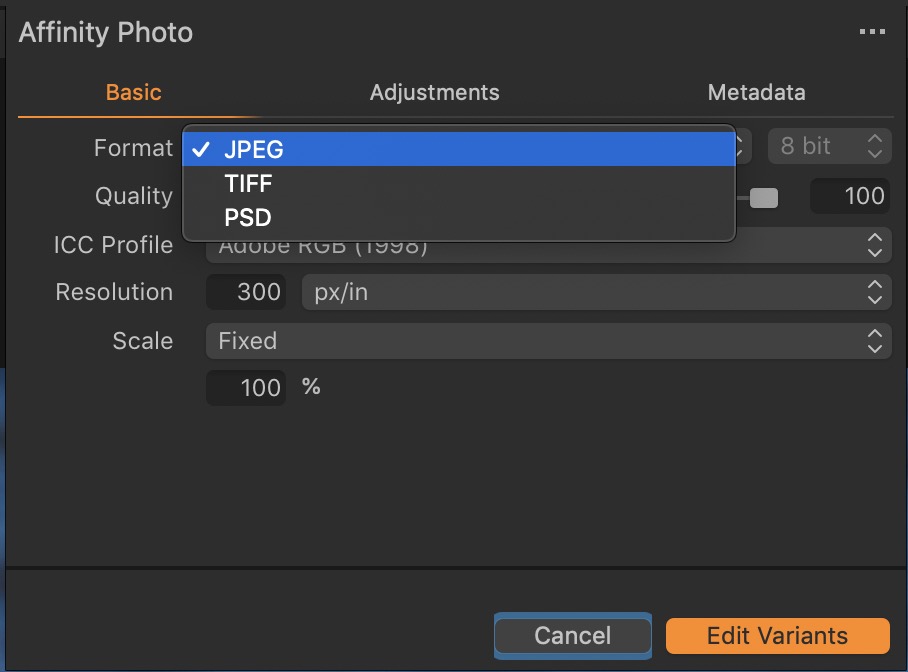 0
0
Post is closed for comments.
Comments
2 comments