Layer Not Responding Working Later

This is the same issue as this one, but on Windows 10.
One of the layers in an image still has its setting applied, but I cannot change those settings when I launch the application later in time. That is later in the day after I closed the app earlier, and the next morning. I hit M to display the mask and it doesn't display the mask. I move the sliders and it doesn't affect the previously masked area, even if the original adjustment is still there. That is, I can't change it now.
This seems to be an issue that Capture One has not addressed yet.
-
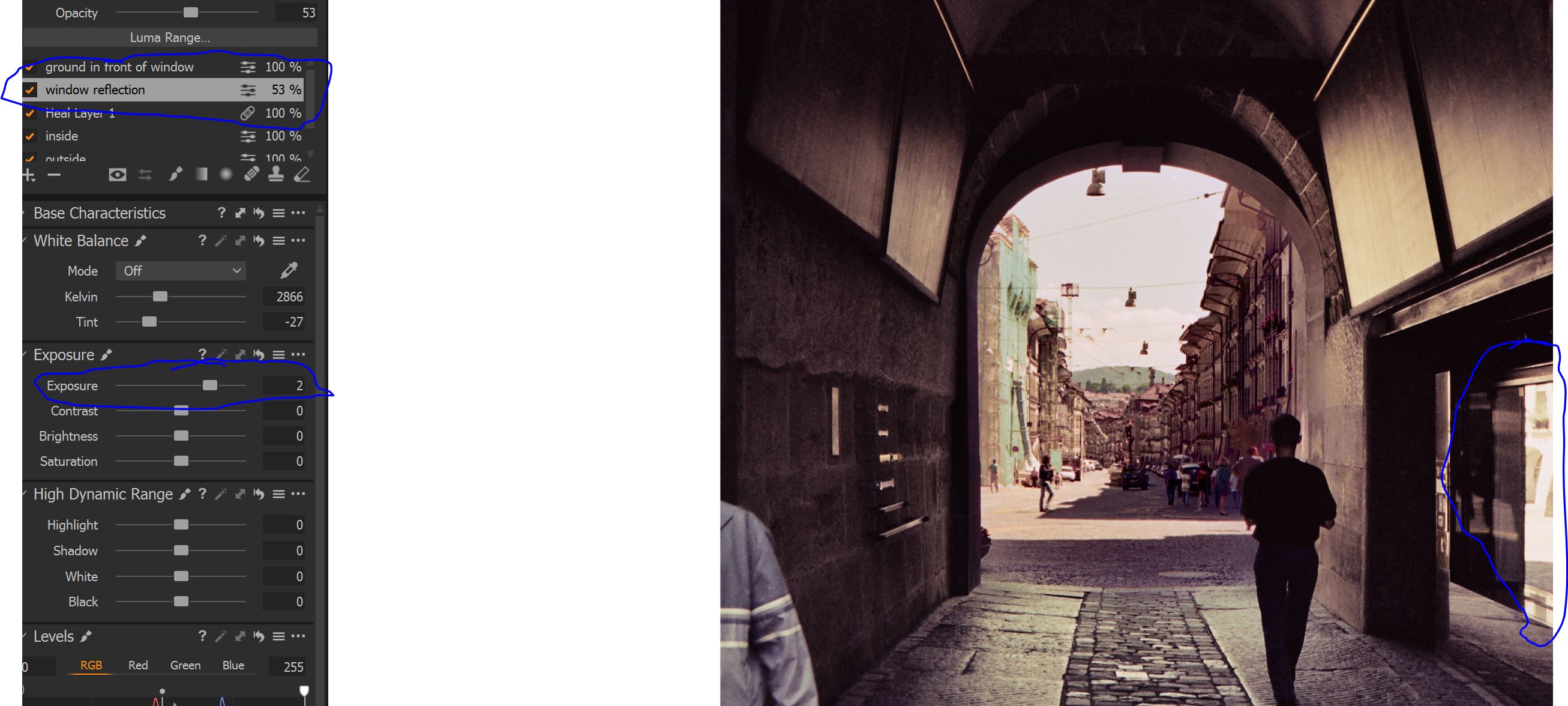
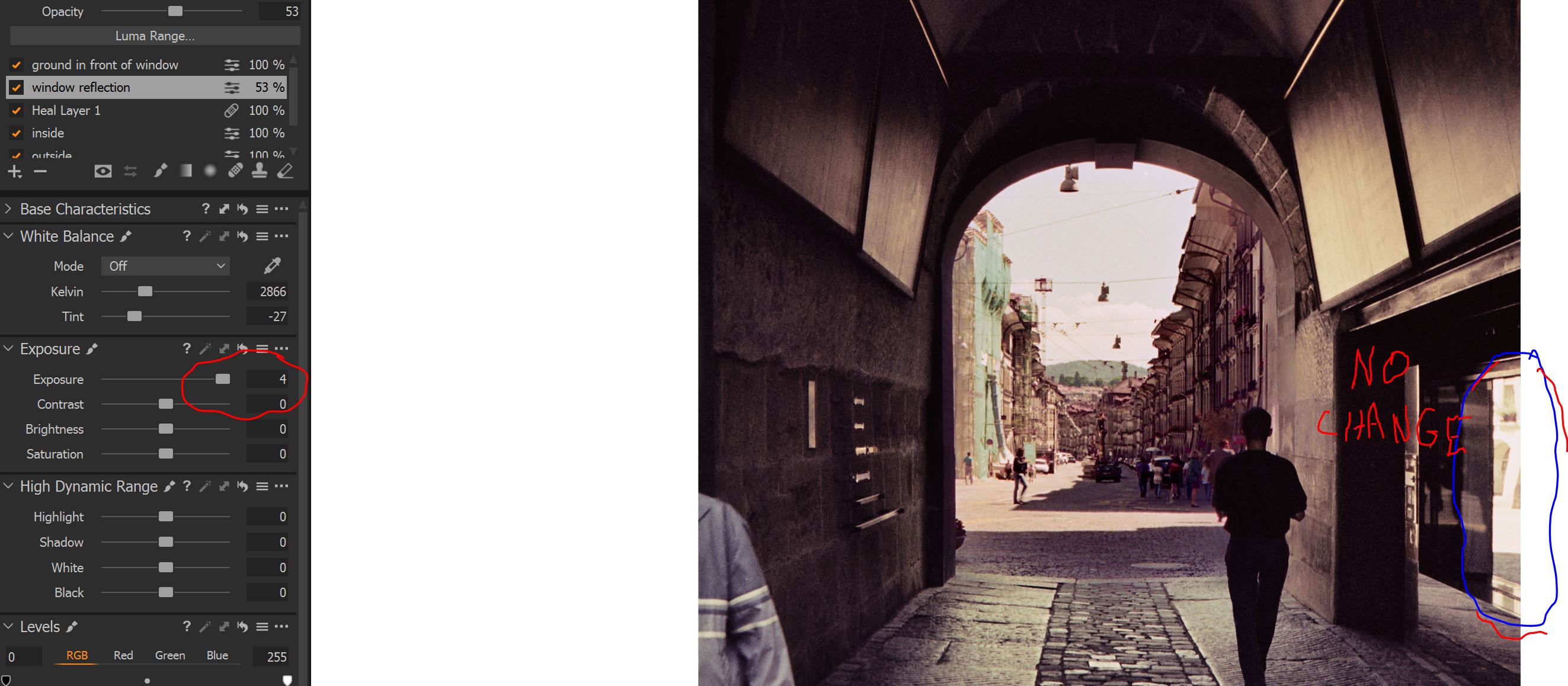
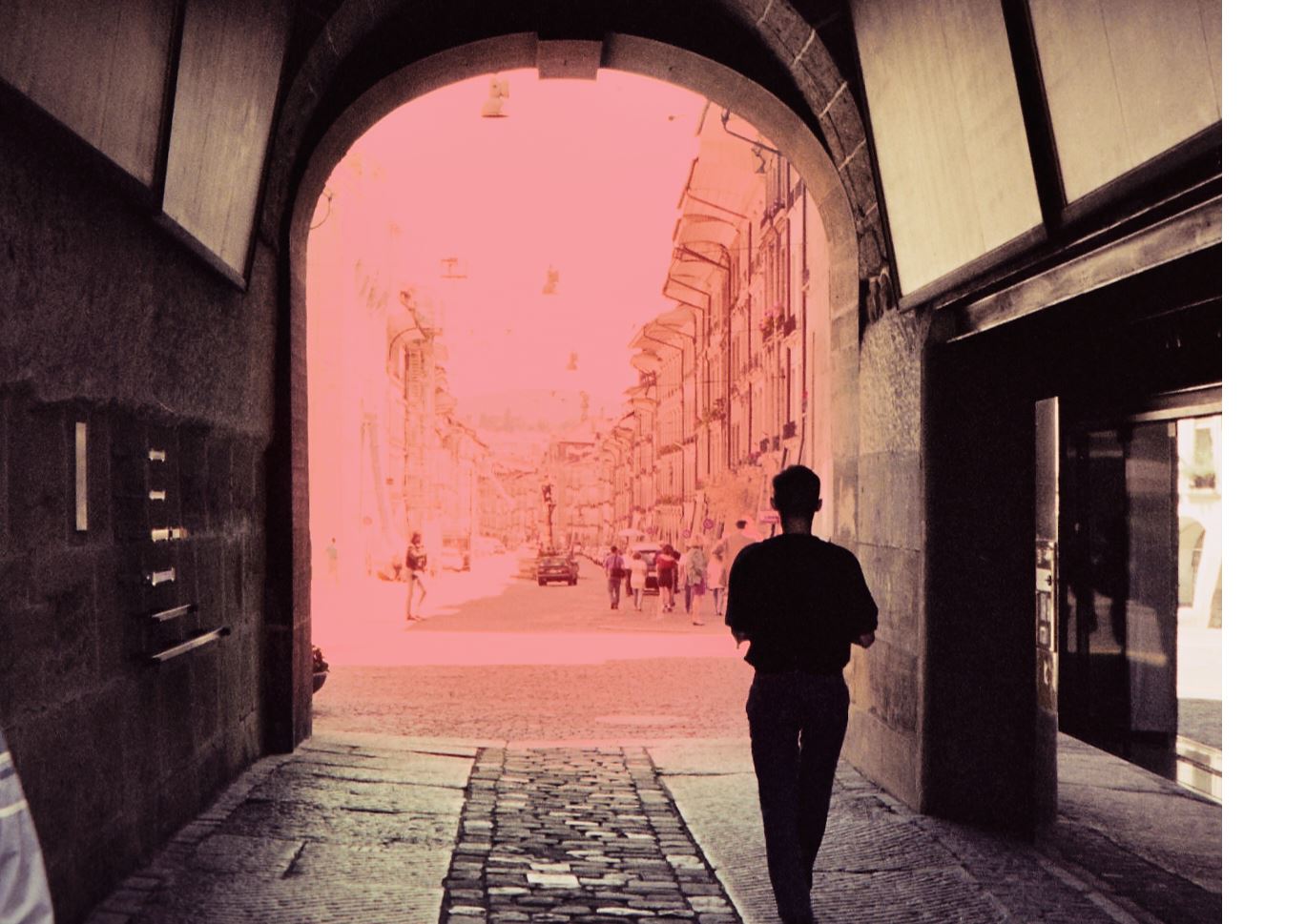
Note that this is a 'scan' of a negative taken with a DSLR. So increasing the exposure on the slider should actually darken the masked region. In fact nothing is happening. The two images attached show this issue. The first is not trying to apply a change, just showing initial state. The circled window on the right is the region that was masked in the original editing session (i.e. when I sat down to work, not to be confused with the Capture One session versus catalogue). The second shows that during my next editing session, when I opened the application to the same image again, that changing a setting for the layer, nothing happens. I can't even display the mask. The third image shows that the mask works in other layers. Finally, this is happening in two layers, the window layer, and the ground in front of the window layer.
 0
0
Post is closed for comments.
Comments
1 comment