Fujifilm Film Simulations appear as available but do not apply

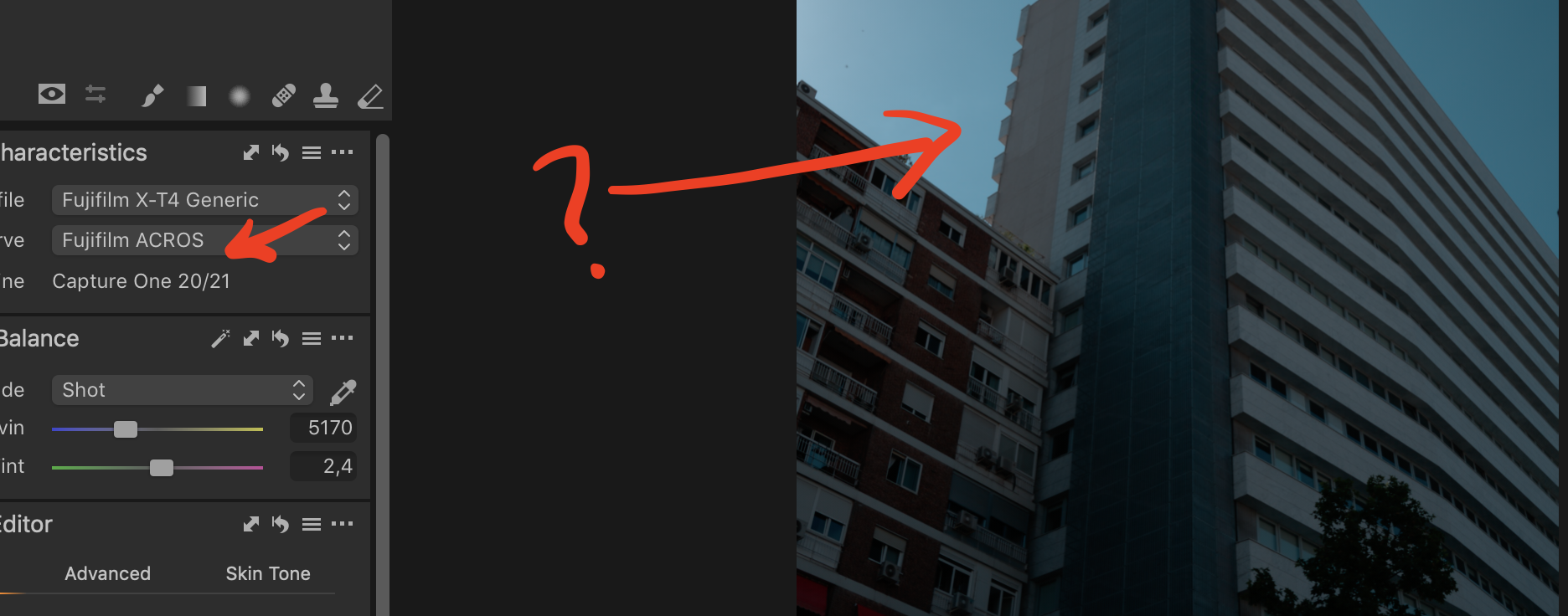
Update: I think I realised the issue. The RAW files where this behavior shows were shot in HDR mode. I found some regular "single-shot" RAW files and everything worked as expected, it seems like Fuji film sims cannot be applied to RAW files shot in HDR mode in Capture One.
Hello, I was happily editing a bunch of Fuji RAW files (RAF - regular not compressed) I just shot today when all of sudden the film simulations stopped working. No raw file settings were changed when shot, all files shot with the same camera (XT4) and the film simulations were available and being applied as expected. I have the full Capture One 21 Fujifilm version. I started with v14.02 when the issue began occurring. Since I saw there was an update, I went ahead and got v14.2 but the issue still persists.
Any insight as to why film simulations would still show up in the dropdown but then stop working for no apparent reason (as I said I edited about 10 photos just fine and then the film sims just stopped working). Only thing I can think of is that I was deleting the "files" from the collection once I had exported the jpg, but surely that wouldn't be the cause film sims to randomly stop working, right?
Thanks for reading
-
Update: I think I realised the issue. The RAW files where this behavior shows were shot in HDR mode. I found some regular "single-shot" RAW files and everything worked as expected, it seems like Fuji film sims cannot be applied to RAW files shot in HDR mode. Live and learn!
0
Post is closed for comments.
Comments
1 comment