File-Size - How to show the filesize

How can I show the file size in the overview? I can't find a way e.g. by clicking with right-mouse-key.
Attached please find a screenshot, that shows what i mean exactly.
My CaptureOne Version is 21.
thanks
G. Huber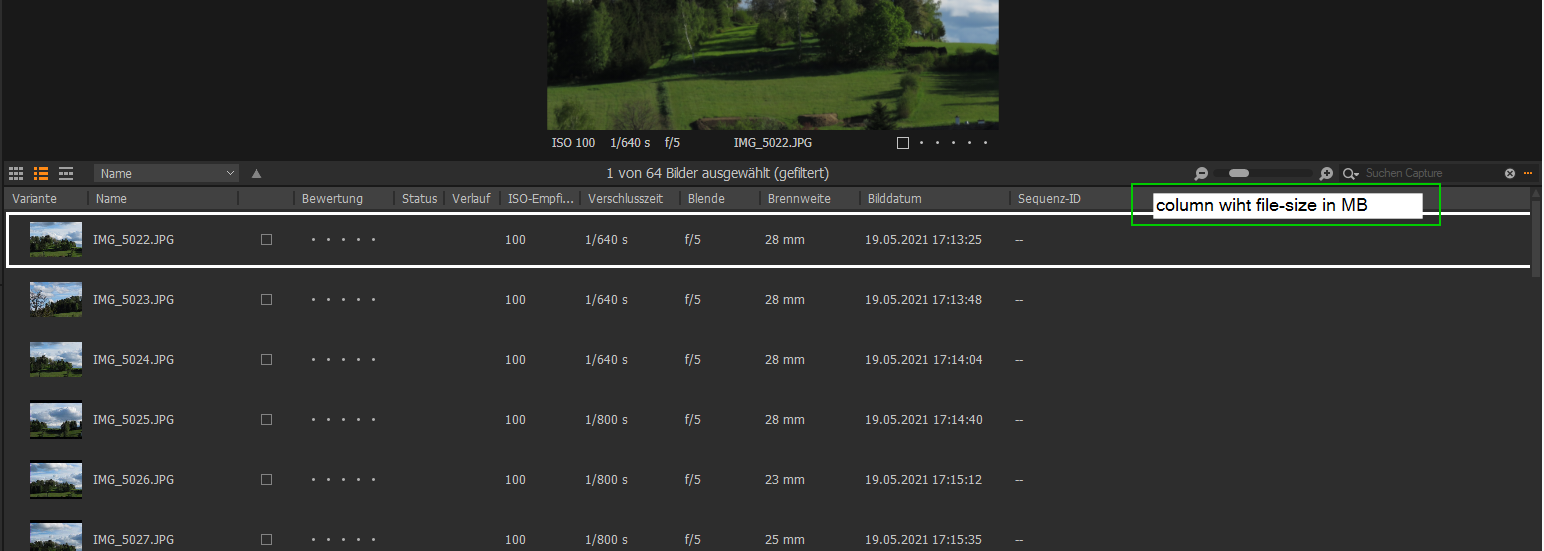
-

So far as I know the only way would be to use the "Show in Explorer" option and look at the file properties.
0 -

This is poor. I do not understand what is the problem to provide this information!?
0 -

I agree, it is some very basic info that is not shown anywhere. Every other photo editor I've used has it.
I thought I submitted a Support Request to ask for file size in Mb to be shown somewhere but I don't seem to be able to find my record of it right now.
In any case, this is a user forum, so nothing will come out of it. Please submit it in a Feature Request and you'll get my vote for ithttps://support.captureone.com/hc/en-us/community/topics/360000154057-Feature-Requests
0 -
I have submitted a Feature Request:
https://support.captureone.com/hc/en-us/community/posts/4689199485213-Show-filesize
0
Post is closed for comments.
Comments
4 comments