Picture

I need help with my photos, they have lines of colors after I use Auto-Adjust, can someone help me with this problem.
Thank you
-
Could you perhaps show us a screen shot to demonstrate the problem?
Also have you tried turning off hardware acceleration to see whether that makes a difference?
And are you on the very latest release of Capture One (21.1.1) and what version of MacOS are you on?
Ian
0 -
Here I send you some examples of photos, I have a MacBook Pro (MacOS Big Sur version 11.2.3) I use Capture One for Nikon (Build 14.0.2.49)
0 -
No pictures attached....
Also 14.0.2 is not the latest version of Capture One. The latest build is 14.2.
Ian
0 -
Where I can send you the pictures?
0 -
You could take a screenshot that illustrates the problem, then post the image here using the button in this edit window.
Ian
 0
0 -
 0
0 -
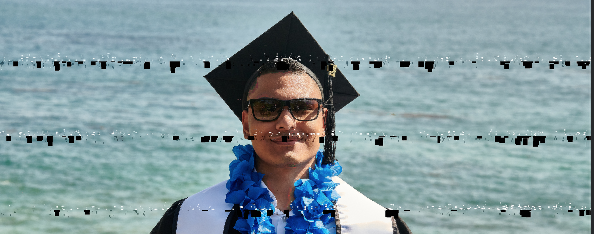 0
0 -
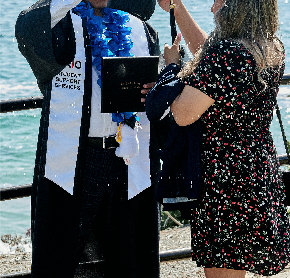 0
0 -
I currently own a Nikon 850 and I currently have a Macbook Pro. The program I use on my laptop is up to date. I have been using a Nikon Lense 1.5 MM F/1.4 and I have been taking raw photos to test out the new lense as well as the program to edit my photos. The times I have photoshopped them with the program that is already installed in my Macbook pro I have had no issues, although I do like Capture one much more, which is why I decided to purchase it. When I transfer the photos that were taken with the camera to the memory card and move them to Capture one everything seems fine. The problem has been when I use Capture one to photoshop them and it is time to export them [ jpge ] . When I open the photos ''once exported'' they either come out with black stains or colored stains and the quality of the photo changes drastically making them look nothing like what they did when I first photoshopped them. I am unsure if I am doing something wrong and would like assistance as soon as possible, i do not want to cancel the program because I like the job it does with my pictures. Is why I am reaching out for assistance and looking for another option that can avoid me from cancelling the program. If you can be kind enough to have someone reach out to me as soon as possible please so i can get assistance. Again, this is the second Email I am sending due to not having a response with the first Email that was sent to you.
I hope to hear from someone soon
0 -
Rolo
You do know that this is just a forum of your fellow users, don't you? By using it you are not getting in touch with Capture One support.
Having said that, I'd return to the question I asked you in my first response. Have you tried turning off hardware acceptation? You can do that in Preferences, on the General tab. Try changing the two settings that say Auto in this screenshot to Never instead, and see whether the problem persists.
Ian
 0
0

Post is closed for comments.
Comments
10 comments