Lens Correction not working anymore 14.2

Hello Community,
the lens correction is not working for me with the update to 14.2
See the images and the description.

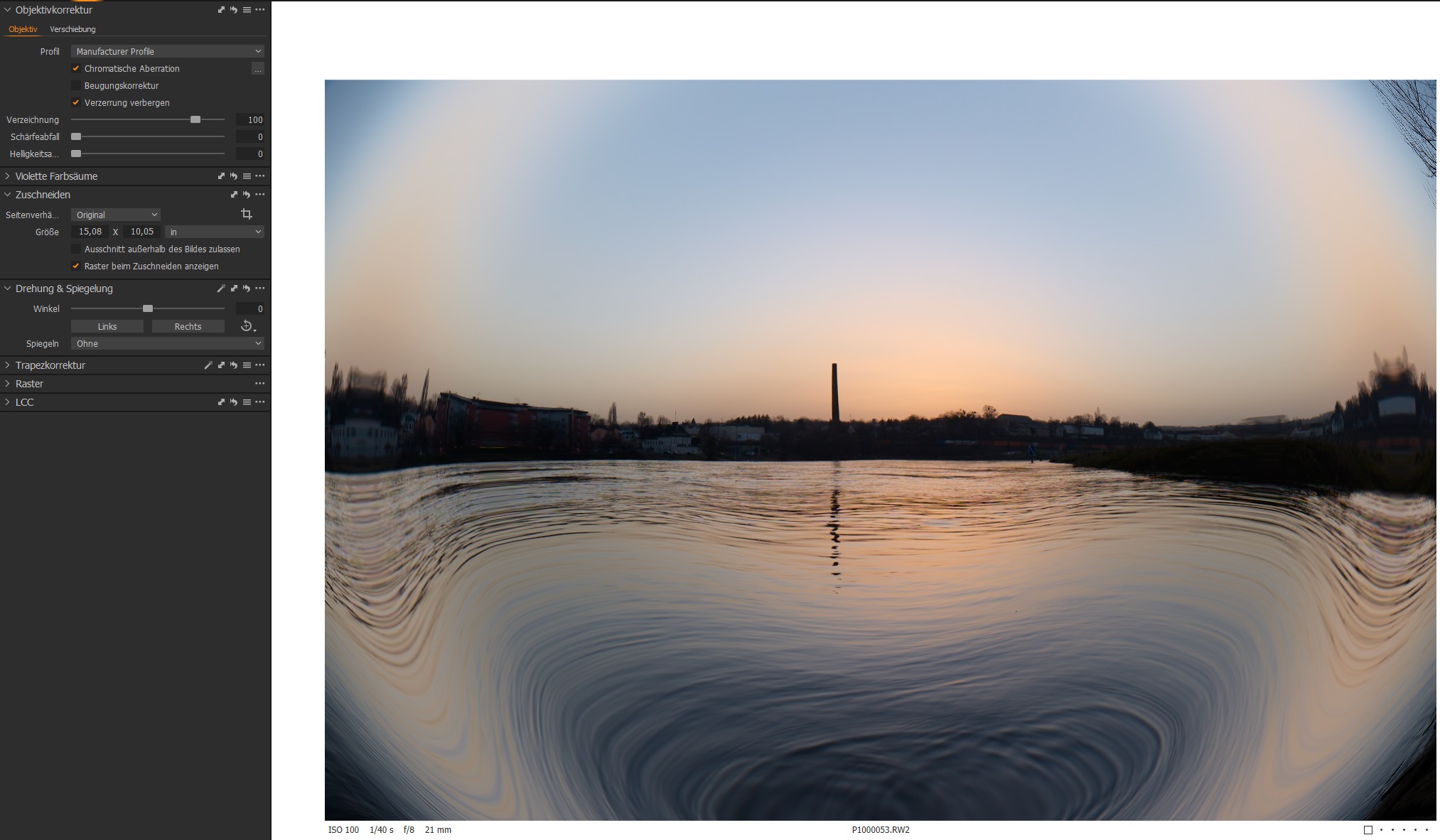
Lens correction set to manufacturer profile: not working
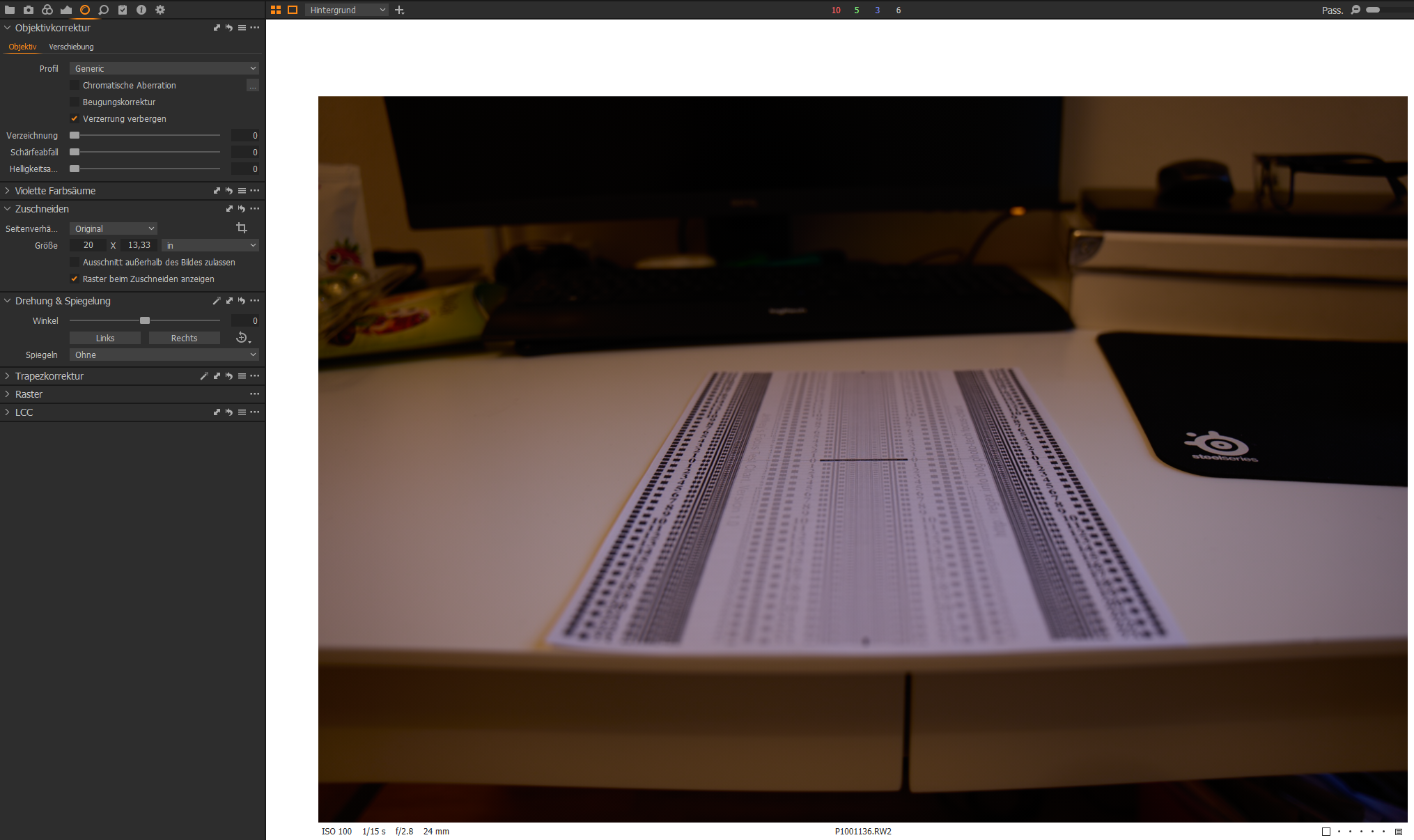
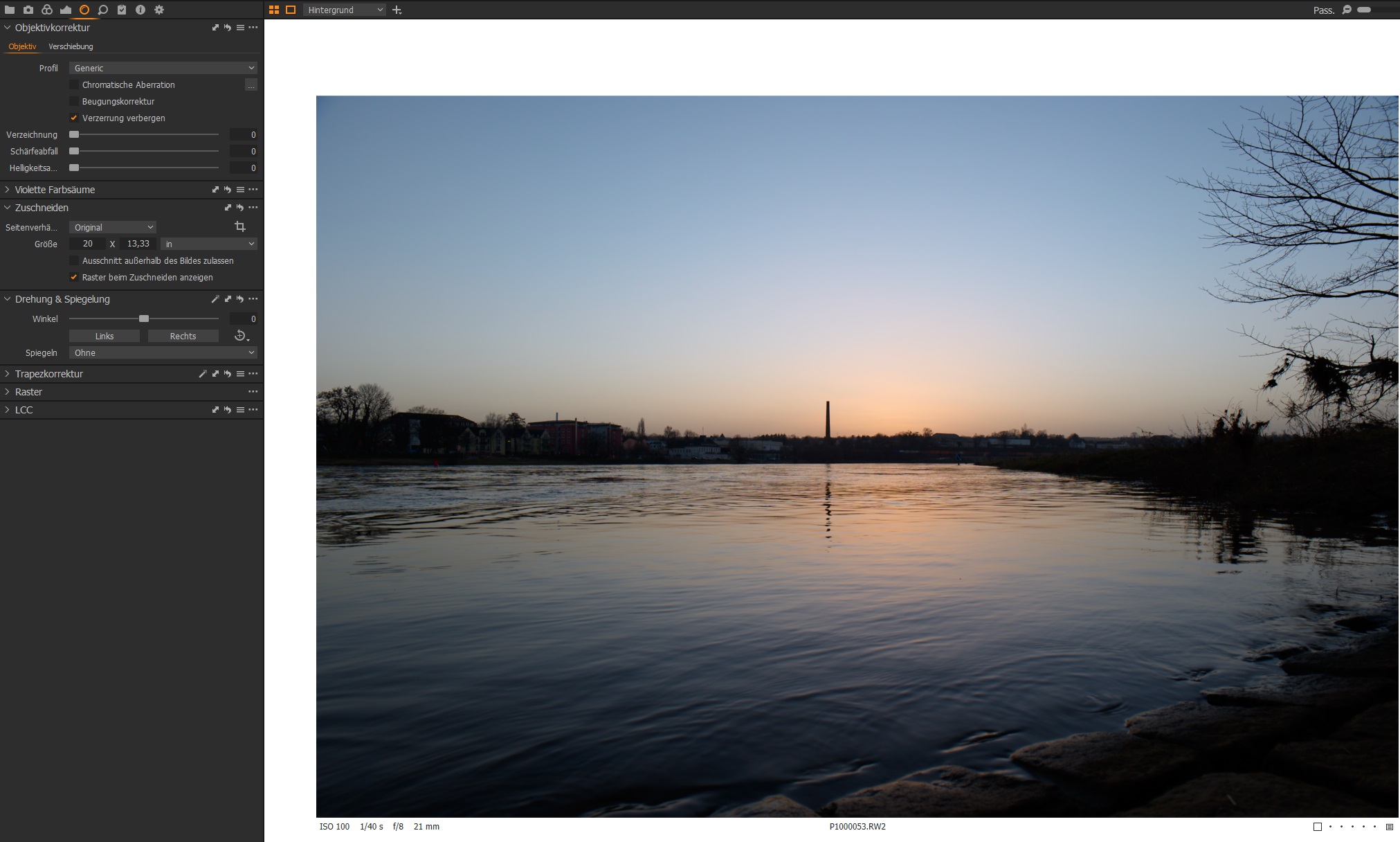
Lens correction set to general: same image like manufacturer profil, check completed.
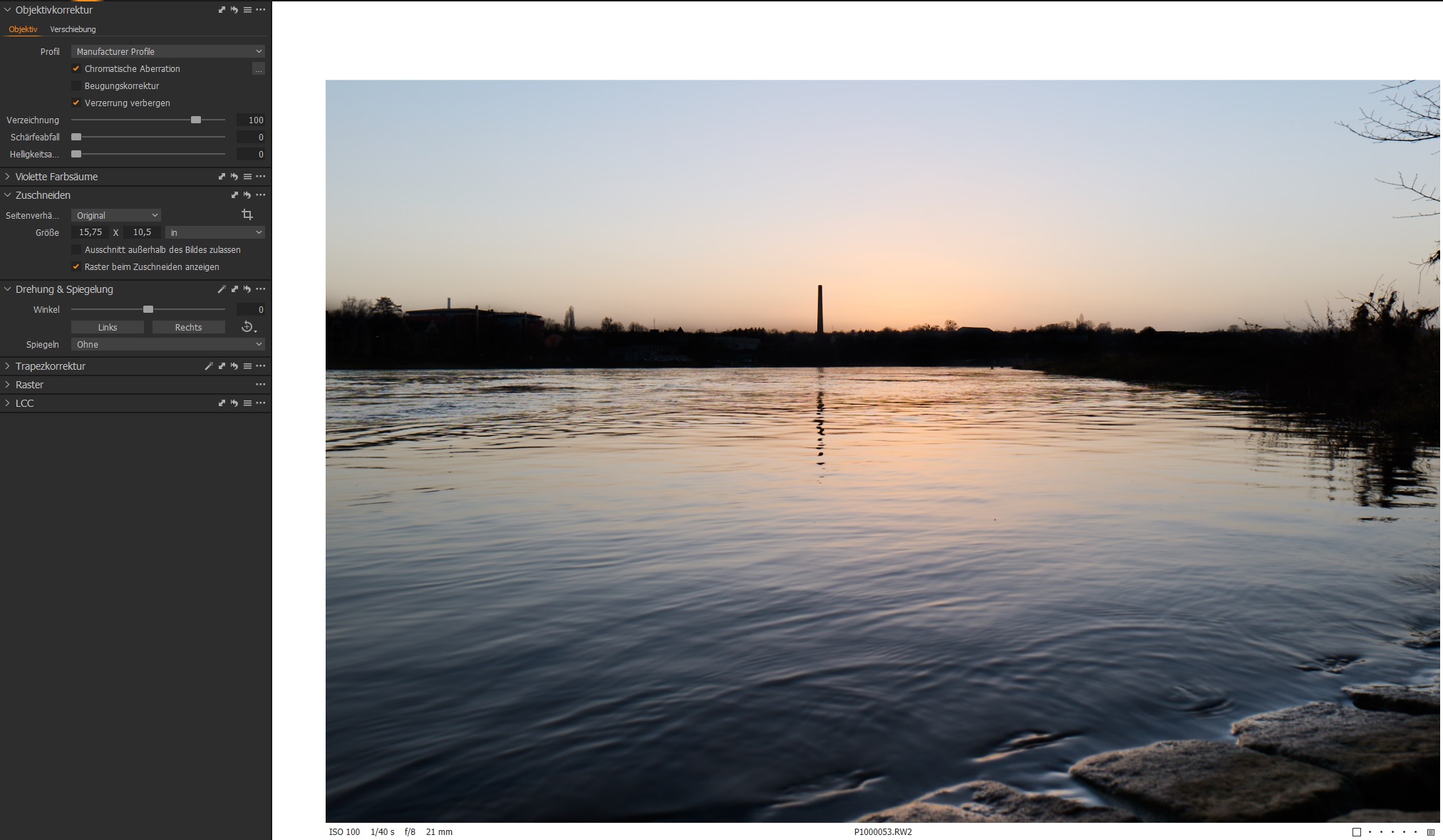
old image in the DB with previous C1 version edited: looks correct.

a very special behaviour: set the lens correction to manufacturer profile (like the old DB-image) and it destroys the image.
Hopefully you have any ideas how to fix the problem. I can send more information if needed.
BR Philipp
-
No Ideas? :(
0 -

Philipp,
The first 2 images, as viewed through a browser interpretation using MS Edge, look the same to me.
The second image (Generic profile) has no lens correction amount applied. The only ticked box is related to whether or not to crop out areas that C1 considers to be distorted AFTER adjustment.
What should I be looking for? What adjustments are you expecting?
For images 3 and 4 I am not sure what to say.
One thing I would try would be to turn off Hardware Acceleration in the Preferences to see if that makes a difference.
When you mention the "old DB" - how old is it? Which version of C1 was used for the previous processing of the file? Is the Processing engine set to that older version or has it been updated to the new engine?
If you create a NEW variant for that image (NOT a cloned variant) what does the new variant look like? (Doing this will create a variant from the RAW data but using the V21 processing engine.)
If you create a Cloned variant of the existing edit, what does that look like? (Doing that will create a variant using the processing engine of the original edit - whatever it was.
The Engine used can be discovered in the Base Characteristics tool.
(Note: The Engine check may be irrelevant but based on your description of the problem and the very strange effects it seems like a good idea to know whether an old version of the processing engine is involved in the absence of any other ideas apart from the possible Hardware acceleration processing influence.
The only other thing that I can think of is that for some reason the image has had some extreme cloning and pasting applied via a layer or several layers or maybe some other image has had that type of adjustment and the data related to those adjustments has somehow been applied to this image. Is it the only example of such a problem?)
Are you working with Session or a Catalog?
0 -
SFA,
many thanks for your reply!
The C1 Versions I compared are 14.1.0 and 14.2.0, so the processing engine is the same.
I put off the Hardware Accelaration but there was no difference.
I'm working with sessions and catalog, the problem appears with both.
However, I did new experiments with this two versions (in sessions-mode, I delete the folder C1 creates before I switched to the other version)
C1 14.1.0
manufacturer profile: like it should behave
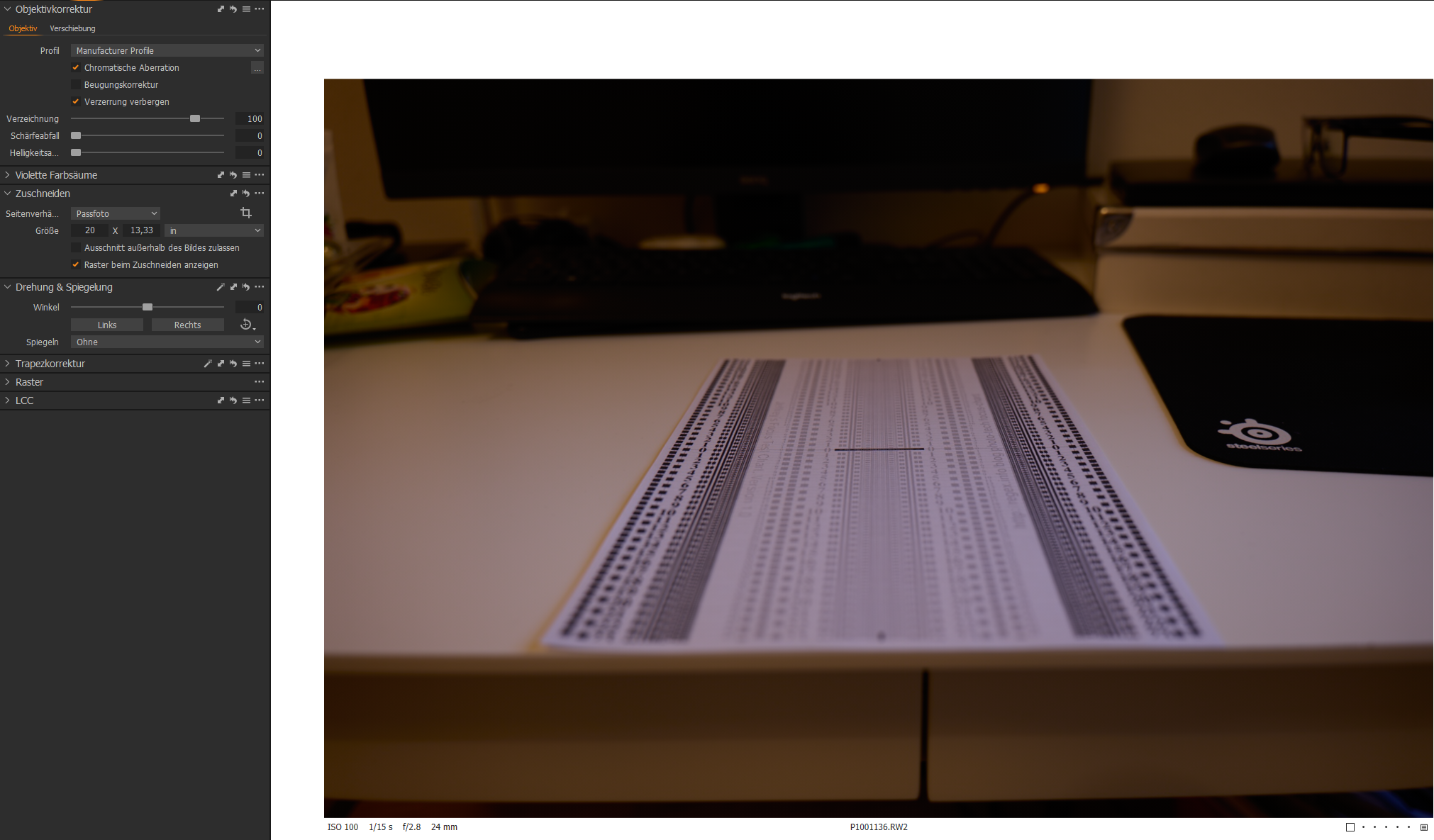
generic 0 %: like it should behave
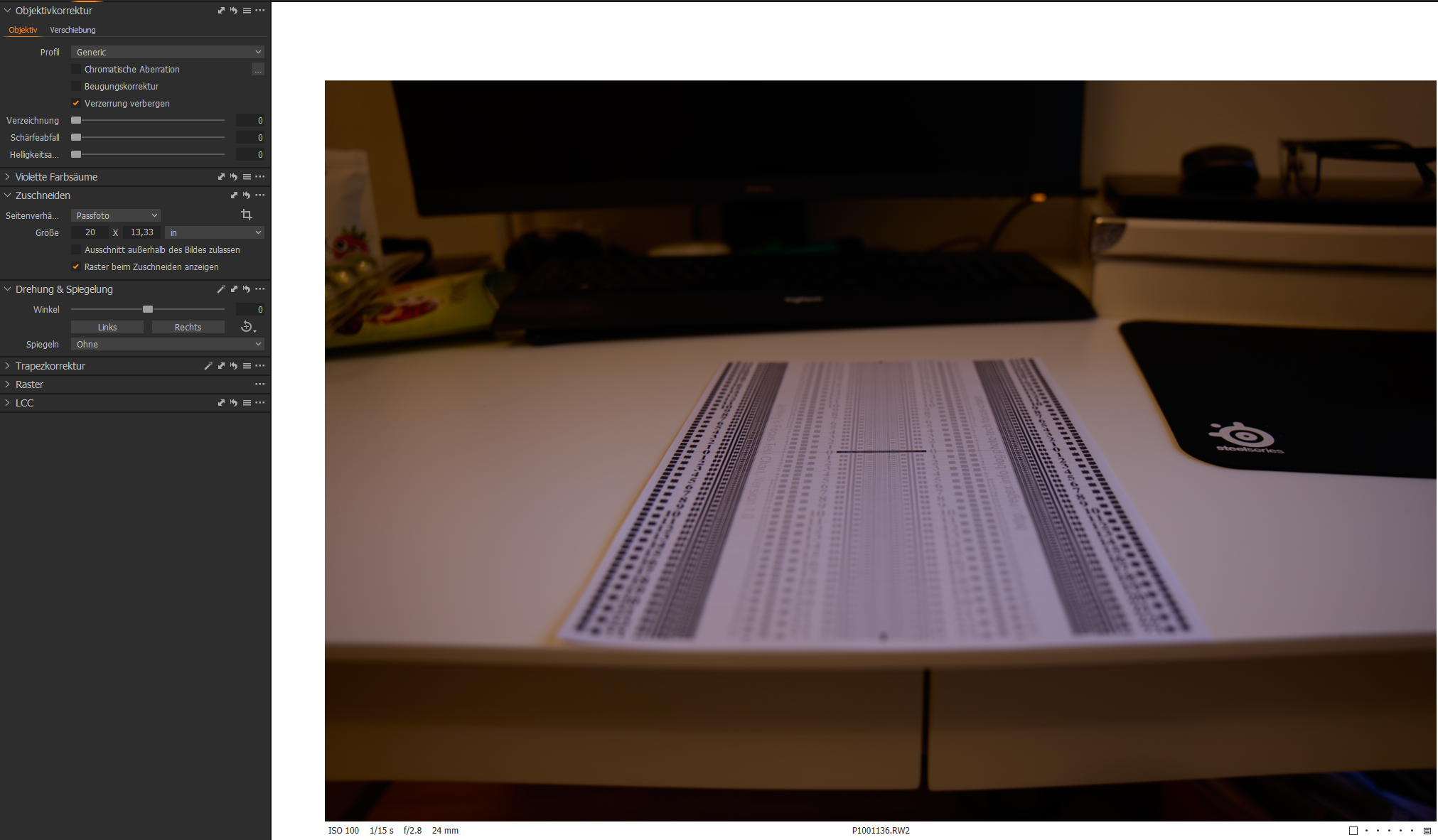
manufacturer profile: like it should behave
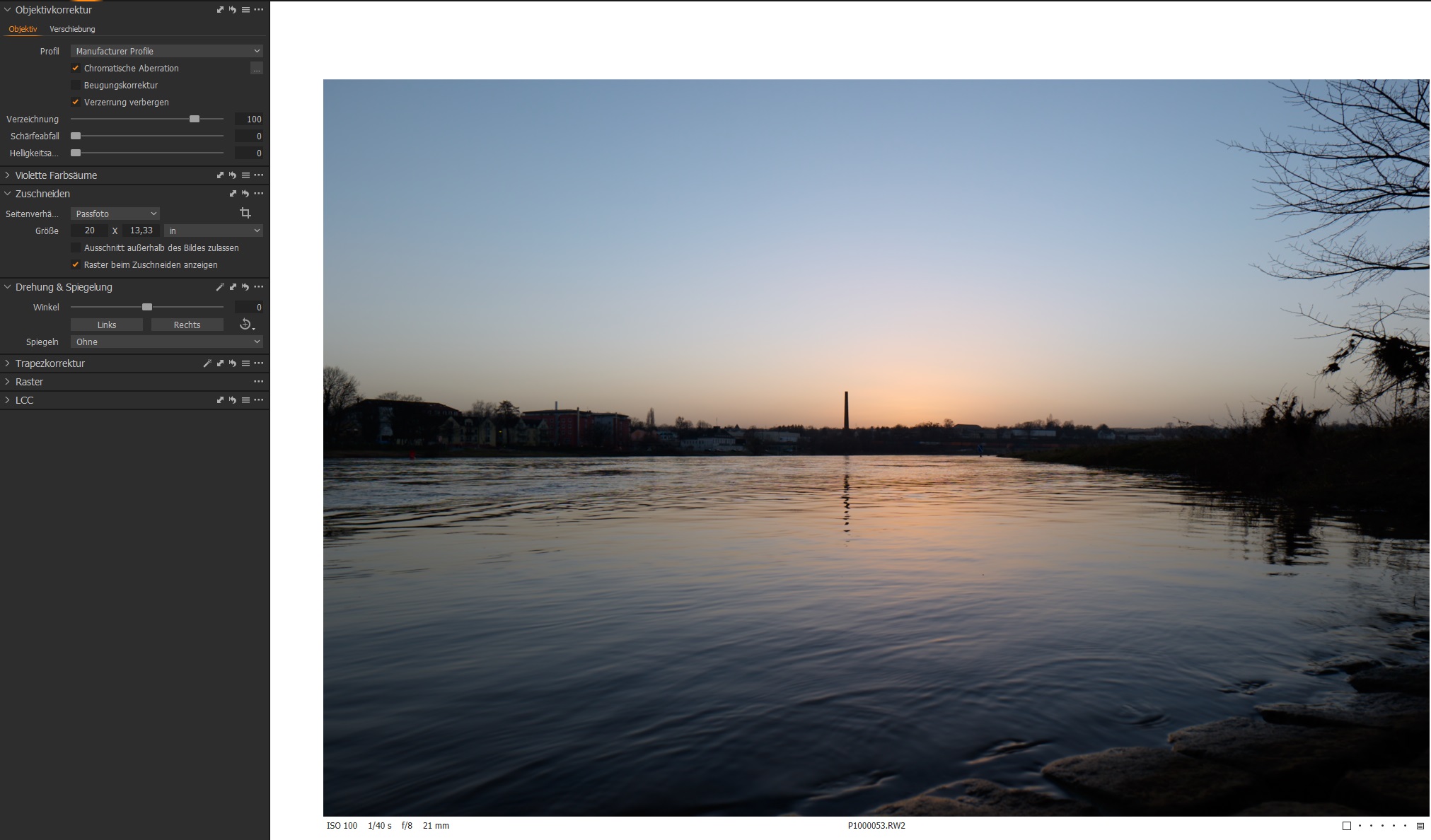
generic 0 %: like it should behave
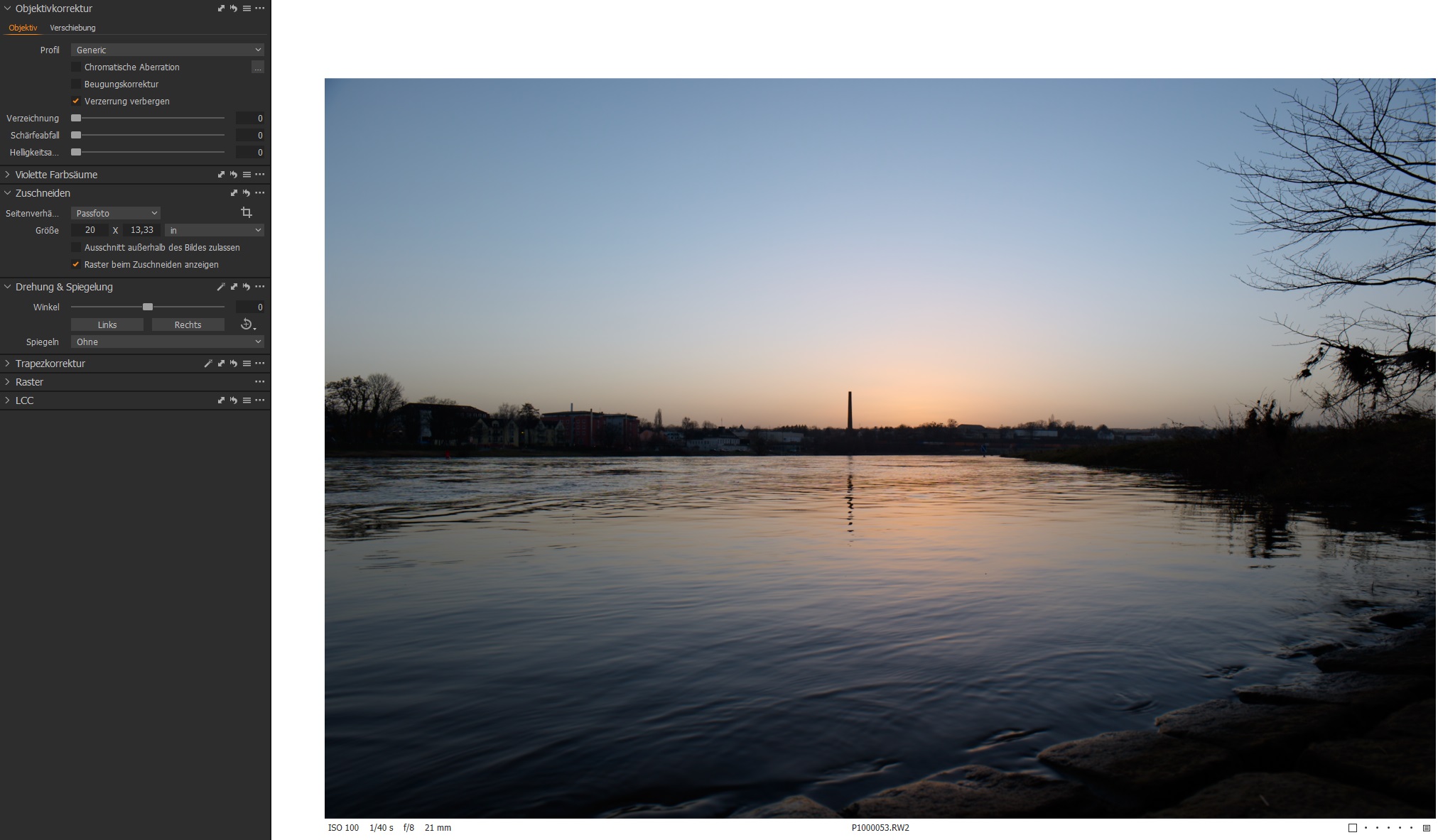
For C1 14.1.0, it works like a charm. But with 14.2.0 the problems began:
manufacturer profile: barell distortion, not ok
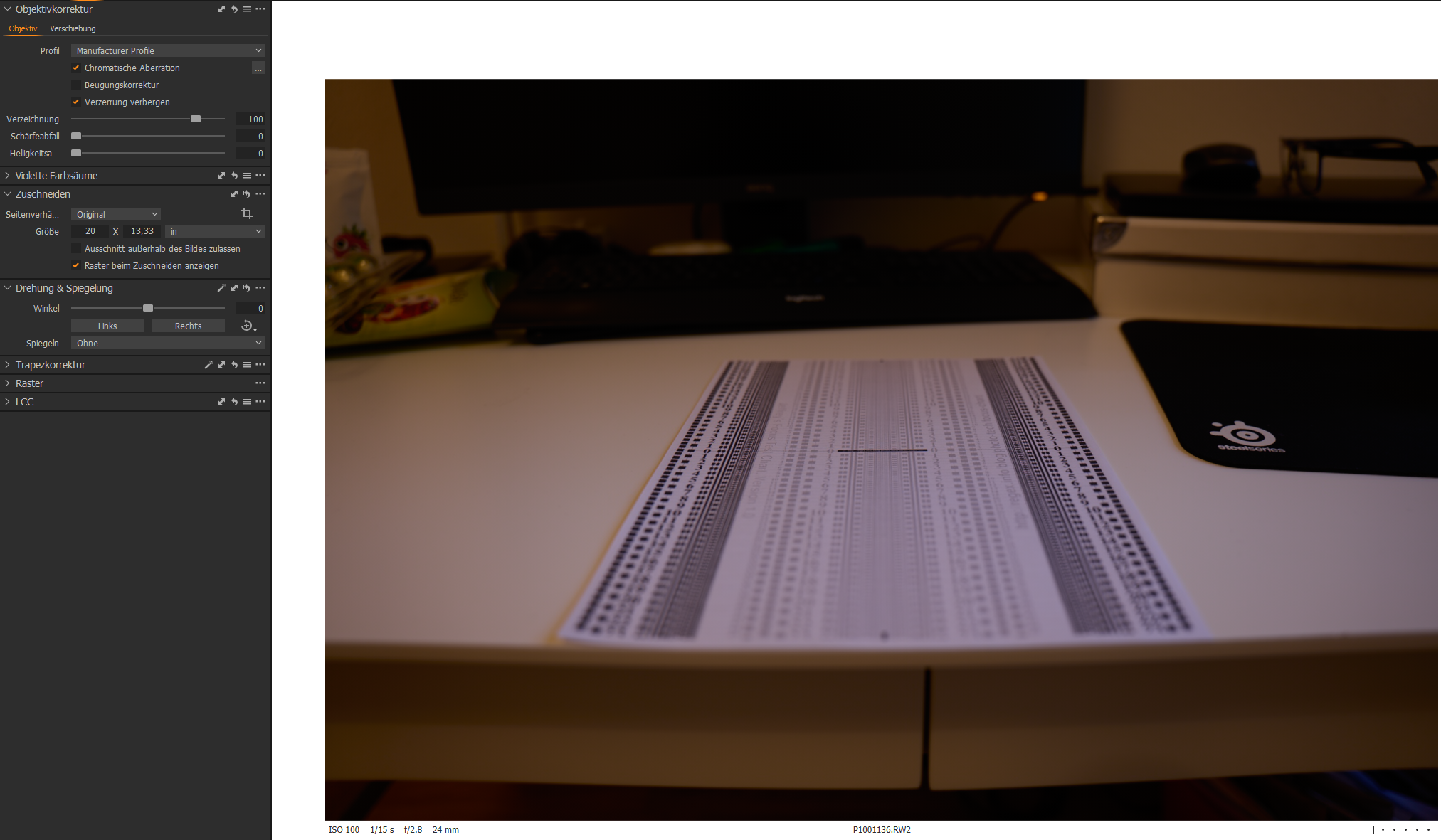
generic 0 %: no difference to manufacturer profile, so manufacturer profile is not working
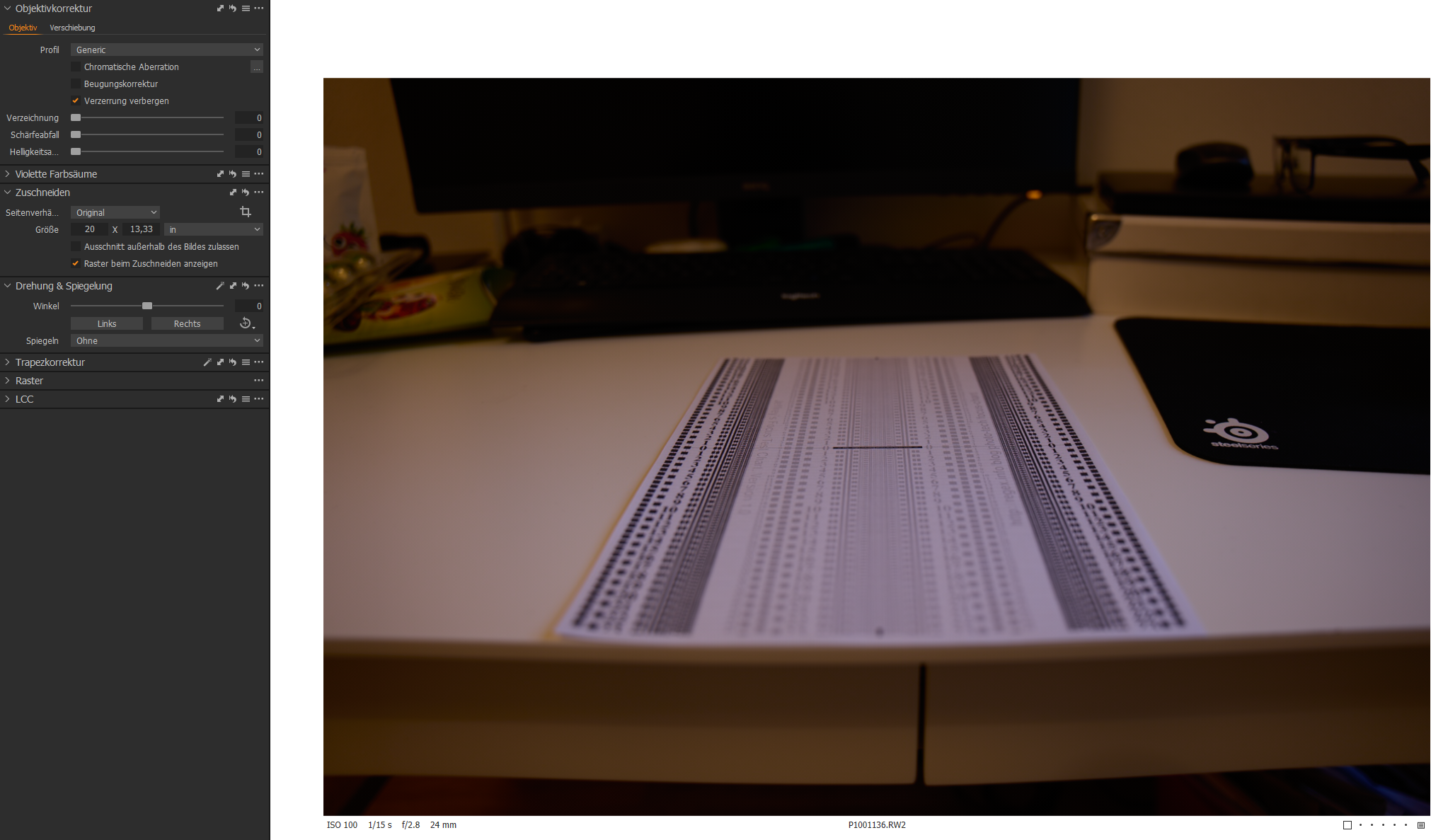
manufacturer profile: cool effect, but not what I expected with manufacturer profile activated
generic 0 %: like it should behave
Any ideas?
And here are my camera/objectives information:
- Panasonic Lumix S5
- Panasonic 20-60mm - image with sunset
- Sigma 24-70mm - image with focus test on desk
BR Philipp
0 -
Looking at the Manufacturer Profile corrections at 100% , what happens if you change the adjustment slider to 0 percent (i.e. no distortion adjustment? ). Or what happens as you change the amount not yet identified to a position somewhere between 0 and 100%?
I suspect that, for some reason not yet identified, you have a problem with either the installation or the profiles for the lenses and the way they are being applied. If they are not new profiles and you have the ability to use them successfully on the 14.1 release what you are now seeing is certainly very strange. Almost like some for of double application of the correction parameters in the strangely cool water shot.
I would suggest taking a look at the log files but to be honest I am not sure where one might start with them.
I think you need to "Submit a request" for a Support Case and take log it as a problem to be investigated.
0 -

Hello.
Same problem here with Lumix S5 and Panasonic 20-60mm.
Distortion correction with manufacturer profile at 100% was working fine up to version 14.0.2. With 14.2, some images, especially at 20mm show the same "swirly" behavior reported by Philipp. By the look of it, it seems a trivial software bug.
I've opened a ticket (94596) a couple of weeks ago. Hope to get a solution soon.
Kind regards,
Vincenzo
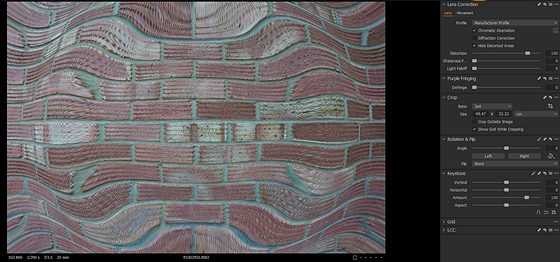 0
0 -
vinz,
That does indeed look identical. What happens if you change the distortion slider in some way?
0 -
Hello SFA.
Thanks for your quick answer.
Bringing the correction to 0, restore the image to the one as captured by the lens, please see below
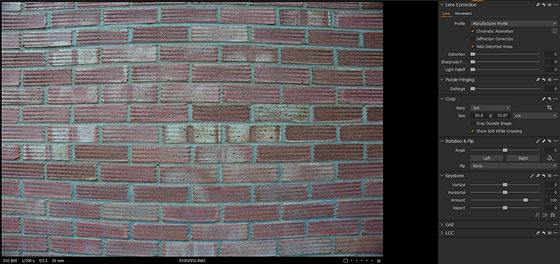
In some other images, the distortion slider simply does not have any effect. In other, espectially at longer focal lenghts, it works fine.
Please note that in my ticket (quoted above) I've also attached two RAW files that display this issue, in case your software engineers want to investigate.
Kind regards,
Vincenzo
0 -
Vincenzo,
Just to clear things up I am a user of C1, not an employee.
In general, Distortion correction seems to be more necessary at shorter focal lengths as far as quality lenses are concerned. That is why very few long prime lenses seem to change much, although edge sharpening and light fall-off might be considered necessary. At shorter focal lengths there is a greater possibility of lens design distortion creeping in. In recent times the manufacturers have moved to creating lenses that rely on digital correction in-camera to keep the costs down (or the profits up, depending on your point of view) and make smaller, lighter lenses that, at their base performance level, to not need to be as optically accurate as was required in analog days with the lower resolution of film or even early digital days with relatively low resolution sensors.
Your example of the original image with no optical correction applied still looks odd (for a brick wall) and may illustrate the points I attempted to describe above. Or maybe the wall has some very strange brickwork?
Either way, something looks unusual to me even before the corrections are applied. Quite strange.
0 -
Hi SFA,
sorry, I was kind of hoping you were an employee! But I do appreciate your interest.
What you say about manufacturers relying on digital distortion correction is absolutely correct. Panasonic in particular is known to make use of this approach quite systematically. That is why they embed the lens profile in the RAW files, including parameters to correct distortion.
The original image, as you suggest, demonstrate exactly that! The lens has lots of distortion that needs correcting, and it's not even simple pincushion or barrel distortion, a higher-order correction is necessary.
Normally, the correction based on the embedded lens profile would be applied automatically, and you don't even notice that the distortion is there: the brick wall would appears perfectly normal, with paralle lines. In fact, the default distortion correction based on the manufacturer profile is set by default to 100% in C1. The same applies to Lightroom.
Unfortunately, something got broken in 14.1 and the correction based on the manufacturer profile ends up accentuating the distortion rather than correcting it.
0 -
Just as a reference, here is the same brick wall, same RAW file imported in C1 version 14.0.2 with manufacturer profile applied at 100%:
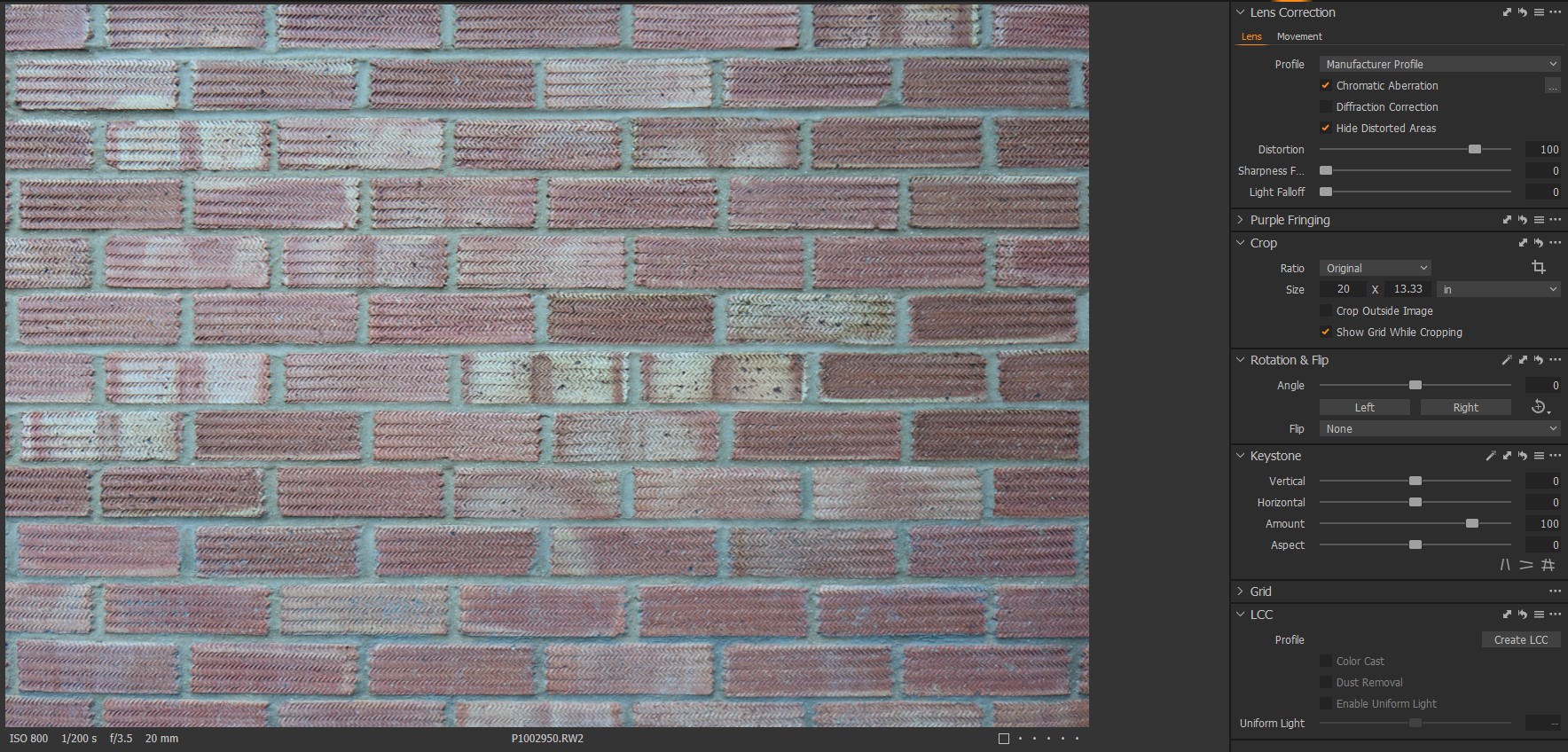
Not artchitecture-photography level, but much much better.
I'd happily live with 14.0.2. Unfortunately, C1 catalogs do not seem to be backward compatible, therefore all my albums, pictures, and post-processing done so far are all gone if I go back to 14.0.2.
0 -
Hi Vincenzo,
Double processing does seem to be a description that could be used for what you are seeing.
The 100% distortion setting is, basically, saying that where the lens settings have been assessed as requiring correction the assessed amount of whatever the corrections may be have been applied fully.
In some situations for some lenses, no distortion correction may be necessary and so there would be no related correction value and the percentage applied would be 0%.
Values between 0 and 100 (or over 100) may be used at the editor's discretion.
It is unusual to have database update incompatibility within a version update but I think this recent update was one of the exceptions with some significant changes required to accommodate the work towards maximizing the new Apple architecture and some of that effect also influencing the Windows product in order to address future enhancements and retain maximum possible compatibility and cross-platform working.
However, I wonder whether it might be possible to export the 14.1 (or 14.2) edits as EIP files and then import them to an earlier release of 14. If the processing engine can cope with it It might be possible to do that without wasting the editing time applied so far.
I would check my theory but I do not have V14 running at the moment.
This also seems to be a problem that is only affecting Panasonic users. I have not seen it reported without reference to Panasonic. Whether the problem is a glitch in Panasonic-specific code or, perhaps, some sort of glitch in system setup during installation may be a consideration. However, either way the resolution seems likely to require technical intervention or, at least, some sort of technically confirmed guidance about the steps required to overcome any installation or setup glitch.
It looks like the lens you mention has some sort of "Moustache" correction required. I have a fully manual, wide angle lens from Samyang that has something similar but not so obvious. I tend to use it with a crop sensor camera and that eliminates part of the problem right away. What is left is uncorrectable but for the subject matter I mostly use it for that does not seem to result in obvious problems that make the results unusable. Some minor corrections can be applied with some success - often enough for the purpose of the image.
Clearly the examples above do not fit into that sort of category of solution!
0 -
Hi together,
I'm very happy that I'm not alone with this issue.
Not sure which versions for Vincenzo is working with the manufacture profile. For me, version 14.1.0 works and I can also open the catalogs from 14.2.0. In version 14.1.0 the manufacture profile is also working. So no need for exporting the EIP files.
I will link our conversation and Vincenzo's ticket # in my support request. We should wait for an answer from the support team or a new C1 version.
Thanks for your help SFA and Vincenzo :-)
0 -
SFA,
I'll try the EIP trick. Thanks for pointing that out!
Philipp,
I've just tried again with 14.1 and it's not working for me, same behaviour as 14.2. The installer I've got is for version 14.1.0.74. Which build is working for you?
The fact that 14.1.0 works for you and it doesn't for me (assuming it's actually the same build) points in the direction suggested by SFA, i.e. that somethging weird happens during installation.
0 -
Vinz,
I have version 14.1.0.74 which is working for me. So this is very interesting. I will do some installing/uninstalling experiments on my Win10-Machine and MacOS.
0 -
At this point one might think about whether there are orphaned, redundant workfiles lying around somewhere from previous processing that are not quite as orphaned as they should be.
Or something along those lines.
C1 V20 (I think, might have been V12.x) moved the user.config file from deep in the system to a folder in the User App data area. It contains all sorts to data about one's previous use of sessions/catalogs/user settings, etc. I have no idea whether it might retain info about lens correction, for example, that might induce some sort of multi-processing when inadvertently carried forward during an update installation. But if it does there is potential for confusion.
One could test this by making a "hidden" copy of the existing user.config file as it currently exists (or delete it).
On restart, C1 will create a new User-config file at a base entry level. If the problem persists one might need to look elsewhere. If it does not persist it could mean that "where to look" has been narrowed down.
There may be similar files for other functions that also need to be considered.
Or this might be wrong direction. Keeping a copy means the user.config file can be easily restored to pre-test state if necessary.
0 -
Test for Win10 done: uninstall C1, restart machine, and delete all remaining files manual (also the user.config). Delete registry data regarding to C1.
Install version 14.2.0 aaaand: no improvement or change :(
Reinstall 14.1 and it's working...
Test with MacOS ongoing..
0 -
MacOS C1 14.2.0: Same strange behaviour. So it is OS independent.
Only for information: This was tested on a MacBook Pro 2018 13"
0 -
Well, that seems quite conclusive.
Time to chase up the Support Tickets and add the testing information.
0 -
An update from me.
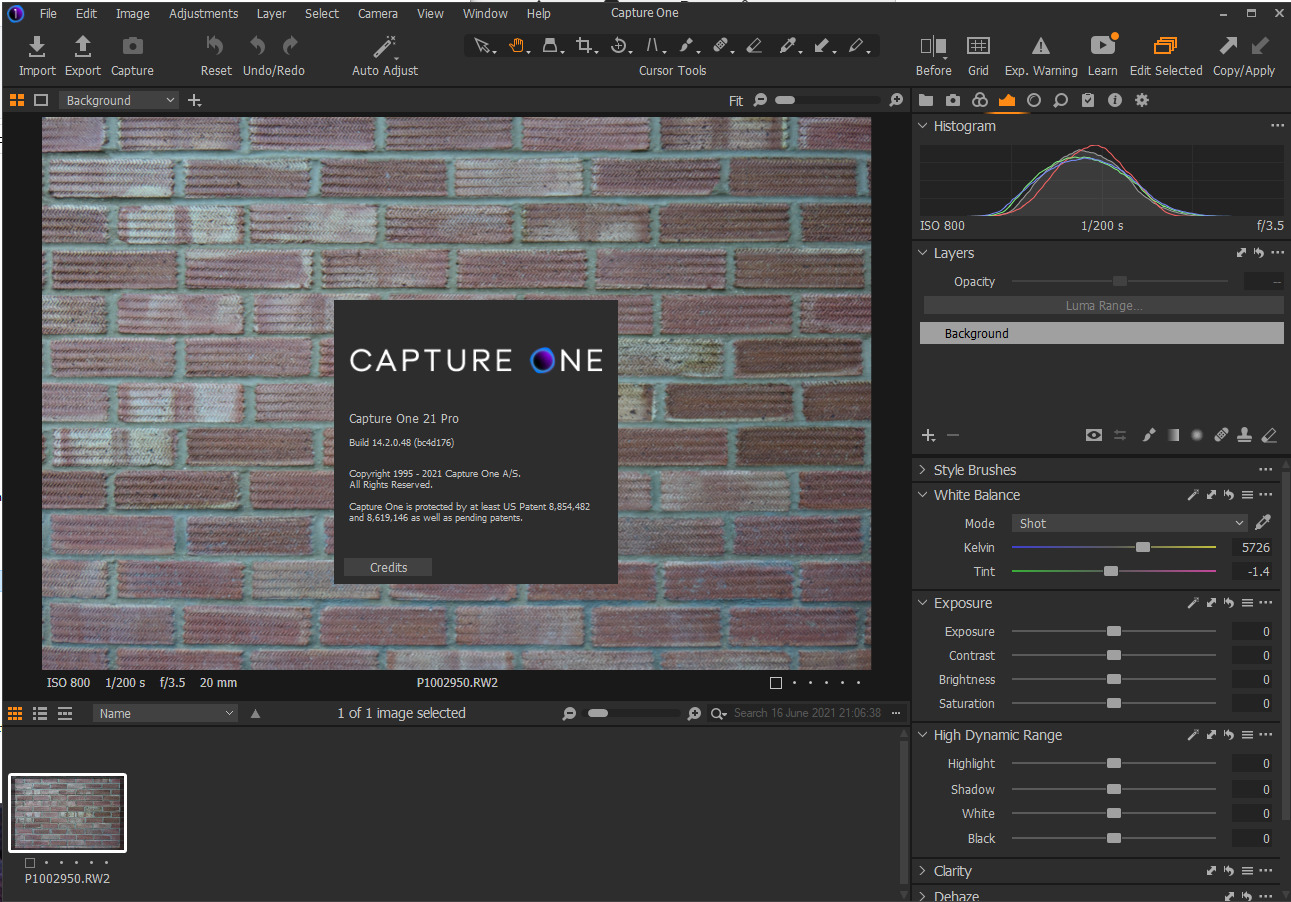
Following SFA's advice, I renamerd the folder Capture_One in C:\Users\MYNAME\AppData\Local to something else (note that there is also a "CaptureOne" folder - without underscore - in the same directory) and installed version 14.1. A new Capture_One folder was created after restarting the program.
Surprise: distortion correction was working perfectly! Upgraded to 14.2 from there and the wall was still straight.
I've reimported the catalog being quite optimistic, but unfortunately, the pictures in the catalog show the same weird behaviour...
0 -
Removed one of the weird pictures from the catalog and reimported it. Still distorted.
Deleted the Capture_One folder, installed 14.1. Still distorted.
Removed from catalog and reimported: now working!
My conclusions so far:
- Something about importing images with 14.2 is broken.
- Some images imported with 14.2 show weird distortion. They are still distorted even when opened with 14.1.
- Images imported with 14.1 are ok. They remain ok even after upgrading to 14.2.
0 -

Same problem here with my new S5 and 20-60. bummer, I don't want to revert back to older version - hope the fix arrives soon!
thx.
0 -
Response from C1 Support Team (Victor):
"Hi Philipp,
I consider this a bug and I've filed a report with all the details for our R&D team to audit the issue. I will place your ticket on-hold and will get back to you when we have a response from our engineers or if we need any more information for this report.
We also cannot guarantee that this bug will be in the next service release, but rest assured that it has been reported and will be looked into and our developers will do their best to roll out a fix as soon as possible.Best regards,
Victor
Capture One Support"0 -
It looks like that version 14.3 fix this issue.
Thanks CaptureOne!
1 -
It works for me too, on macOS and Win10. Perfect!
Thanks CaptureOne!
0
Post is closed for comments.
Comments
24 comments