Advanced Colour Editor Colour Dot not Appearing

Hey Guys,
When I select a Colour with the advanced Colour editor only the colour range is displayed, and not the dot which represents the specific colour I selected. Any help?
-

Do we talk about the dot in the color editor window "expanded"?
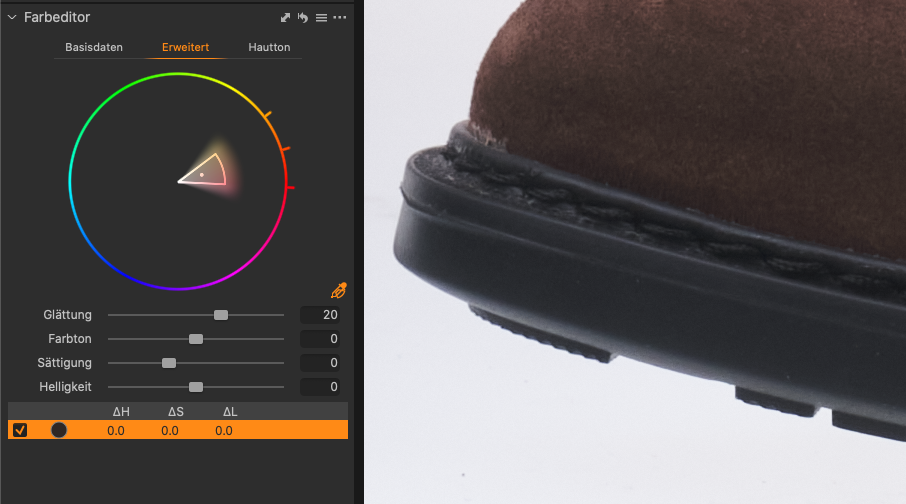
Kind Regards,
Uwe
0 -

The dot is actually on the very edge of the circle in the advanced editing tool and blends in with the circle. If you point to the very edge of the selected region the pointer will change to a plus sign of 4 arrows in which case you can drag the dot to a location inside the wheel but this will alter the selection. I thought the same, maybe the scope of color displayed within the wheel was limited. I found with different selections of red, the dot was barely visible inside the wheel, greens and blues had the dot pushed to the edge of the wheel.
Hope this helps,
Gerald
0 -
My screenshot shows the dot better than any explanation. Though I am not sure, if the OP even meant this dot but I think so - thanks for the 4 arrow sign when wanting to dag that point.
Kind Regards,
Uwe
0
Post is closed for comments.
Comments
3 comments