Hide parent document in file browser (LR style)
Implemented
Hello,
Coming from LR I have a slight problem with the file browser. My images reside in a private Originals Library folder inside the Apple Pictures folder. Inside that Originals folder I have a further hierarchy into (half)decades > years > projects > events.
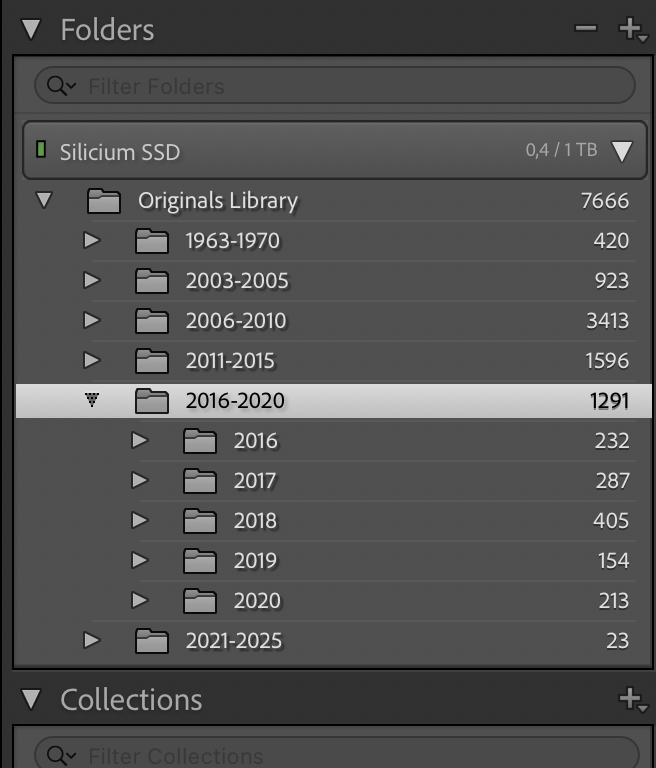
In LR I can hide the (Unix) hierarchy above my Originals folder, as it is always the same anyway, see below:
In CO21 I have not been able yet to achieve the same, see below:
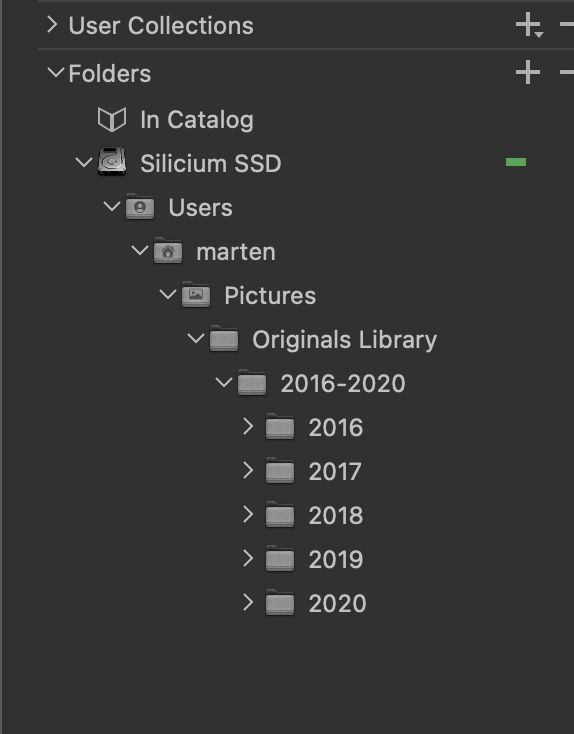
The CO21 import does not yet include all my (half)decades, as I am still experimenting.
-
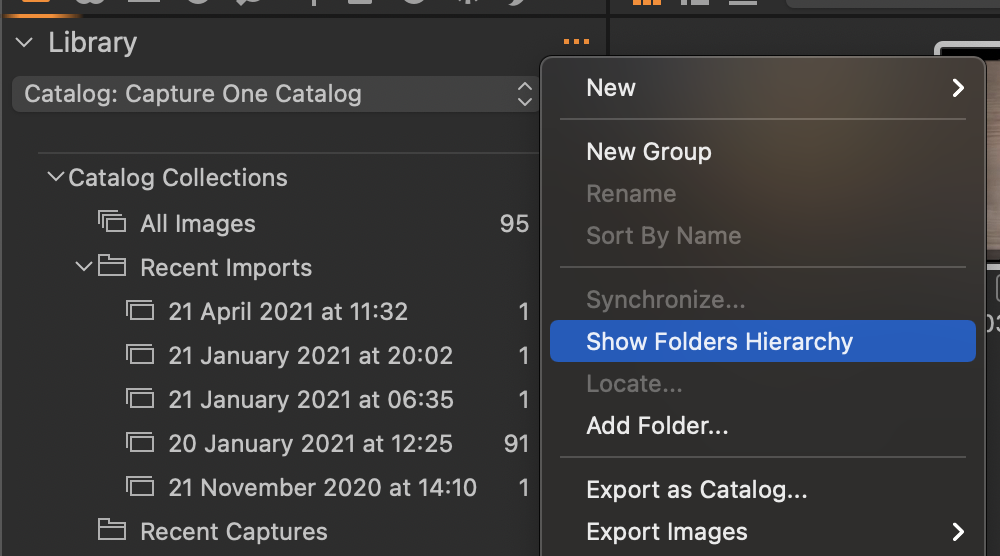
Have you tried the option in the Library tool to toggle on and off showing the folders hierarchy?
Ian
0 -
Yes I did, but that gives a long list of all my events without structure. I don't want to loose my (half)decade/year/project/event hierarchy, but I prefer to live without the never changing hierarchy: Mac HD/Users/<my name>/Picures above my Originals folder. And even my Originals folder is always the same so that would save me 5 levels. The 5 lines themselves (names of folders) are not so much of a problem, but the 5 times indentation is!
LR has the option to "Hide This Parent" or "Show Parent Folder" when CTRL-cliking on a folder/directory. A very neat feature!0 -

Hi Marten,
Thank you for your feedback on Capture One - we appreciate the time you’ve taken to contribute towards the development of the software.
I have forwarded your suggestions to hide the hierarchy above my Originals folder, to our Product Management team as something to consider in a future release.
Hopefully, your feedback contributes towards a future version of Capture One.
Whilst we cannot comment on future releases, we take all suggestions on board.
0

Post is closed for comments.
Comments
3 comments