Please help, FUJI X-T3 RAW has very strong magenta color cast.

Jpeg files are just fine and the RAW looks fine in the thumbnail before import. Could someone helps, please?
-

This could be related with the GPU. Try to disable hardware acceleration in the Capture One preferences. It could help.
0 -
Thanks for the advice, though I tried it, and it didn't help here. Could it be related to the color space the photo was taken. If I took the photo with Adobe RGB space, is there something I should do to show it correctly in C1?
0 -
Hi Henna
With the raw shots, the colour space isn't "baked in" they way it is in JPEGs.
Click on one of your raw files and go to White Balance in your Exposure tab. You will see something like this:
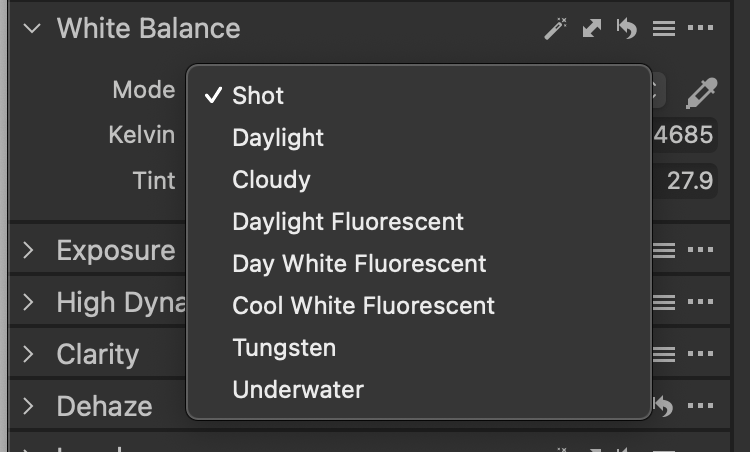
Select the colour setting appropriate to your image (eg: if shot outside, daylight or cloudy as appropriate) and see how the image looks. Alternately, you could click on the White Balance "magic wand" to see what C1 can do on automatic.
Do either of these get you close to where you want to be colour-wise?
0 -
Shane, thank you for taking the time to answer. So far, nothing has worked. I tried all the color profiles, I tried to tweak the white balance, tested another lens and used the white balance card to take the photo. I even reinstalled the software. Still the problem insists. Only in Capture One.
If I change the white balance to get it as close possible to the correct WB, colors still have a strong cast. Why this is bothering me a lot, is because this never happened before. All the Fuji RAW photos had great color and easy to adjust WB.
0 -
Hi Henna
I was worth a try! :-)
Trying to think laterally so someone smarter than me can come up with an answer:
- Is this occurring with all your Fuji raw images, or just the most recent shots?
- You mentioned your JPEGs are fine. Do your JPEGs display correct colour in C1?
- Do you apply a set of adjustments/a profile automatically when you import?
Could you post a screen grab of your white balance sliders? And maybe one of your Colour Balance wheels?
Shane
0 -
This is occurring on all RAF files. Jpeg files display correct colors, and there is nothing wrong with them. During the importing process, I do not apply any settings to the photo, and I have tried it with all the boxes ticked and unticked, which doesn't affect the outcome.
Here is a screen capture of how an RAF file shows on the screen:
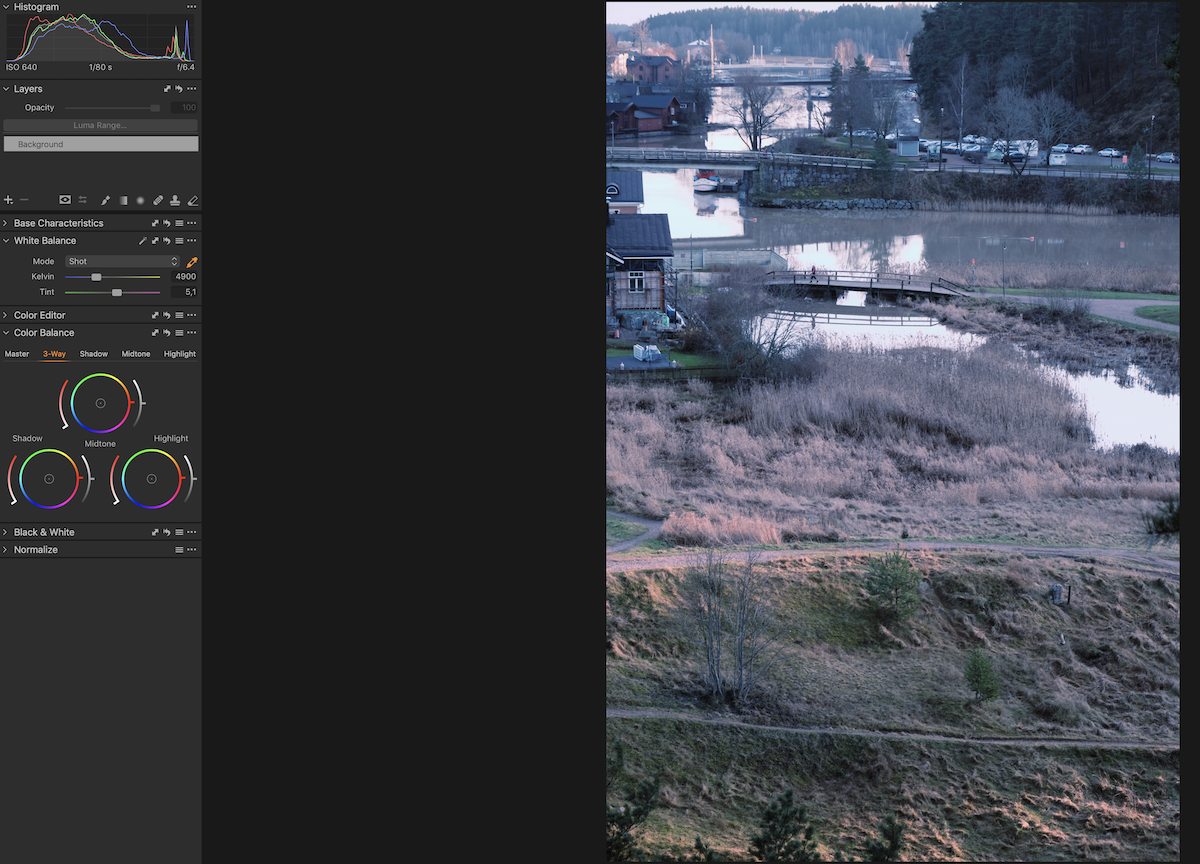
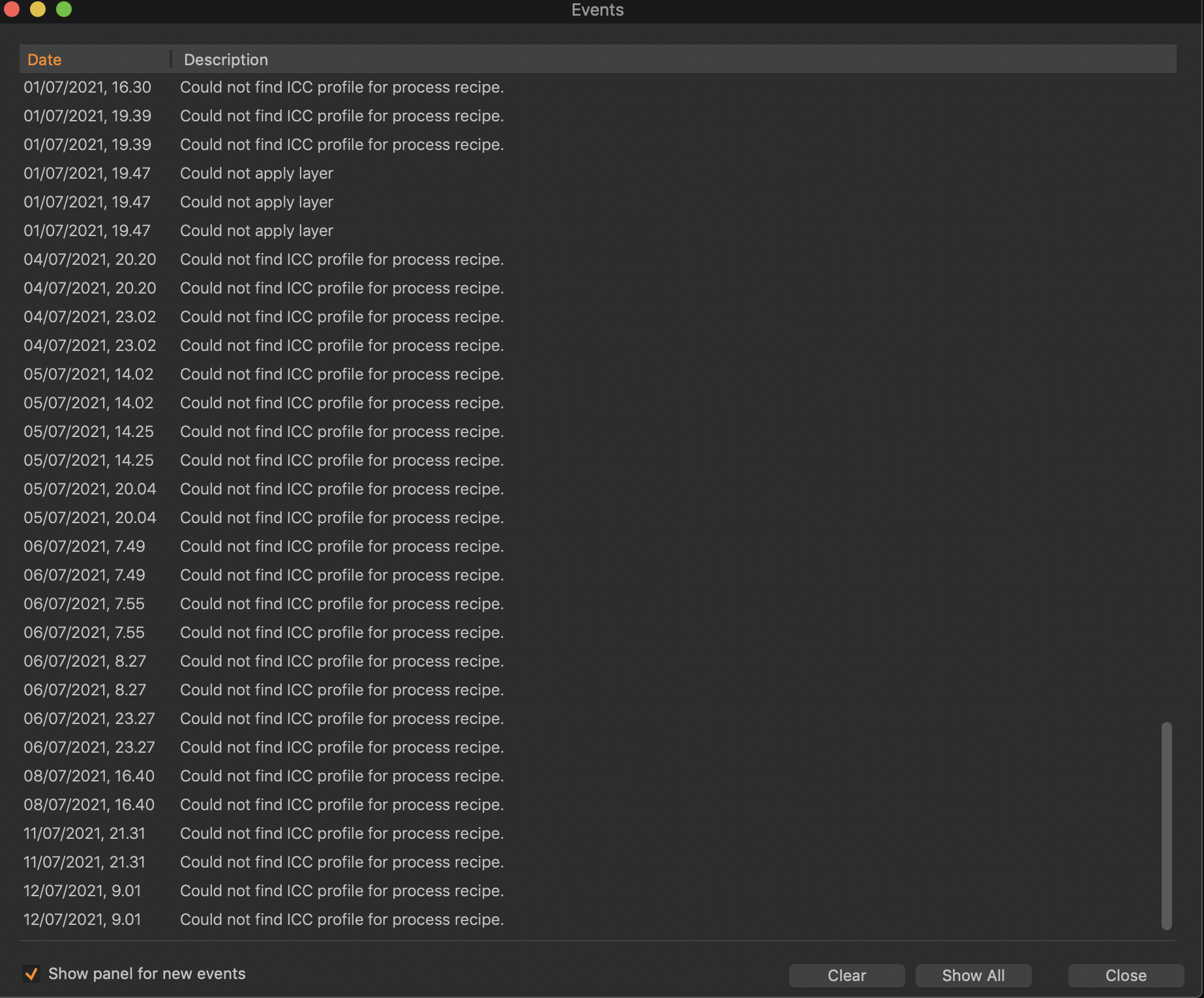
White balance settings should be normal, and this photo showed the correct colors before. However, this is how the event log looks like. There seems to be some problem with the ICC profiles. I have tried to uninstall the program, but I am not able to uninstall it completely. When I follow the uninstallation instructions from the C1 website, I cannot remove the defaults from the mac.
Do these photos demonstrate better what I mean by having the strong cat in my photos?
 0
0 -
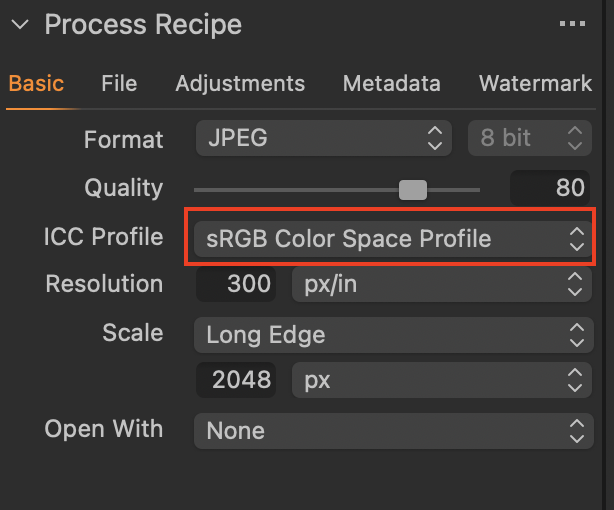
It says that it can't find the ICC profile for the process recipe. What happens if you change to a different process recipe? Perhaps one of the built-in ones that come with Capture One? Or change the ICC profile in the current profile to something else? (And what is the ICC profile set to at the moment?)
Ian
0

Post is closed for comments.
Comments
7 comments