Se puede Exportar fotos con informacion de EXIF? como en lightroom?

Yo exporto fotos con el numero de foto, y tambien la hora y fecha, para que mis clientes por un lado puedan elegir la foto que me quieren comprar, y luego cuando ya la tienen, para que este esa informacion incrustada en su foto, algo asi puedo hacer en Capture one?

-

This is made with Google Translate, so I hope it makes sense
You can use Tokens in your Process Recipe watermark to create something which may work.
Here I have a copyright statement - file name - date image was made.
The results are like this.
Hope this helps.Esto está hecho con Google Translate, así que espero que tenga sentido. Puede usar Tokens en su marca de agua de Receta de proceso para crear algo que pueda funcionar. Aquí tengo una declaración de derechos de autor - nombre de archivo - fecha en que se hizo la imagen. Los resultados son así. Espero que esto ayude.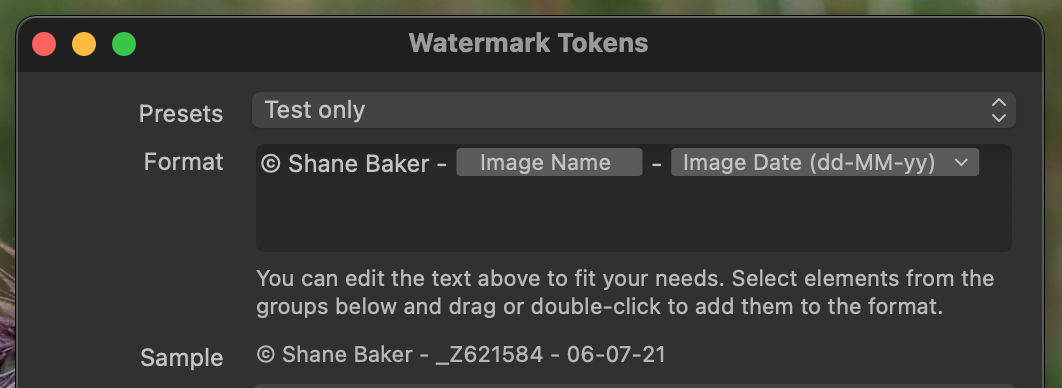
 0
0 -
Excellent! I'm going to try it, I think if it worked for me! in lightroom I did it in another section, but it seems to extract the information, thank you very much for the help! I'm going to try it.
apologies for writing in Spanish.
0 -
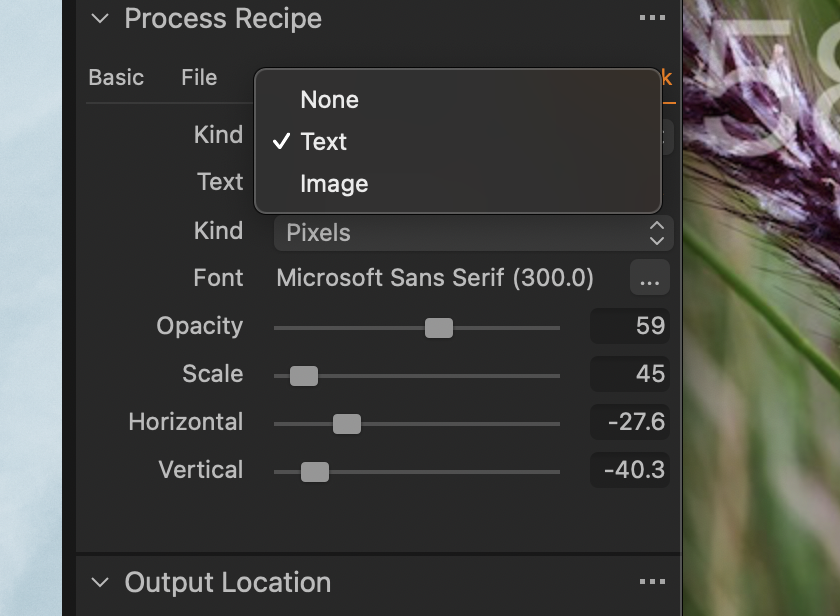
yes, it's excellent! Now my new question, is I can put an image? and text? I see in the options that I can only put text or image, and precisely I export with the data, but also with the watermark on the photo
 0
0 -
yes, it's excellent!
Oh good. I'm glad I could help.
Now my new question, is I can put an image? and text? I see in the options that I can only put text or image
As far as I'm aware, it's either an image or text - but not both. I suggest that text with tokens is the best option in your case.
All the best
Shane
0 -
Yes, I'm going to do tests with the text, and I will have to put the image in another program, both would be ideal, but it is a solution, thank you very much for your help! It has served me a lot.
Best Regards,
Max
0 -
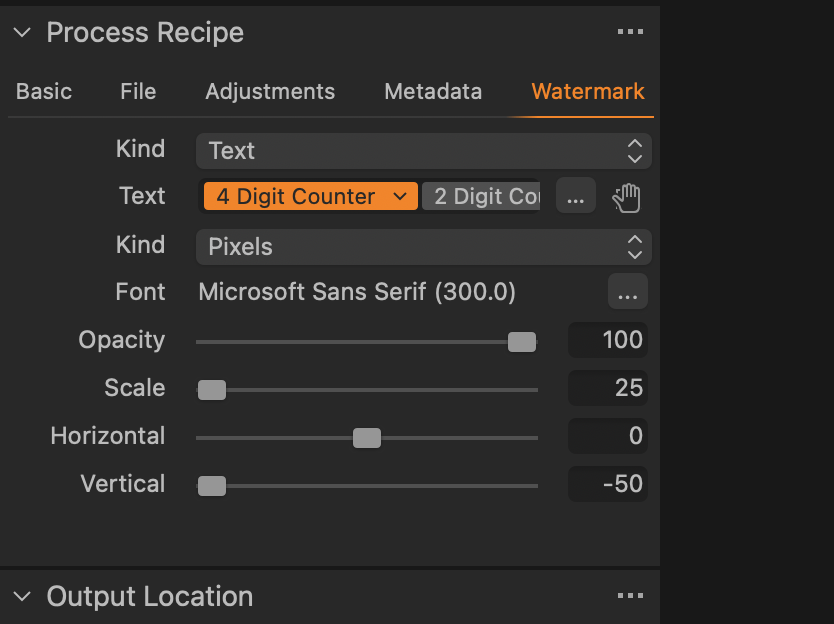
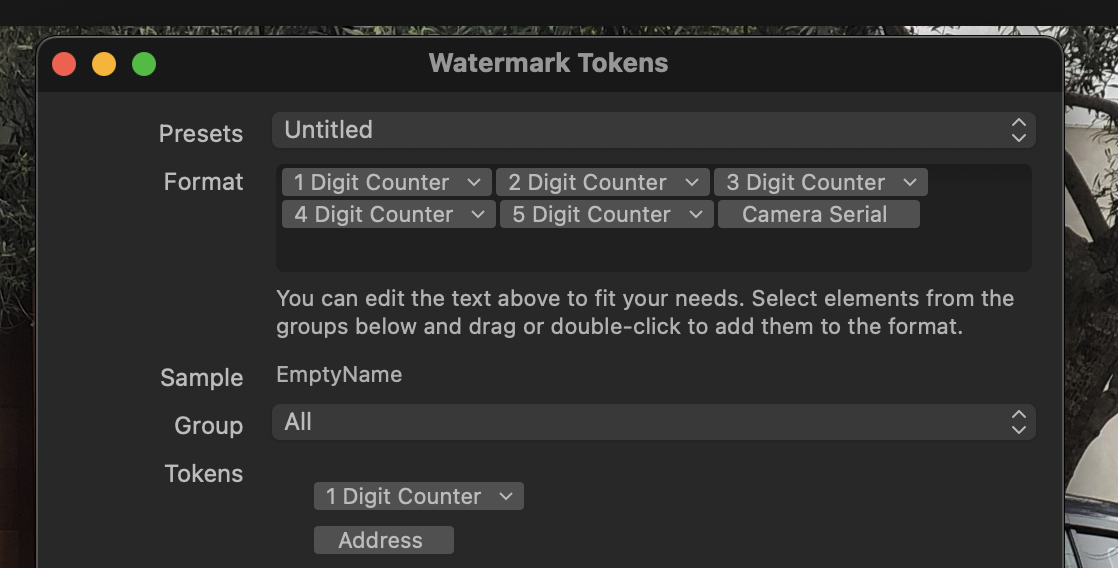
Now I have problems that it does not catch the name sequence of the photos, it is like the program does not recognize the names
 0
0 -
 0
0 -
it is like the program does not recognize the names
You don't seem to have included the file name in your watermark.
You recall my earlier example:
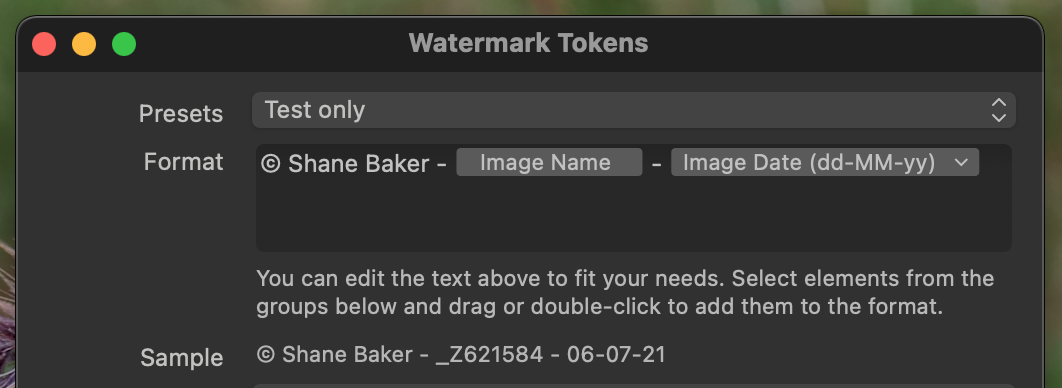
The token Image Name inserts the file name into the watermark. You need to do the same if you want the file name to show.
0 -
I used the digit 4 token, but I think that is not working, there in the photos that I attached in the previous message
And if I put that short name, I don't know if at some point I will have conflicts
0
Post is closed for comments.
Comments
9 comments