Red cast after export

Hello, I have adjusted the black levels of my photos to neutral grey.
After exporting (whether JPG, TIF, DNG) I get a red cast in the black.
I use sRGB as the colour space on the camera (Nikon RAW format) throughout.
I look at both the original RAW file and the exported file in Capture One. So there is no question of any misrepresentation by Windows here.
Where is the error or is this a bug in Capture One?
Thank you.
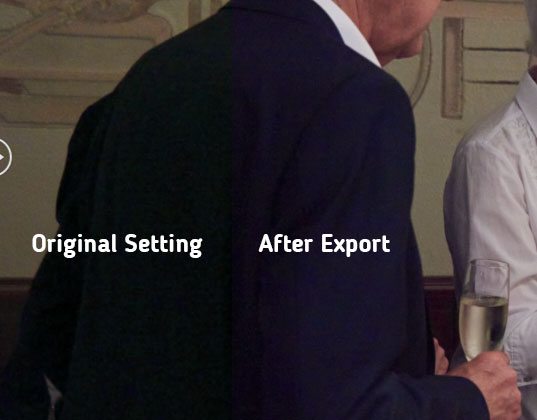
Here is an example picture:
-
Solved - what the hack ...?!
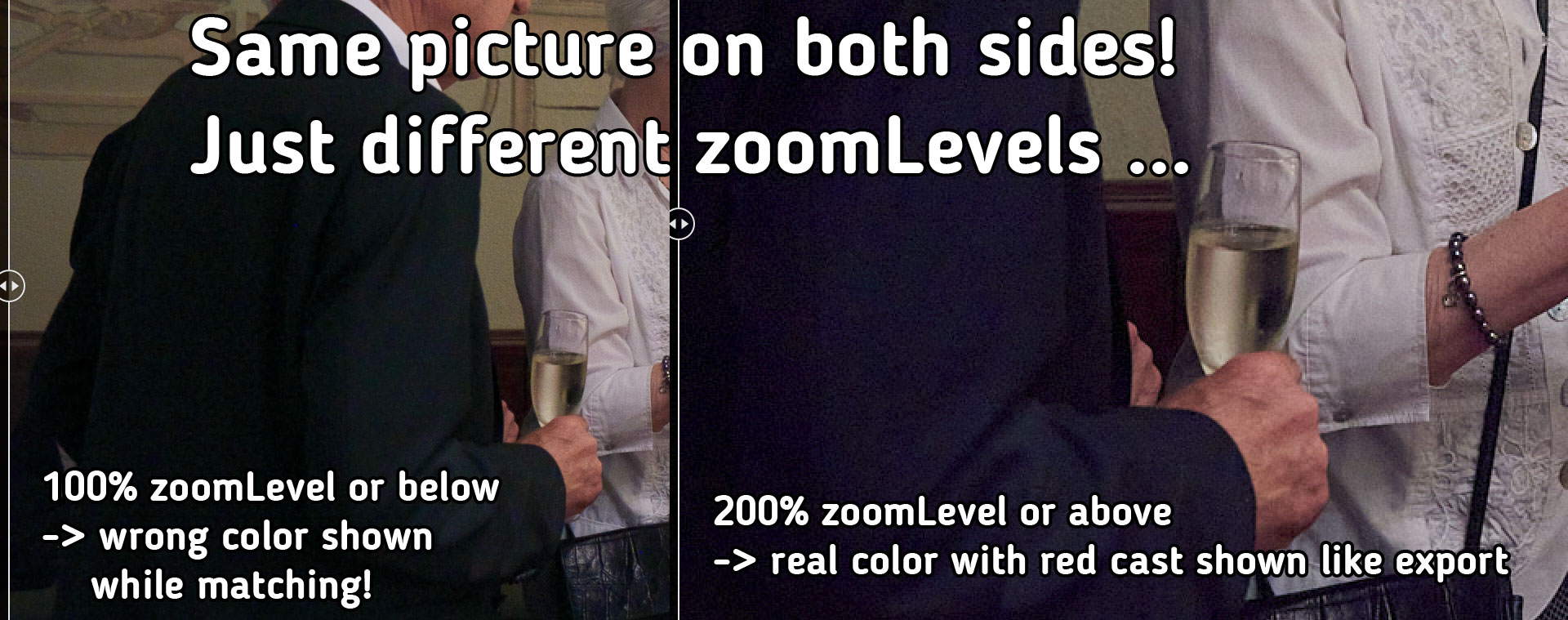
First, C1 renders correctly - the error is in the preview!
If you want to see the whole image, as is usual for matching, C1 creates a green cast in the black areas that is not there. In my example image, the sack looks correct and neutral grey (left). After the export it seems too red (right). But if you zoom into the image above 100%, the existing red cast becomes visible.This behaviour should definitely be fixed!
One should be able to expect from a professional software that the colours are displayed consistently across all zoom levels - otherwise the software is useless!Presumably, the higher the ISO number chosen for the shot and the noisier the image, the more the error has an effect.
Tip: Watch picture in full size to see the error ...
 0
0 -

I see the same difference in full zoom preview vs. not. It is frustrating.
0 -
I just encountered the same problem, using C1 22 Pro (15.3.3.8). It does not seem to be solved. I agree with the observation that this WB shift towards red occurs with high ISO images (mine is ISO 2500 - not extreme high). I need to 'overdo" my images with 2-3 points toward green in WB and +100K in temperature. They look awful in zero magnification, but they look correct after export. I can share the RAW version if that helps to look into the issue. Thanks!
0 -
Hi Ward,
I can share the RAW version if that helps to look into the issue. Thanks!
If you like C1 support to look into this you need to "submit a request" (link on top of this page), the forum is only a user to user forum.
My observation is that some tools e.g. Noise reduction is only activated in the preview at a specific zoom level and above. In my case if I remember correctly it is with 66% and higher, but probably the specific zoom level depends on the monitor resolution and maybe also on the performance numbers of the system. I guess this is done for performance reasons (with lower zoom levels there are more image pixels to calculate which costs more time).
Unfortunately (or luckily, as this is expected from color noise reduction) the NR tool creates or removes color shifts which is more obvious with higher ISO images. I have submitted a feature request that the user has an option to set the zoom level for all tools to be activated in the preferences but I guess not many users did the same. Hence, I would ask you to submit such a feature request by yourself to increase the number of requesters, should you agree that this is the root cause for the issue.
0 -
Thanks BeO, I will also submit this feature request.
0

Post is closed for comments.
Comments
5 comments