several glitches when editing and when I do export

Hello, made the new update and I have several glitches when editing and when I do export, I can do it ?
I get this and when I work, for what reason it happens ?
-
If you don't tell us what the glitches are, we are unlikely to be able to help...
Ian
0 -

This is what I get, when I work in almost all the moments I work with tools0 -
OK. That looks like a hardware acceleration issue. Have you tried turning off hardware acceleration in Preferences? Maybe when you updated, it didn't redo the hardware acceleration settings. Perhaps try it, and see if it improves matters.
You don't way whether you are on a Mac or a PC. On Windows, you may need to see whether updating your video card driver would help.\
Ian
0 -
I have, I updated on the graphics card, where should I go and how to set up hardware acceleration1 -
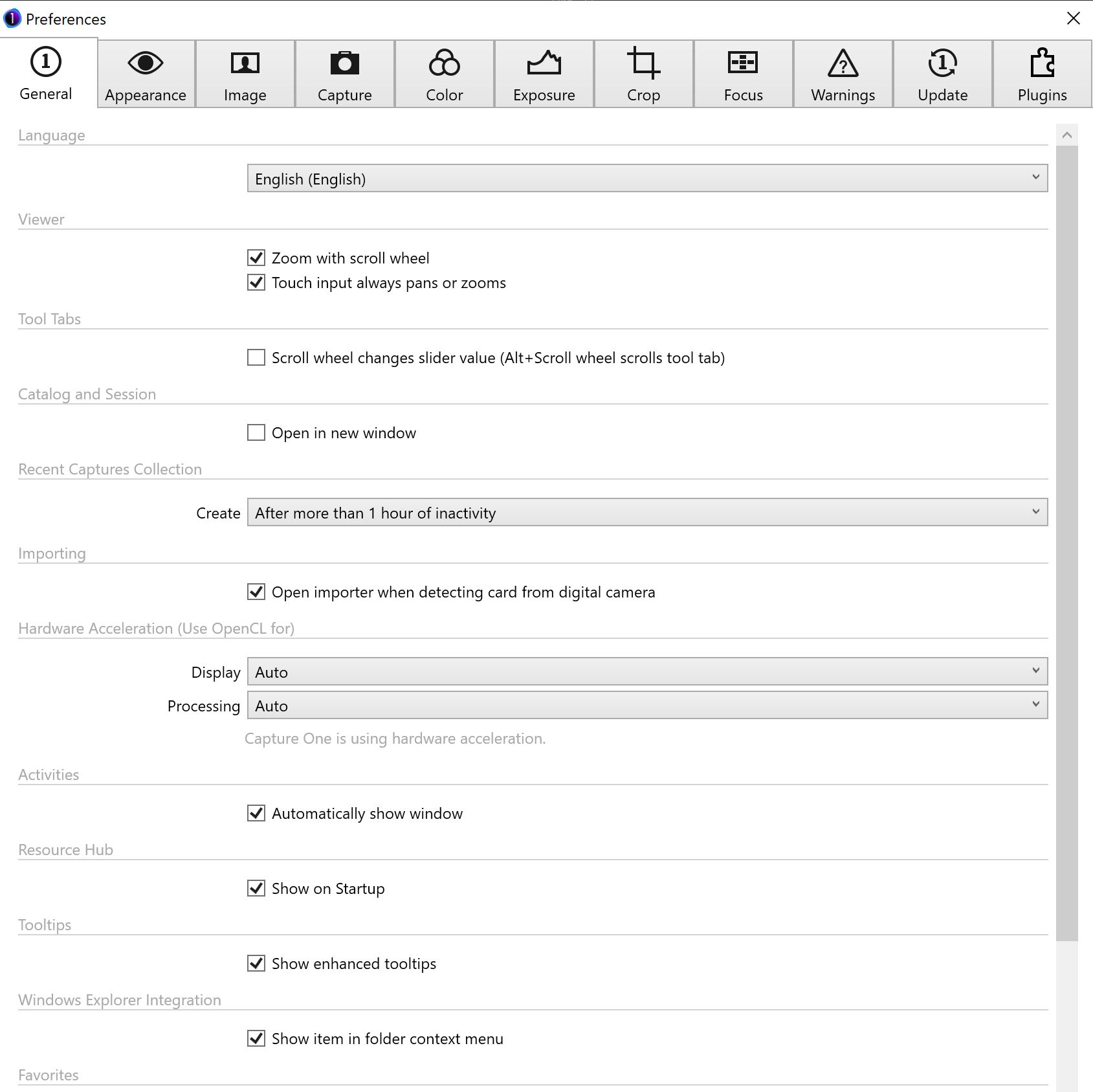
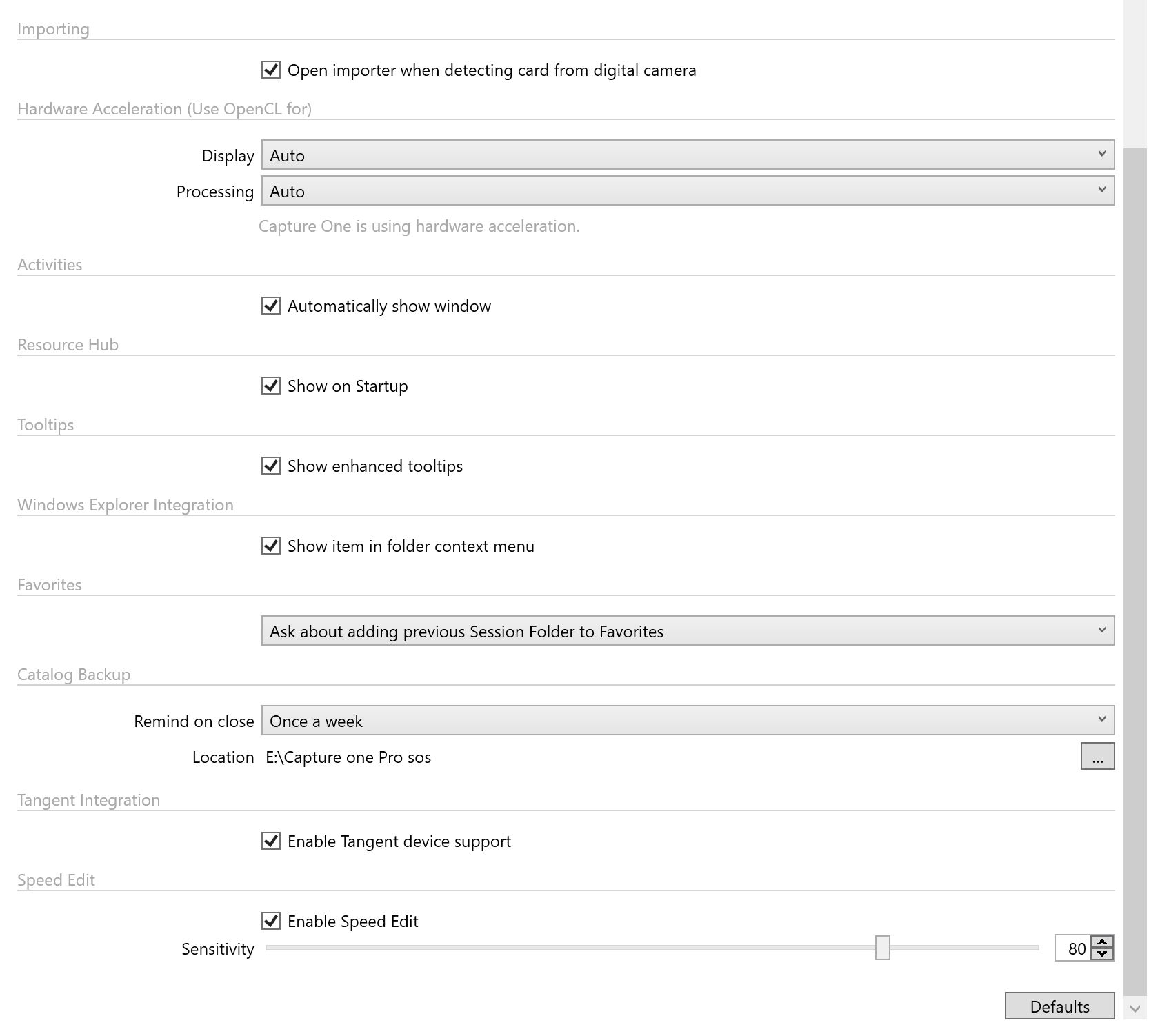 0
0 -
In Preferences, in the General section. Try turning both these boxes to Never.
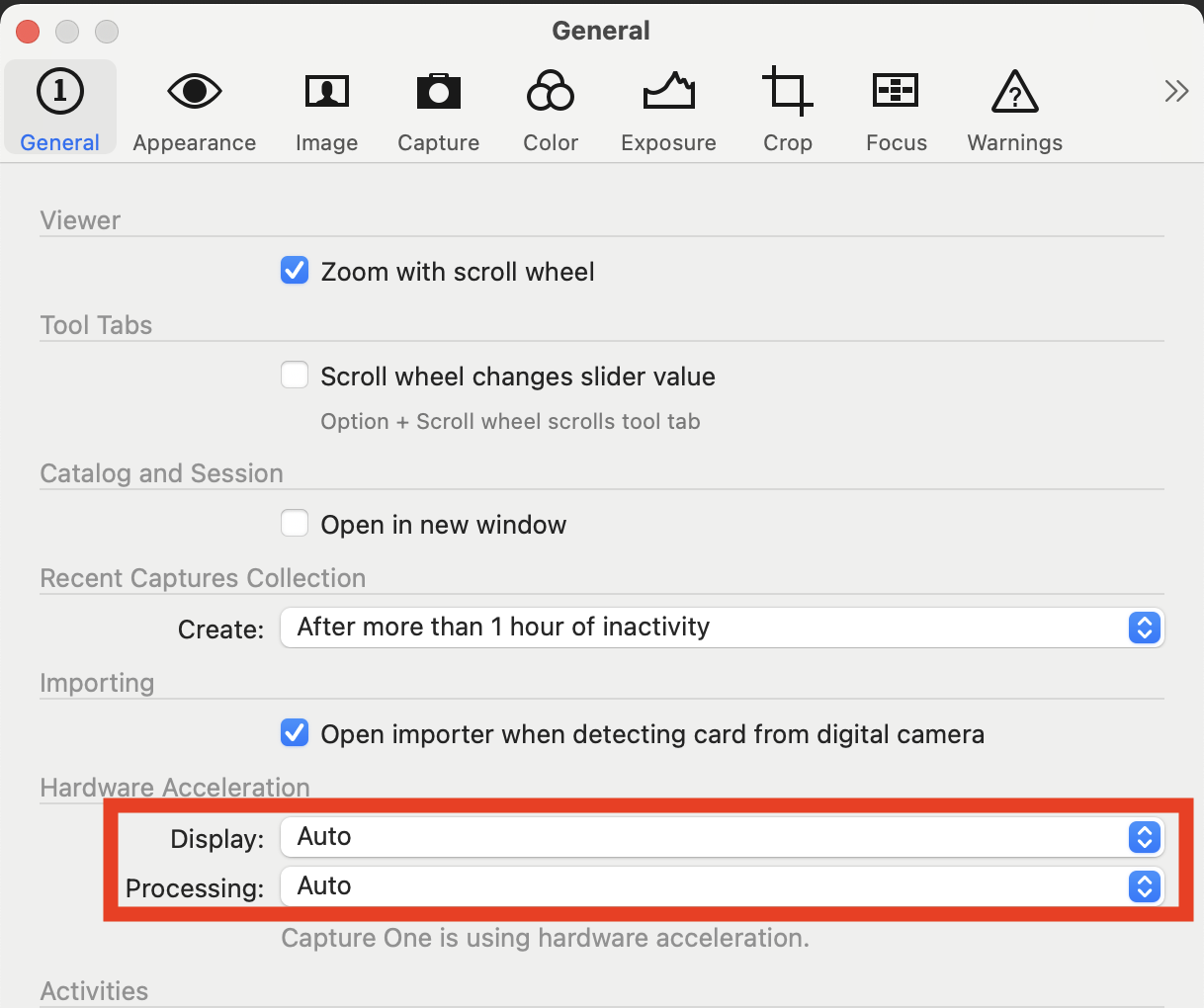
You might then need to restart Capture One and see whether it has cured the problem. Of course, it would be better to be able to use hardware acceleration, but trying this would tell you at least whether this is the cause of the issue.
Ian
0

Post is closed for comments.
Comments
6 comments