Opening image files in Photoshop generates a pop up message

When sending image files from COP21 to Adobe Photoshop 2022, using either the "edit with" or "open with" menu, I continuously get a pop up asking me which program to open the file with. The window appears to be Windows based, however- I have Photoshop set in Windows as the "default program", and Photoshop appears in the edit with / open with menu.
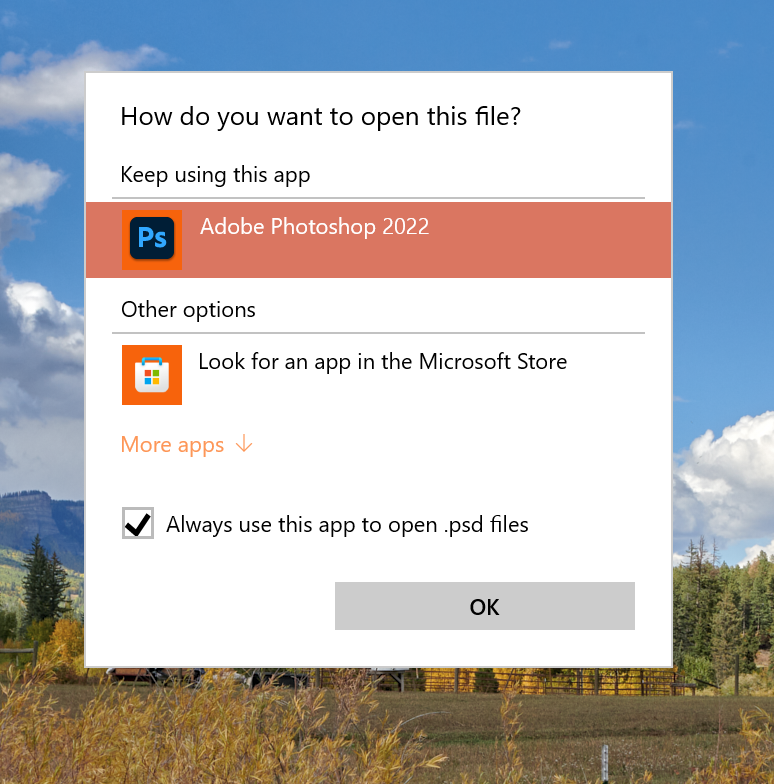
This message is only generated when using COP. If I double click on a PSD file within any folder, the file opens immediately in PS 2022. If I open a PSD file from any other standalone software (Adobe LR, OnOne, Topaz Labs, Bridge, etc.) the file opens immediately in PS2022 and does not generate the pop up message.
I am able to send image files from COP21 to other plug-ins such as On1 with no issues, other than upon using "edit with" COP generates 2 variants instead of one, which is annoying, but a separate issue.
This pop up message is not only annoying, but it prevents me from opening multiple image files at the same time. Prior to the last update I was able to send as many files as I desired to Photoshop. Now I have to manually send files 1x1.
I would greatly appreciate any help on this topic!
Regards,
Bill
-
 Permanently deleted user
This is a Windows issue, not a Capture One issue, Bill - a known bug which has been around in one form or another for the life of Windows 10, and which Mr. Gates still hasn't seen fit to fix.
0 -
Hi Keith. Not saying you are wrong, but I find this hard to believe. I'm no software engineer, but this seems like it's a hand off issue from COP. I've been on Windows 10 for a few years using previous versions of Capture One without this issue.
1 -
I finally found a fix for this issue, and posting a link to it here in case anyone else searching for an answer stumbles across this post. I've found other reports of the exact same issue with Win11 and C1 22. I suspect the fix will work in either case.
I'm still curious why this happens. This is the second time for me. The first was when configuring a new computer 3 years ago, and again recently after wiping my computer and performing a clean install and updating everything. This is only a guess, but I suspect C1 is not writing the correct strings to the registry in every case.
0 -
Permanently deleted user
Having to mess around with the registry, Bill? As I said, it's a Windows issue, not a Capture One issue.
I've had this exact problem - exact problem - with programmes that didn't go anywhere near Capture One, which is why I'm aware of its origin.
eg:
There are plenty more.
0 -
I'm not trying to bash C1 engineers here, just trying to get to the root of the problem. As I said, I am not a software engineer. I would think when installing a piece of software, part of the install process is updating the registry. The fact that I only had issues with PSD files in Capture One, and no other piece of software, still leads me to believe the fault could be with Capture One.
Others have had this very issue when updating to a new version of Capture One 22. I'm not sure how we can explain that one away by blaming Windows...
At the end of the day, my post is not intended to point fingers at anyone. I just want to get to the root of the problem, come up with a solution, and have the good folks at Capture One post something relevant to their KB articles instead of linking their loyal users to a useless article which doesn't apply to the situation.
0 -

i think you just need to setup default apps for opening certain type of files.
0
Post is closed for comments.
Comments
6 comments