No color profil when i export jpeg

Hi,
i work on windows 10 with capture one 21, i shoot with a A7rII .
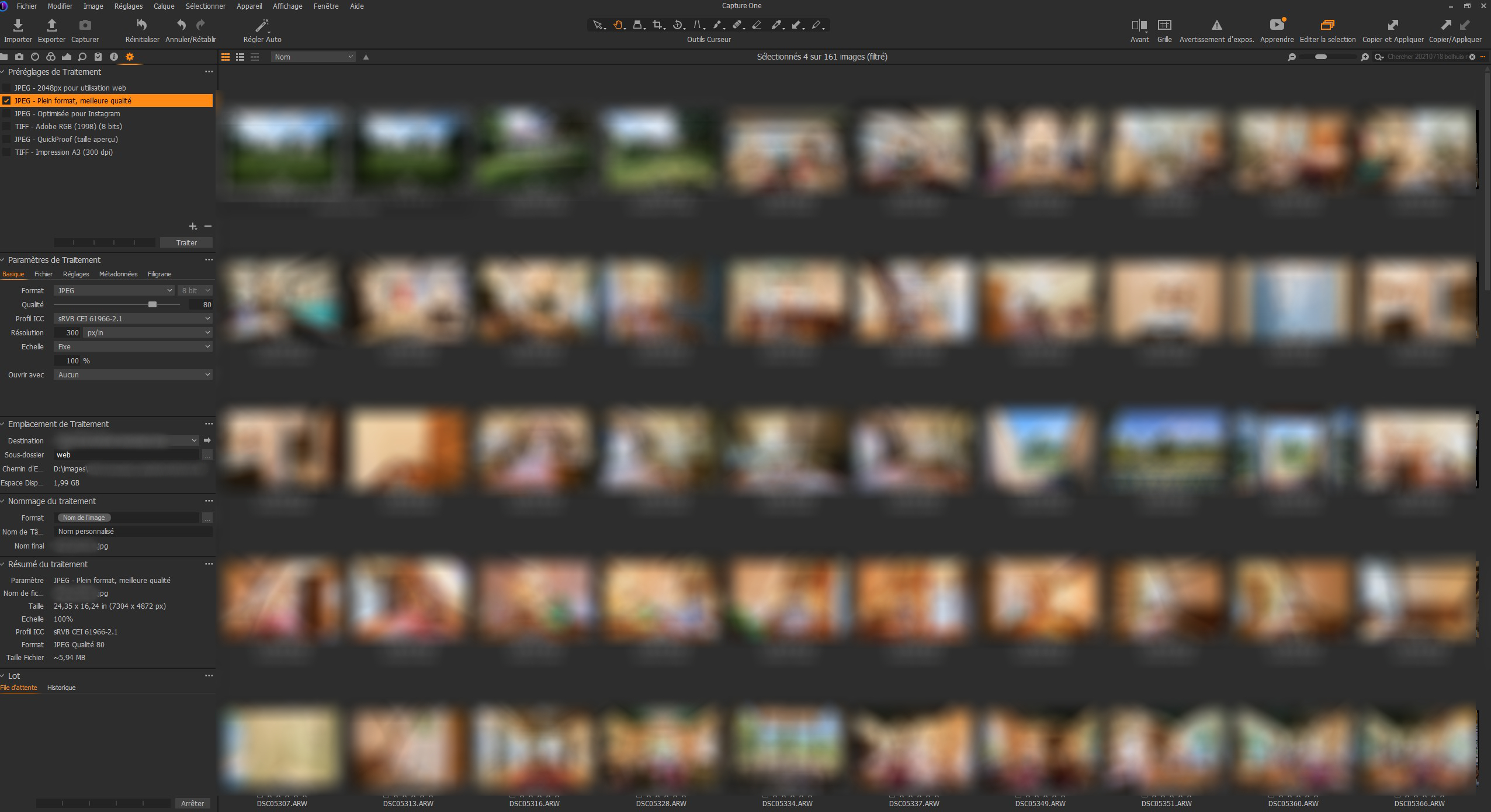
When i export my files i choose sRVB profile.
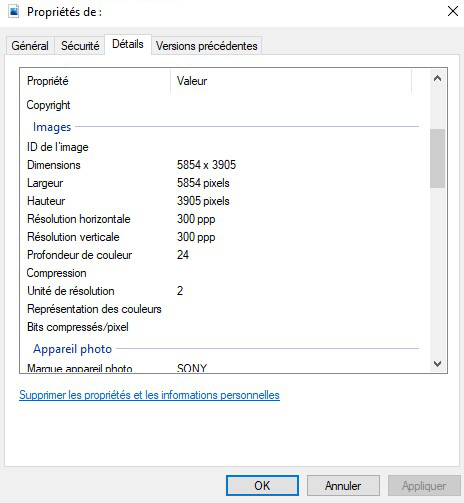
After exporting if i right click (windows file explorer), on the image, and detail, i can't see a profile.
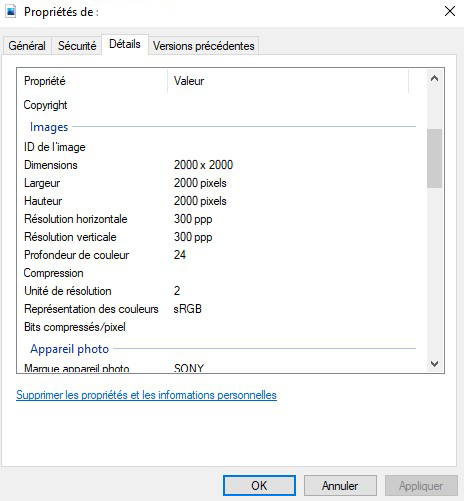
If i export with affinity photo, no problem, i can see the profile.
If i try with Adobe RGB, it's the same problem. I try to create a new recipe, the problem is the same :(
Thanks for your help.
-
That's normal with C1. The tag which you see in the Windows file properties is always empty.
However, the profile (or its name) should be embedded in the file nonetheless. Try the following: If you import such an exported file e.g. a tiff or jpg again into C1 you should see the profile name in the Base Characteristics tool.
 1
1 -
Thanks for the information.
When i open the jpeg on C1, the profile is OK.
The problem is solved :)
0

Post is closed for comments.
Comments
2 comments