Bug with adjustments clipboard

I've just upgraded to v21, unless something has changed, I am unable to copy 1 or 2 adjustments only to another picture.
I want to only apply a change of structure and clarity to several images. I go to the image I want with the correct settings, I press copy and when I apply it to another image it applies the dynamic range and exposure settings as well. I have tried every possible way I can think of to get this to work.
I have copied only the adjustments desired, then pasted, I have copied then deselected the adjustments I don't want then paste, I have copied and pasted from the top right buttons, from the clipboard and with hot keys. Same result for all.
I used this feature a lot over the years, so unless something has changed, it must be a bug.
-

Hi Simonm,
click on the copy/paste symbol. You will get a box where you should choose what you normally (or in a special case) need to copy.
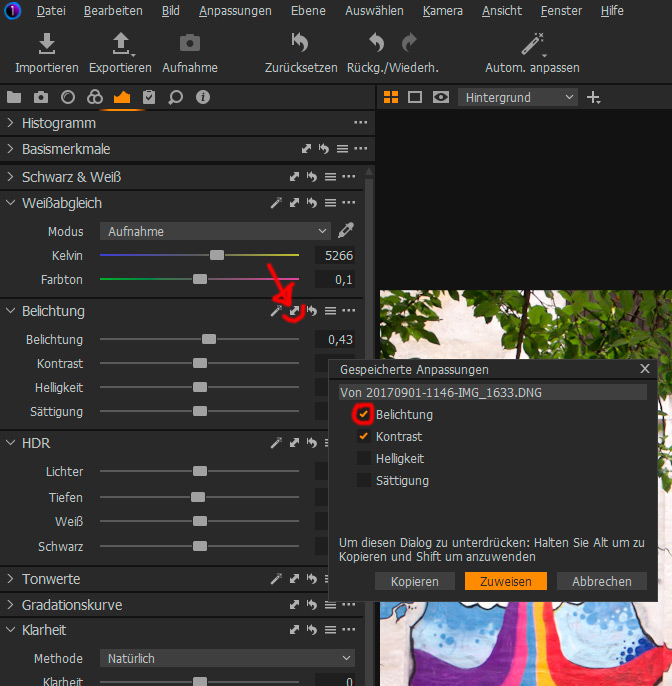
This works with other tools too.
Best regards
Ernst0 -
Second possibility: You can mark all adjustments you want to copy and paste in one box too:
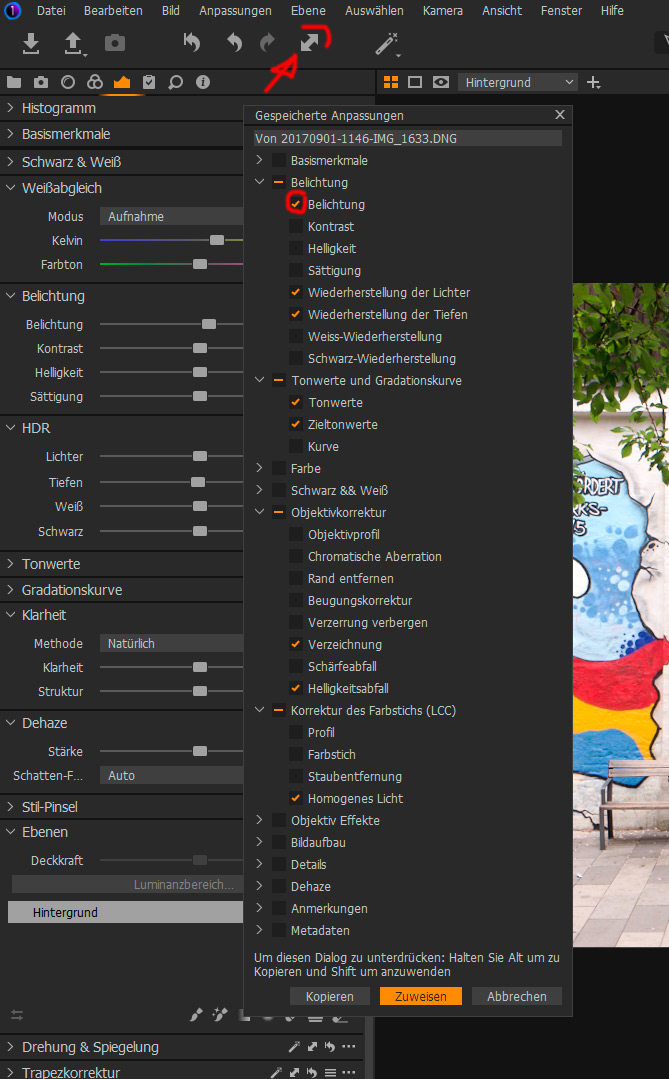
Hope this helps.
Best regards
Ernst0 -
Thanks Ernst,
I have tried all methods, however, the problem is that all adjustments from a edited photo are applied to the image I am pasting too, no matter which elements I select or deselect. For example, I only wanted to copy the structure, yet the white balance and exposure were also applied.
When I do according to your first post, the copied parameters are not pasted, nothing happens.
0 -
Here's my steps:
1. Copy the adjustments from source image, Ctrl+Shift+C
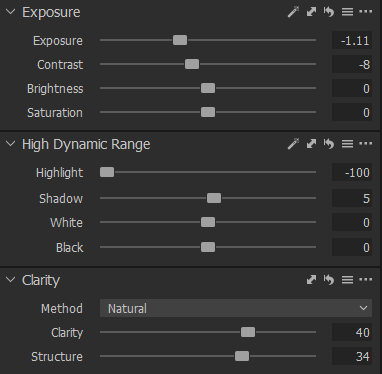
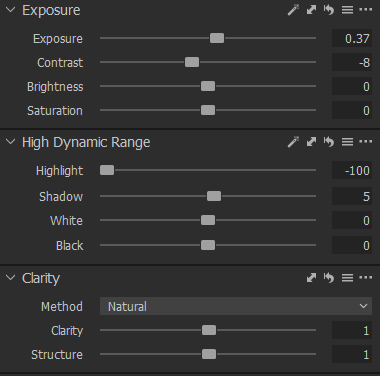
Clarity and structure to be 1 and 1.
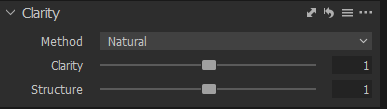
2. Choose the elements from the clipboard you want pasted
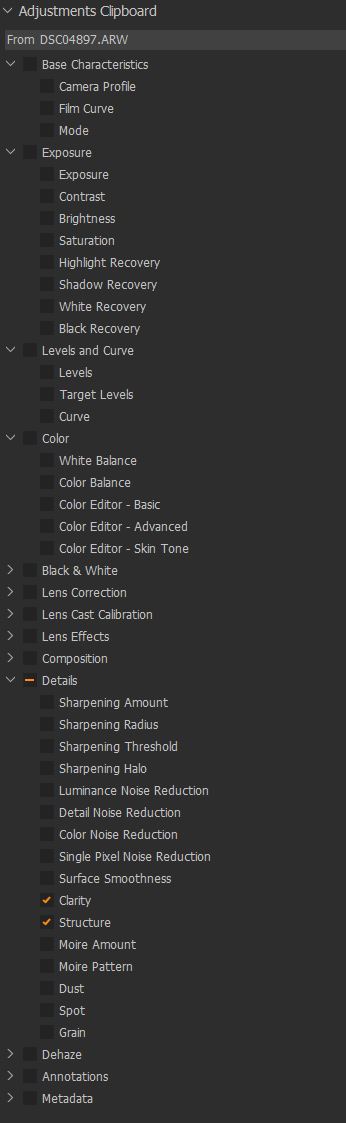
3. Click on image you want adjusted and paste, Ctrl+Shift+V
Note the before and after of the exposure.
Before
After
 0
0 -
I cannot reproduce this issue in version 20, Windows. Maybe you submit a bug report.
Does this also occur when you switch off the Autoselect in the Adjustment Clipboard?
 0
0 -
Yes, same result if set to none or adjusted.
I never had this issue in previous versions and I used the function a lot.
0 -

Hi, i have the same issue too, and followed this up a little bit, my results are:
This happens to all adjustments that where applied from a style to picture.
When you then try to copy only one adjustment of the pic where a style was applied, and try to apply this to another, at the first apply-press only the adjustment is applied and when you press once more apply you get all other adjustments that came from the stlye on the previous pic.
If you apply to multiple images, you get all adjustments applied at the first press of "apply".
0 -
Any news on this?
This Bug is still present in Version 22
0 -
Hi Frodo07,
Unfortunately I was unable to rectify this issue. I got a refund on v20 and went back to version 9, only to discover the problem is there as well. I had formatted my computer and since the fresh install on Windows this inability to copy and paste occurs no matter what version, indicating that there is some other cause. Nothing to do with Capture One.
If you find the solution to the it would be great!
0 -
So you can no longer copy anything, even with the copy button?
Please try to make fresh adjustments to your pictures, without any styles etc... and then try to use the copy-button. This usually works well.
Only when there are adjustments inside that come from a style, the issue appears for me.
0

Post is closed for comments.
Comments
10 comments