After updating C1 21 14.2 to 14.3.1, the toolbars for batch processing and image uploading disappeared.

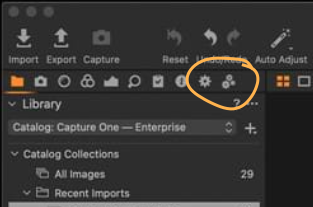
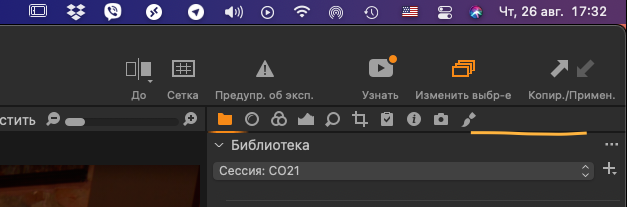
After updating C1 21 (14.2 to 14.3.1), the toolbars for batch processing and image uploading disappeared. How do I get the panels back into place?
-

You have to save a workspace and name it (e.g. Yourworkspace)
After each update, C1P reverts to the default layout.
Going to View > Workspace > Yourworkspace will restore your usual settings0 -
Batch list and processing tool have disappeared with the version 14.3. Instead, a new Export window has appeared, which will be improved before the end of September, as many C1 users complained about it.
https://support.captureone.com/hc/en-us/articles/4404012811537-Capture-One-21-14-3-0-release-notes
0 -
Thanks you.
0 -

Why you destroyed what working perfectly from years???? Please give us back export tool and batch export tool. Now can't pause, stop and any others functionality which we know and use everyday.
Please give us new functionality but don't destroy what is perfect working.0 -
Sebastian - have you seen this announcement?
https://learn.captureone.com/blog-posts/were-listening/
Ian
0 -
Yes, but I don't understand why you apply new feature before complete it?
Almost every thing in this is bad way or broken. I understand that features not completed should be provided only in beta versions?Just remember that we every day working with this tool and demand it stability.
0 -
Sebastian - when you say "you" in this forum, you are only addressing your fellow users like me, not addressing Capture One. Nothing I can do about it.
I realise that you aren't happy with how they have gone about it. I have tried to reassure you that they say they have heard the discontent from some users and have stated that they will be doing something about it.
Ian
0 -
I hope that the developers are reading this forum and saying You is theirs.
0 -
Yes, but as I told you, they have already responded to the concerns about this. If you want to contact Capture One directly, use the Submit a Request link on this page, but I'd suggest that you only do that if you have something you want to ask about, not just to tell them that you are another person who isn't happy. They already know that some users aren't happy.
Ian
0


Post is closed for comments.
Comments
10 comments