Edit Session that is cataloged

I edit in Sessions with the images on my computer. When finished I transfer the entire session to an external hard drive. I then import these Sessions into the catalog. However I now want to re-visit some images in a Session that is cataloged. If I connect my external drive and open the Session in Capture One and edit, these edits are not recognized in the Catalog.
So my catalog does not contain these new edits. Apart from exporting the image from the catalog and starting another Session, is there a way I can edit the existing Session and synchronize the changes in the Catalog?. Otherwise I don't see the point of having Sessions saved except for keeping the collection of a particular shoot together. Thanks
-
Try importing the session into the catalog again. You should get a confirmation dialog asking you how to deal with the newer edits from the session.
0 -
Yes I tried that - and it did recognize the edit - but it also imported everything so now I have duplicates of each image. I guess there is a way to get rid of duplicates? However it begs the question - if I am to edit images that are already imported as Sessions into a Catalog, am I better to open the Session and edit, or am I better to edit directly from the Catalog?
0 -
Yes I tried that - and it did recognize the edit - but it also imported everything so now I have duplicates of each image.
Oh, really? I did not notice this when I was testing this recently. I chose the option to use the new edits from the session ("Imported"), did you choose something else?
I guess there is a way to get rid of duplicates?
Don't know.
However it begs the question - if I am to edit images that are already imported as Sessions into a Catalog, am I better to open the Session and edit, or am I better to edit directly from the Catalog?
Well that depends on what you want, apparently you want to have the session edits in sync with the catalog edits and vice versa (as do I), so the first thing I want to recommend is to submit a feature request; the more users raise a request for a real sync the more likely it would be implemented.
Second, provided that the re-import works without duplicates, this is the only way today to synchronize the edits between catalog and sessions, so the answer is clear, do the changes in the session.
Or, try out if that works for you:
https://support.captureone.com/hc/en-us/community/posts/4406142825617-Synchronise-Catalog-Session
(start reading at the word "puzzle")
0 -
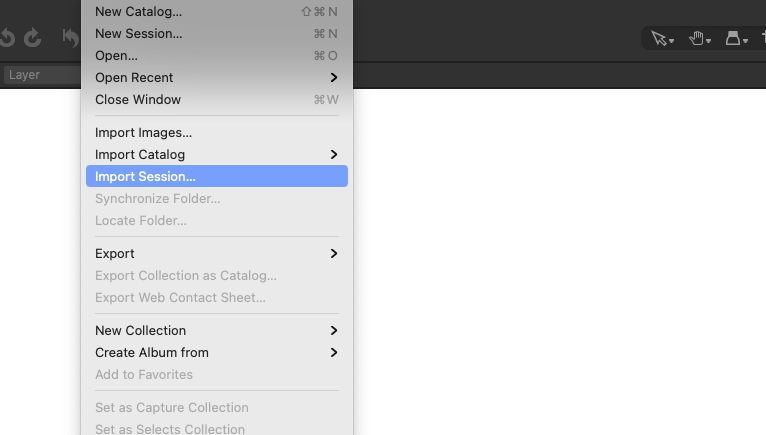
To Import the Session again I just hit File/Import Session- I did not use the Import Window. However I have got rid of duplicates by deleting the Session and re-importing. In answer to BeO - these were not variants.
I have deleted the Session from the Catalog and re-imported it and that solved the duplicate problem. I think the answer to my question re editing image that is in a Session in the Catalog - is to just export it and start another Session. Does seem strange tho - I always thought Sessions were going to be useful because you could go to the Session and pickup where you left off - but obviously not if one has already Cataloged it. Or maybe I'm missing something here?
0 -
BeO - Yes sorry I did delete that after I figured out a way to get rid of duplicates. Sorry about that
0 -
No problem, I just wondered. I would be interested if duplicates are created when re-importing a session and selelcting "Imported" when the dialog pops up (is it pops up at all)...
0 -
You did not see this dialog when re-imprting the session if it already was imported (and not deleted) before?
 0
0 -
No I did not see this - I just hit File - Import Session and it went to Finder and imported without any further dialogs
 0
0 -
I just repeatedly imported a small session into an existing catalog which had this session before. I think for the first re-import I was not asked, for subsequent import I was asked. (but maybe I'm wrong, its late. Even though the images were not edited in between.
But yes the reimported sessions are created as a new project with the same name but you can delete them, the images will remain in catalog (All images) with the new edits.
hm, before I put this in production I would conduct further tests...
one thing, I had all images in sub folders beneath the Capture folder, and added a favorite for each sub folder. No images in Capture directly.
0

Post is closed for comments.
Comments
9 comments