Understanding the Crop tool

Hello,
What I need:
- Select a aspect ratio
- Crop my image with the crop tool
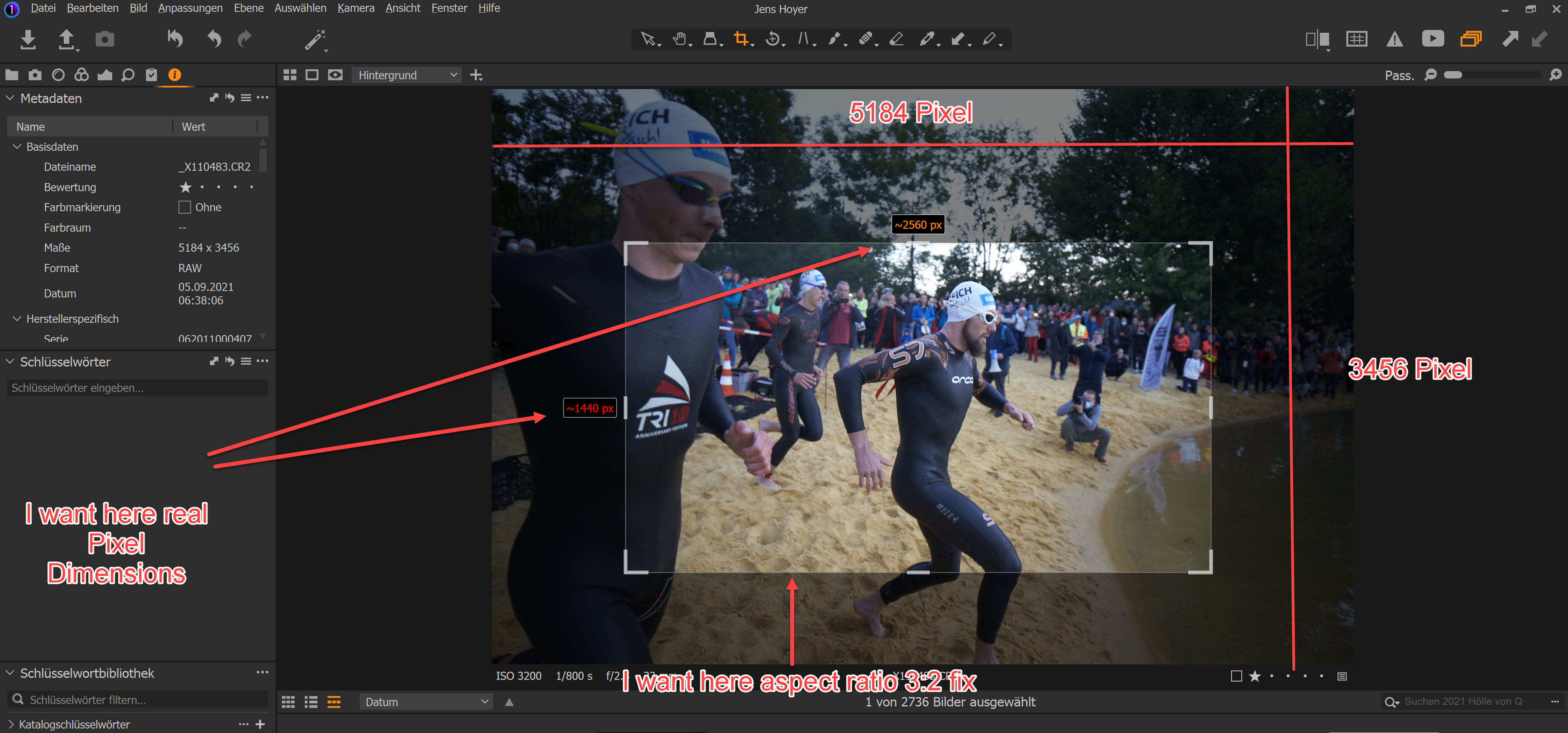
- I must find a crop that looks good and fits minimal a size in x : y Pixel
But I'm confused with this points:
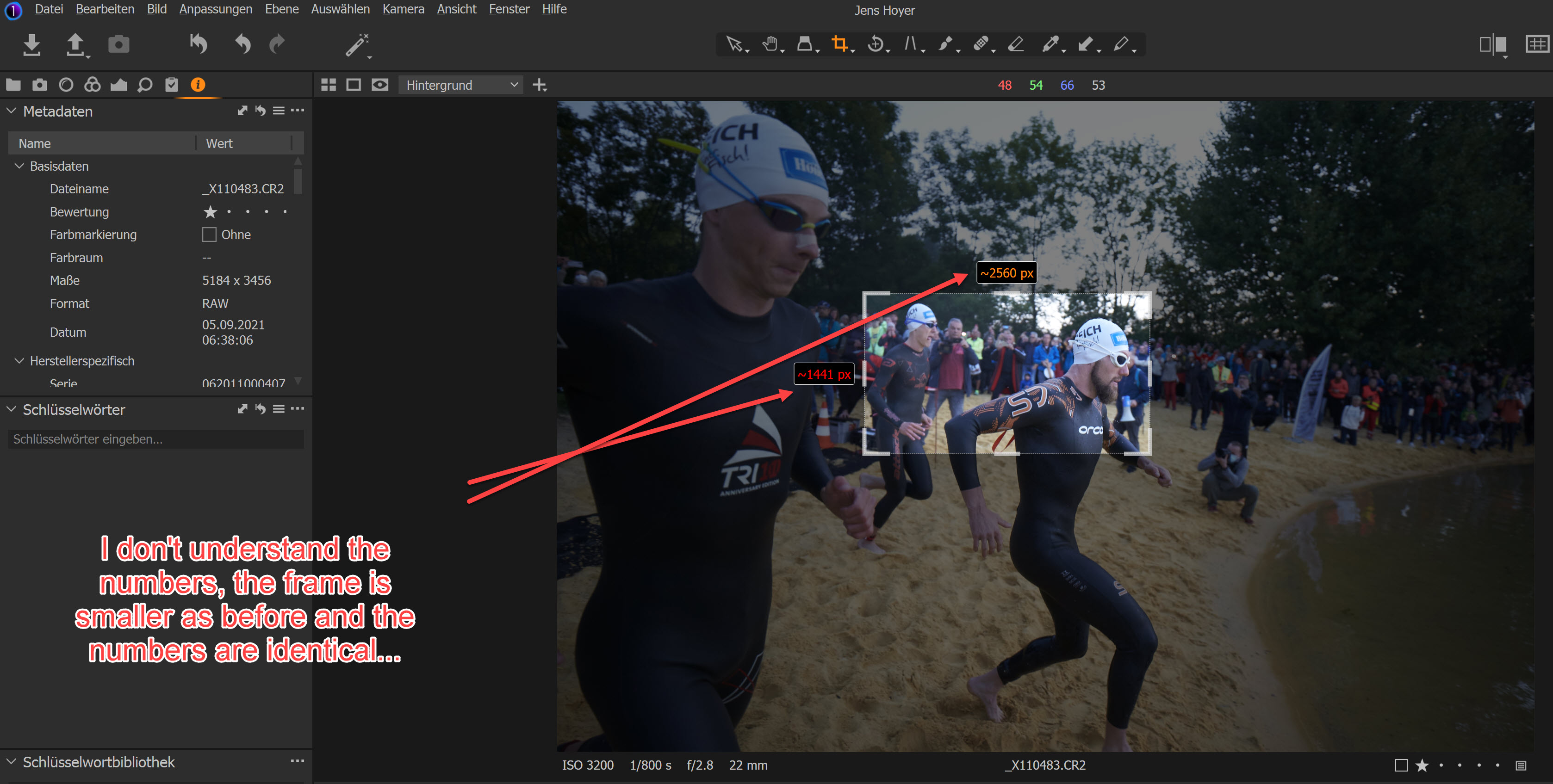
- Why the dimensions never change during the resize my crop?
- Why I can't select/edit the size (every time I change the width and press Return the program switch to the old value).
- It's impossible to select 3:2 *and* 1920 x 1280.
- I'm missing the red or amber numbers, if my crop is to small for >=1920 x 1280 Pixel.
I guess something is wrong with my understanding.
Yes, I've viewed the turoial and I don't understand the workflow for pros. I've to prevent to stretch the images to 1920 x 1280, if crop size is to small. And not while the Export, but while the image processing. If it is so, I expect red numbers during crop. I have red and amber numbers, but not 1920 x 1280. As described, I can't change this.
Jens
-
Two images could illustrate my confusion:
 0
0 -

Jens,
In addition to the settings in the Crop Tool the numbers displayed in the crop tool are influenced by the currently selected Export (formerly Output) recipe. They are usually advising the size of the output file NOT the number of pixels from which you are selecting the crop.
You may not know you have one selected but you probably do and how that is defined controls the output. The Crop will just report the current values you will get from the crop ratio in the output file.
If you define your own ratio, or select another existing ratio, it is not applied immediately for the current crop. However if you then immediately modify the current crop area the system can apply the new ratio as you will be advising C1 about where the crop should be positioned.
Note that C1 can increase the size of the selected area of an image by up to 250% as part of an ouput process.
There is a lot of material about the crop tool and the Output Process tools in User Guide and the Community pages, especially the FAQs and some of the video tutorials and webinars.
It may be useful to start here
https://support.captureone.com/hc/en-us/articles/360002582997-The-Crop-tool-overview
and follow some of the links shared on that page.
Also, if you use the Community Page Search facility to search on Crop Tool you will get the above link ahd many other references to the subject. Many articles have screen grab illustrations all of which should help to illustrate the functionality options available.
You will see warnings (by colour) in the dimension boxes if the selected area will can be calculated as being smaller than the crop dimensions seem to be asking for or if there are not enough pixels available (at the Export Recipes resolution requirement setting) to achieve the target size.
Note that this approach may seem quite different to anything you have experienced before. But it is very powerful as a total system fr cropping and sizing and proofing the results.
0 -
Hello SFA,
Thanks for the hint, that the crop frame's size is depend from the output size. And exact this behavior is my problem. If I crop my image I don't know which size it will be have for the Newspaper, the Web, the Journal and so far. My first step is to decide the cut and the angle, the second stpe is process all images. Than I export a small (1920 Pixel long side) version for all my customers and send the images. Than I'm waiting for my customers, they sorted out their highlights. Only at this point I know witch aspect ratio my customer ordered and wich screen size or printing resolution they need.
I understand this now and I will set to my export receipe "full size" before I crop.
During the finishing I set to my customer specific receipe to find the final cut.
... Many things in Capture One are amazing and great. But some things make gray hairs.
Jens
0
Post is closed for comments.
Comments
3 comments