Different results using 'Export'

Can anybody point me in the right direction please? If I export a JPG, a TIFF and a DNG to my desktop, of the same image, then open them in Photoshop, they all look different.
I'm using Fujifilm Express and the original is a Fuji RAF from an X-T3
Thanks in advance.
-

The first thing I would think about is that JPG has an sRGB colour space, TIFF has the colour space you have selected for the export from C1, and DNGs are opened by Photoshop according to the colour space/profile preferences you have tell it to apply.
0 -
I agree with Robert as a place to start, and would clarify a bit. You can assign an RGB color space to both JPG and TIFF files in the Export Recipe (or Process Recipe if prior to 21.3) and should check that both are set to whatever you want.
DNG may be a little different, as it's an Adobe format that's widely used, and usually has its own ICC profile. I haven't checked Capture One, but you should look and see if you can assign a color space to DNG as well. It took Capture One a while to properly support DNG, and if I recall correctly, it was because of the ICC profile usually embedded unless the file also included the orignal Raw file.
If you did specify a color space in your export recipe and your monitor is color calibrated, you'll have to look deeper. I can understand DNG looking different among the apps, but JPG and TIFF "should" look pretty similar, I think, so you may need to file a Support Request.
0 -

Dave,
Are all the images the same pixel dimensions?
0 -
All the images are the same pixel dimensions, yes.
I don't think there are Process Recipes in the Express version of C1 but you do get to choose options at the time of export through a dialogue box.I've tried to simplify the issue with a single file as follows: I've made some adjustments in C1 then exported the image as a 16-bit, uncompressed TIFF with AdobeRGB colour space.
I then open it up into Photoshop and in Camera Raw I also select 16-bit and AdobeRGB.
I'd like to try simply using 'Edit in' but there seems to be a bug with C1 and I can't do thatIf I put the two app windows side by side, the images are different (screenshot is converted to sRGB)
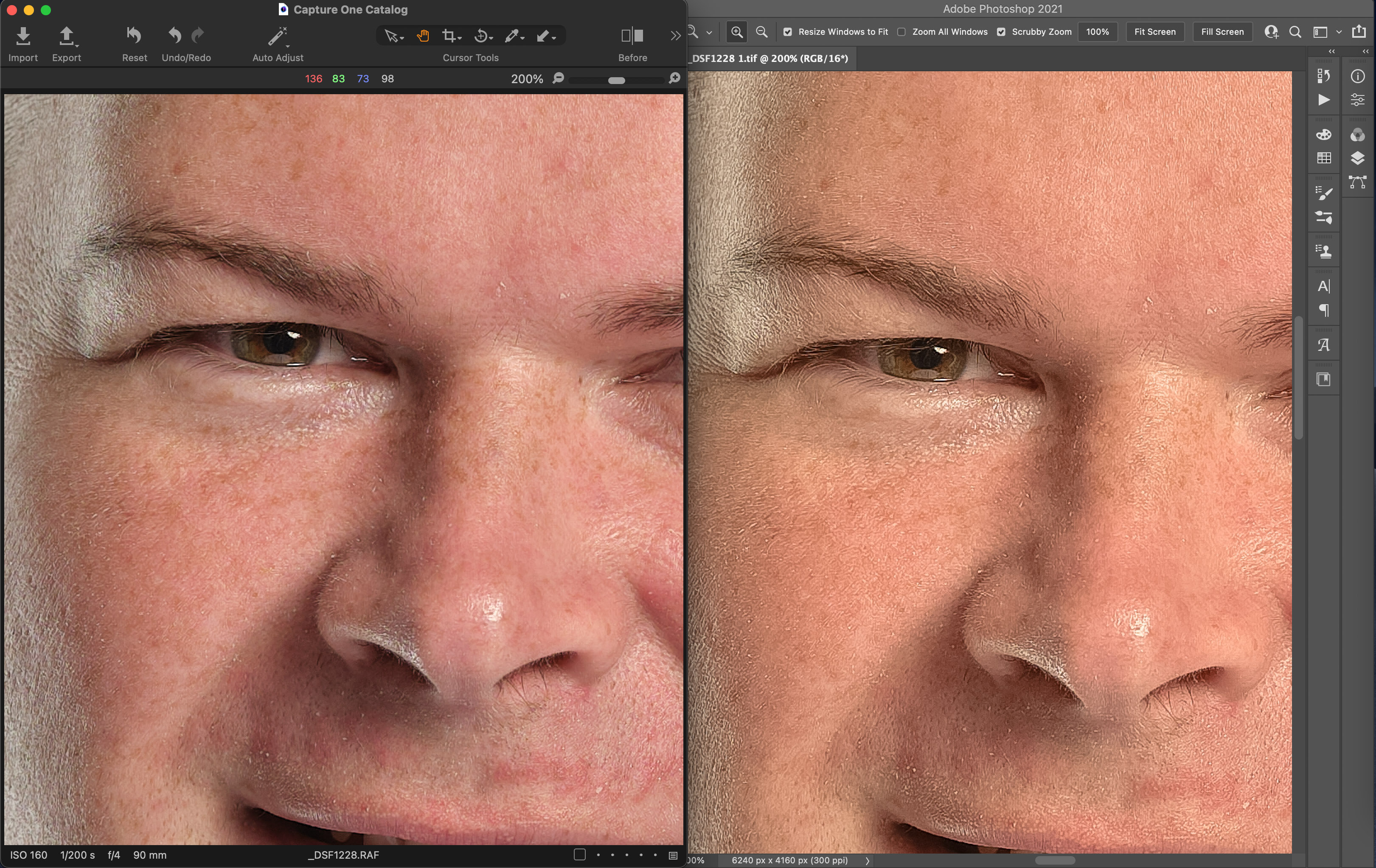
Here is the dialogue box when exporting:
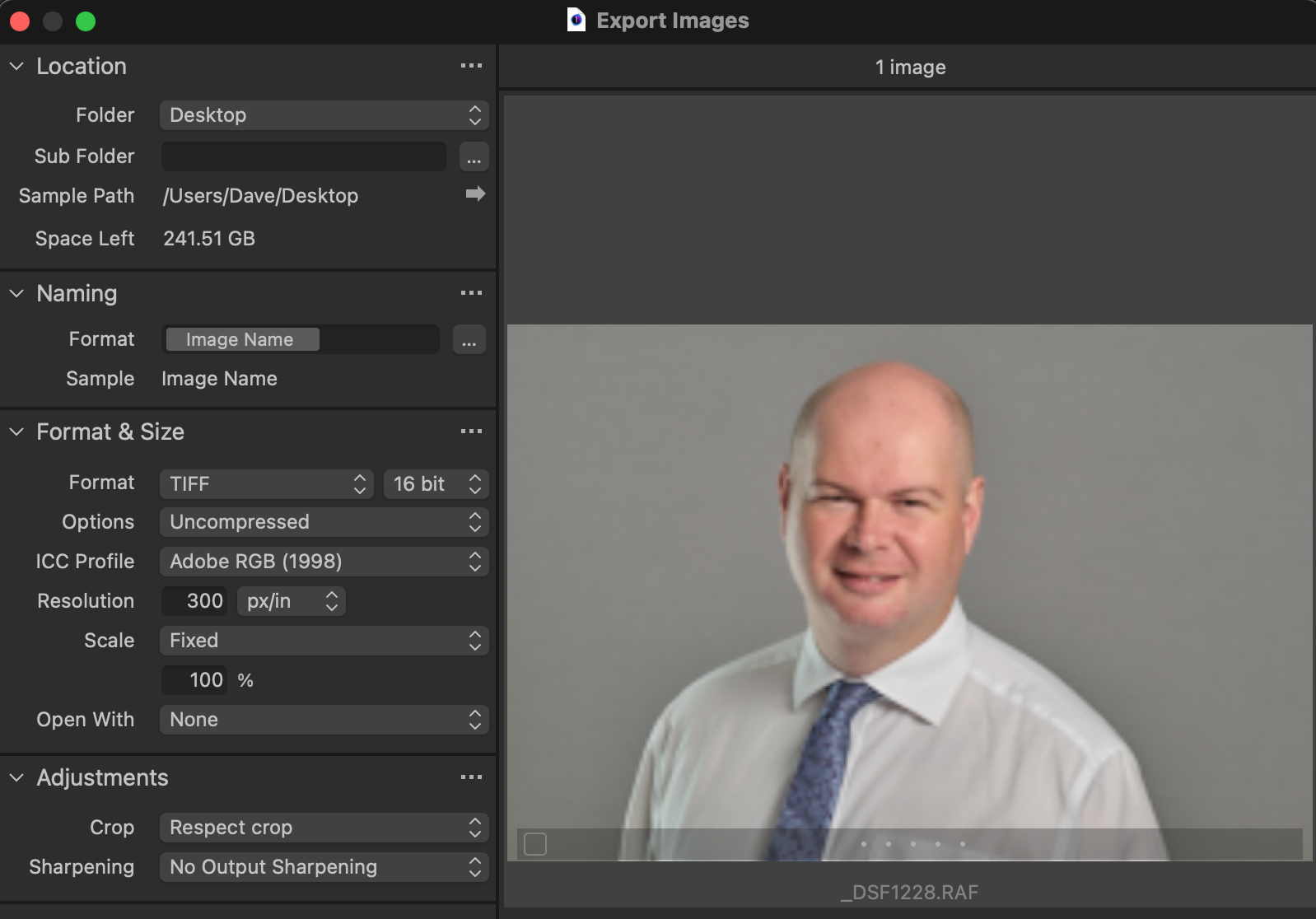 0
0 -
Sorry, you are right, no process recipes but the pertinent part of the processing settings are Format and Size and, marginally, choices on output sharpening.
0 -
I've spotted where I went wrong on the sharpening because there was sharpening set in Camera Raw on import, but the only profile I have available when importing is Colour or BW. Is PS Camera Raw applying some kind of profile on import do you think?
0 -
Ah! That was it. I disabled Camera Raw for Tifs and now its looking the same as it did when I exported it from C1.
JPGs also now look the same as when exported. Now I just need to get the Edit in function working. I've raised a support ticket.
Thanks for your help everyone! :)
0
Post is closed for comments.
Comments
7 comments