Error while importing

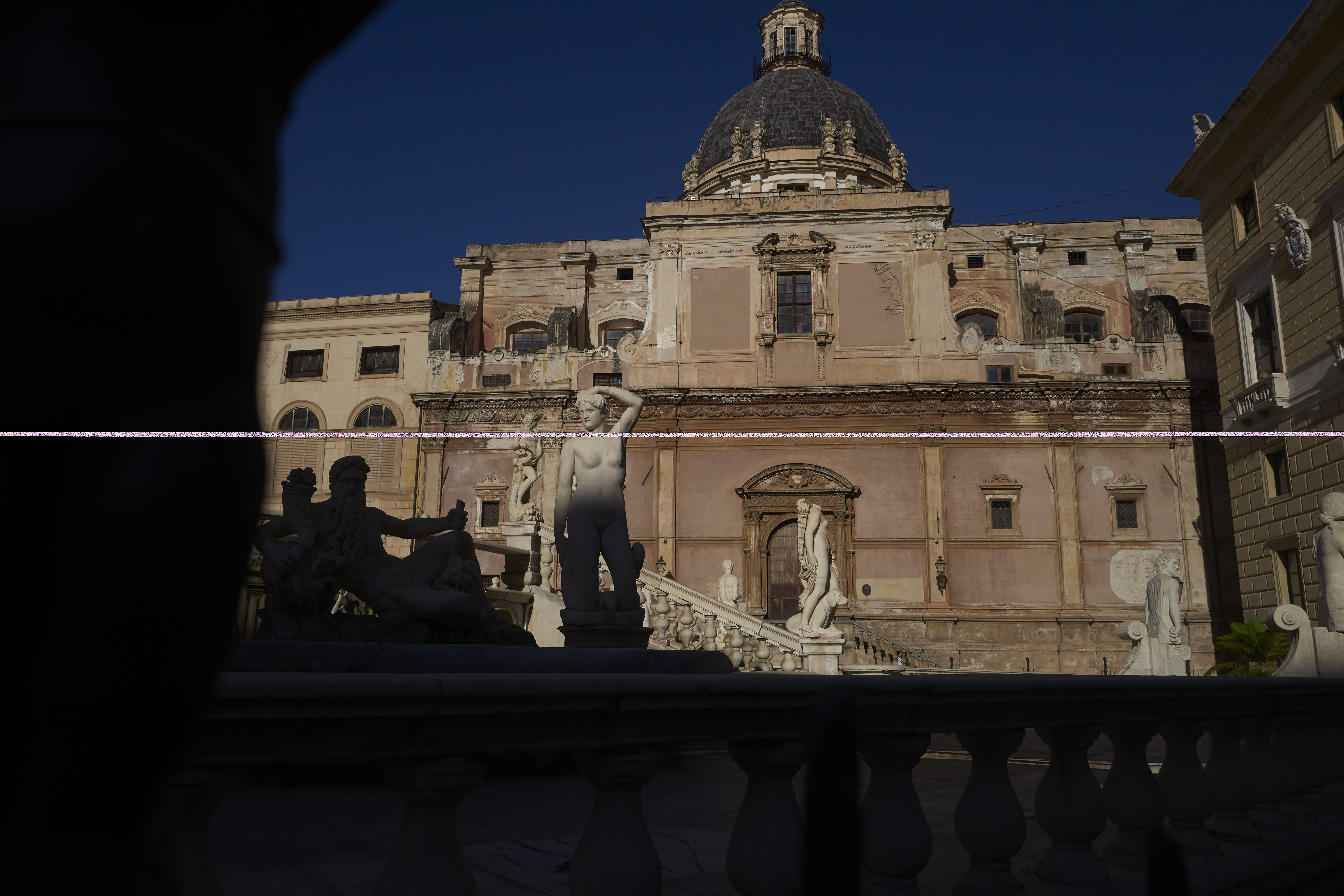
I have Capture one 12 and today I found a a problem while I import my DNG files, a row of "hot" pixels on my pictures. I've already tried to import other images, turn off - turn on, create a new catalog etc etc. Nothing changes. If I open the DNG images with a different software they are not corrupted. See the image here below
-

Have you already tried disabling the use of Hardware Acceleration using the Preferences settings?
If not it may be worth testing if there is any effect.
0 -
Hello, thanks for your answer, yes I did, but unfortunately it doesn't solve the problem
0 -
OK, so had this worked correctly previously?
If it has, and assuming you have not applied any updates to V12 recently, has anything else changed on your system?
MAC or Windows?
0 -
Mac. It has always worked correctly and nothing has changed since the last time that I used it, I haven't applied any update recently.
0 -
The strange thing is that this row doesn't appear above every images but randomly above some of them, and it appears when Capture one creates the preview of the DNG file. If I export in JPEG the line is still present on the final export.
0 -
Sounds like it is something to do with the initial interpretation of the RAW file. Are there any common factors that would group files that work and files that do not work?
I would suggest using the "Submit a request" option and creating a Support Case to see if C1 have some historic advice about such a problem for V12 that may not be (easily) discovered in the knowledge base.
0 -

I'm having exactly the same problem with dng files from my Mavic Air 2 drone. Exactly as you described, and random.
0
Post is closed for comments.
Comments
7 comments