Canon EOS R6 - Live View Zooming broken since firmware update 1.4.0

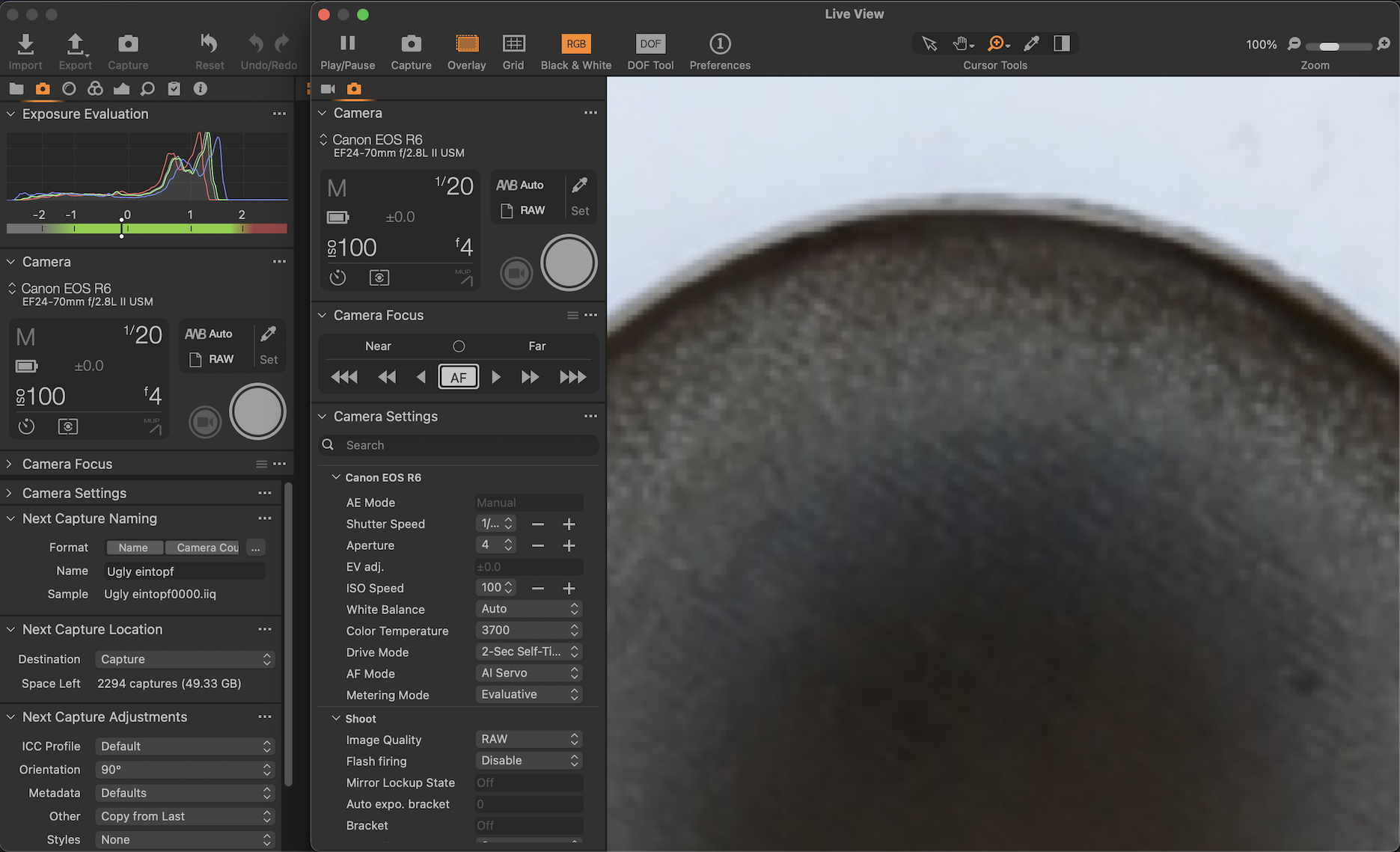
This is a big problem for me! Since the camera firmware update, Capture One is not able to show a "sharp" zoom image in the Live View tab.
How can I fix this? I cannot focus anymore :( everything is blurry/pixelated
Capture One version: 14.3.1
Canon firmware: 1.4.0
Look at my image
-

I may be totally wrong here, but I'm not sure how the 1.4 firmware update could be causing this. I don't have a problem with live view zooming with my R5 with 1.4 and C1 14.2 (I'm not updating to 14.3 until they fix the export/process issues). Maybe has to do with 14.3.1 or maybe your copy has become corrupted? Maybe search the forum for this problem in case it is not related to your R6 or the firmware update. If it is 14.3.1 you can try reverting to 14.2. www.captureone.com/en/account/download/previous
0 -
Thanks for the response! I don't remember which version I had before, but I had this issue with a previous version. The issue was the reason why I have updated it to 14.3.1 but it has not fixed the problem.
The only thing that I have changed is the firmware update.
I'm pretty sure that Capture One communicates in a specific way to the camera. Now when there is a firmware update it might create bugs for the communcation.
0 -

Not sure if you resolved this, but I have a similar issue with my R6. I find that if I zoom in in Live View it becomes very clear. When I am in "Fit" view it is very pixelated. I upgraded to the v1.51 camera FW and that did not change anything. Also running on 15.10 of C1.
0
Post is closed for comments.
Comments
3 comments