One or more of the selected variants cannot be exportet...

Hey all,
i want to export round about 6000 Pictures. Work over a year with C1 and now, i see this:
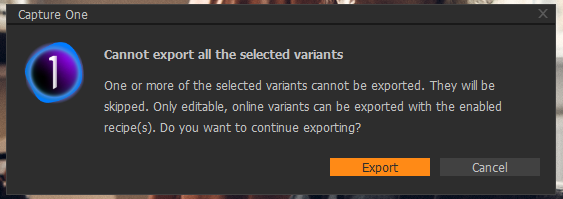
C1 only starts to export round about 1000 Pictures... All Pictures are in the same folder. All are online. What can i do?

-
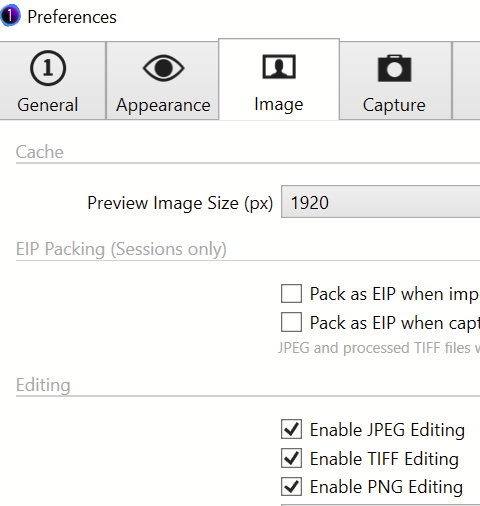
All images are RAF? No grayscale? If there are jpgs or tiffs, what do you have set in preferences (enable editing)?
 0
0 -
All are RAF (RAWs from Fujifilm).
0 -

Hans,
What happens if you ignore the warning and run the export?
0 -
Just a few pictures will be exportet 10% or so...
0 -
There may be some information in the log files that would help to work out some parts of what is happening. However, unless one is familiar with log files and their annotation reading them may not be easy or useful.
For what it is worth I ran some test exports for a batch of 1900 variants 2 days ago and had no messages and no errors. Windows 10. Canon files in my case, from a session.
It might be worth trying the export again with the "Events" and "Activities" windows open to see if anything is being reported during the process.
0 -
Thanks, i think the tip with the "Events" and "Activities" windows open is awesome.
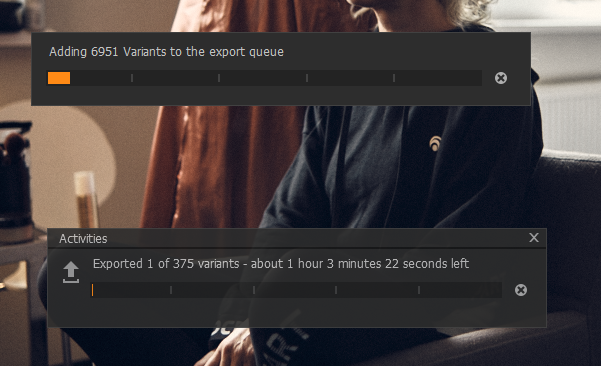
I restartet my Computer and now it sould work. Don´t now what changed, but looks good: Ans i not used variants... This are all single files... Don´t know why C1 says: Adding variants... This are Files, no variants. Or is there no difference?
 0
0

Post is closed for comments.
Comments
6 comments