Batch remove crop

I have two questions:
Is there a way to "one click" reset a crop on an image? Instead of dragging the crop lines to the four sides of the image there should be a simple click-rest, right? I can't seem to figure it out.
Also, I'd like to do this to a batch of images - I do not want to apply the same crop to them, I just want to remove any crop applied and leave them without any crop whatsoever. Bear in mind that the images are from different sensors, so applying a new crop to all will not be optimal.
Thanks for the help
-

The crop tool lives in the Lens tool tab. You can also make the tool a floating window. Clicking on the reset button in the crop tool will reset any crop.
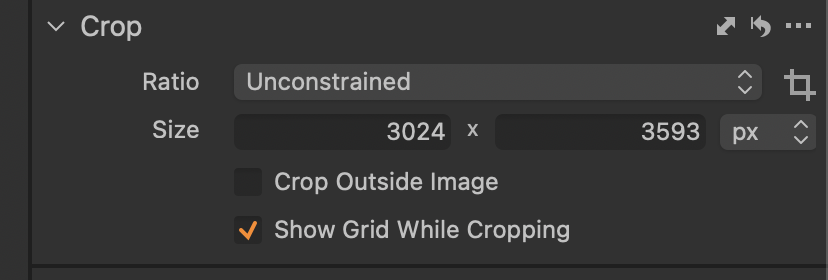
I don't remember if crop reset will adjust all selected or not (assuming Edit Selected is enabled). If it doesn't reset the crop on the most selected then shift-click the double arrow icon to apply the crop to all other selected images.
0 -

Martin,
If you reset the Crop tool the crop should be eradicated.
Bear in mind that you may see some cropping if you are using lens corrections and corrections have been applied. To eliminate THAT crop basis you need to turn off Lens Correction.
If you wish to change the crop from what it is you can use Shift +Curser to override the existing crop (but see above) and instantly change to a new one. However, whether this could be appropriate for multiple images is a matter for personal assessment.
0 -
Thanks @marco & @sfa !!
0
Post is closed for comments.
Comments
3 comments