Error message when processing out raw files

I'm running COCH 12.0.4 and am having an issue processing out some NEF files that were created about four years ago. When I try to process using my typical formula, I get the following error: "Some of the selected variants are read-only. One of the selected variants is a read-only variant. The process history of read-only variants will not be saved." and then the following message: "Cannot process the current selection. Only editable, online variants can be processed. Please select variants that can be processed."
Another detail - the files were created using a Nikon D810 and CO version 10.2. To access it with 12.0, I accept the "upgrade" but suspect this is what's causing the problem. I've tried to create copies by exporting the files packed as EIP, but no dice - they're still protected.
I had been able to process these out in previous years, but I am now getting this eror message. The files are displaying in C1 but are not editable. Any ideas on what I can do to process them out? Thanks!
-
Where are the files located? Is that location accessible, and does Capture One have appropriate permissions to access it? Have the files by any chance been tagged as read-only in your OS? (You don't say whether you are on Mac or Windows.) What did you upgrade to version 12, the catalog or session, or the processing engine on the image?
Ian
0 -
Thanks for the response Ian. The files are located on an external SSD that is unlocked and has no permissions restrictions in the OS (I'm running Mac High Sierra, sorry for not mentioning that). I haven't been able to find much information about C1 permissions for variants other than the ones from the OS...
I upgraded the session to 12 - it was automated when I opened it, I clicked "ok" and it indicated that a backup was retained, but I'm not sure how to access it and if it's possible to open without upgrading.
Any ideas? Thanks again.
0 -
The backup of the session created when you upgraded it from 11 to 12 should be right next to the new version of the session file like this.
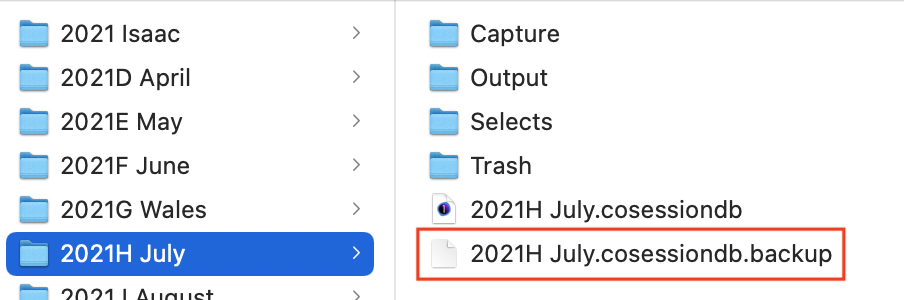
You can use that file if you rename it so that it doesn't have the .backup extension (and you'd want to give it a slightly different file name so that you didn't have two in the same folder with the identical name). You could then open that with your previous version.
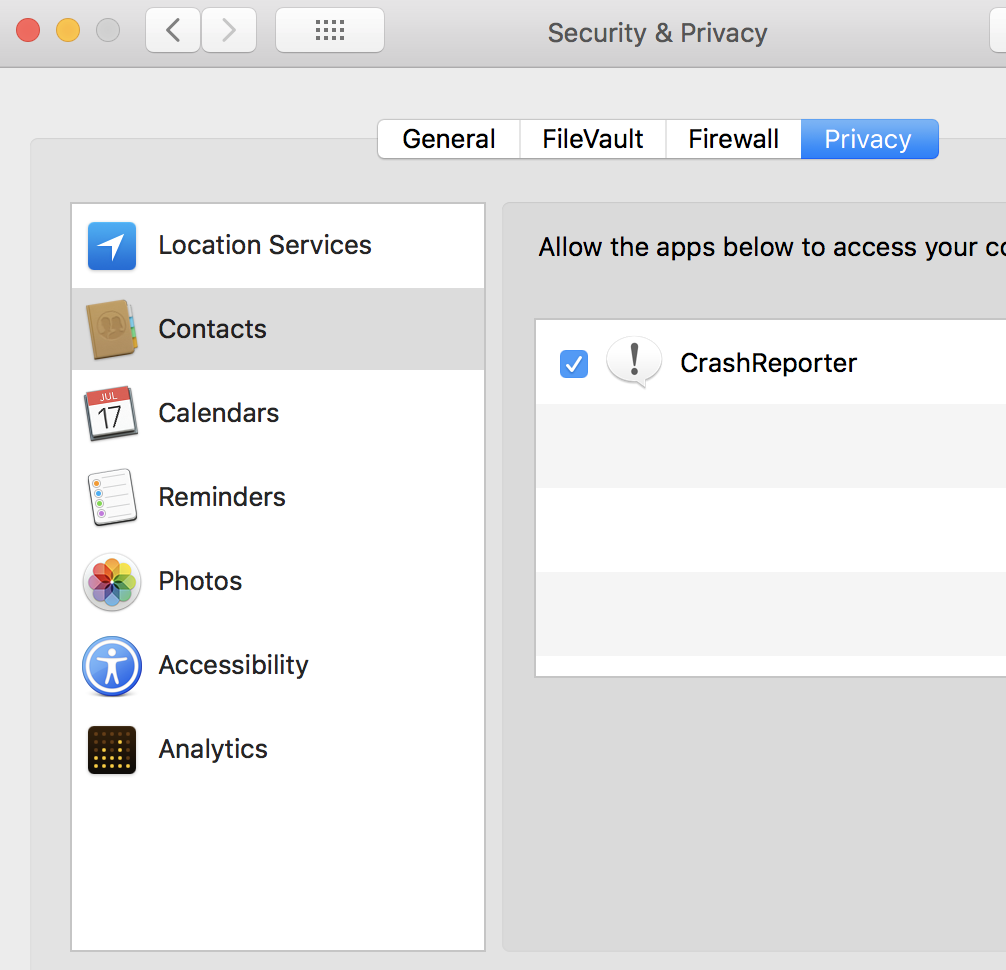
The thing about permissions is found in System Preferences in macOS Big Sur, like this.

I can't remember whether it was like that in High Sierra, or whether it was an extra security thing that came in later. But if there is such a thing in High Sierra it is worth checking that Capture One has all the access it requires.
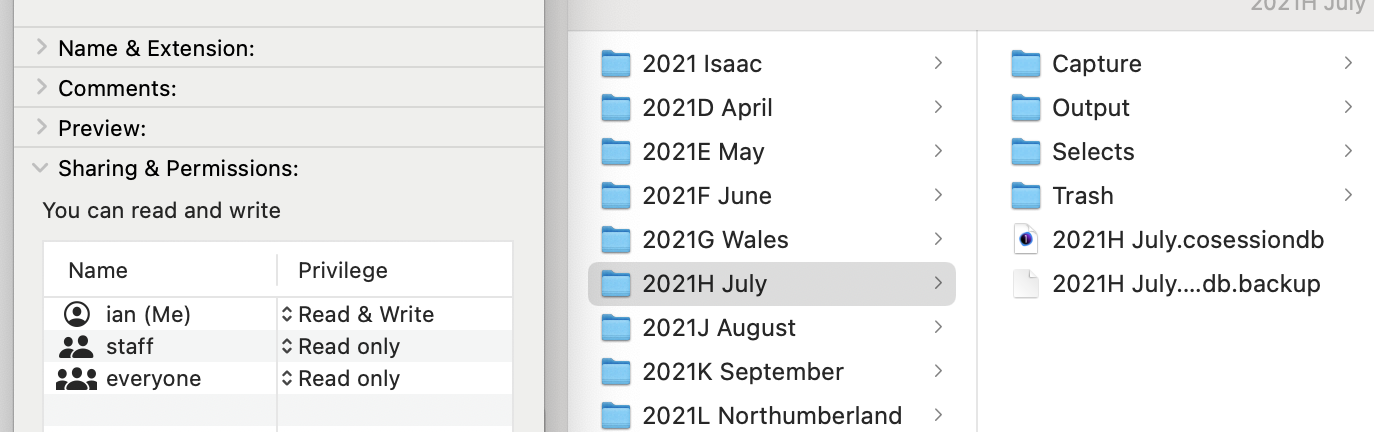
Also it is worth checking the permissions on the folder in question. (Go to the folder in Finder, go to File>Get Info, and see what it says in the panel that comes up.)
Ian
0 -
Yeah, I had checked the read&write permissions on the folders and files - it's all unlocked and showing I have r&w permissions.
As far as the Security & Privacy, mine is't showing folders under the options for editing. Perhaps that is a Big Sur update. I think I need to update my OS to start with - maybe C1 12 has trouble with 10.x files created in High Sierra.
Thanks for pointing out the backup file - it still forces me to update the session to 12 before opening, leading to the same issue. I guess I'll start with the OS update and work from there. Thanks again, Ian - I appreciate the help.
 0
0

Post is closed for comments.
Comments
4 comments