How to save layout of desktop?

Hi,
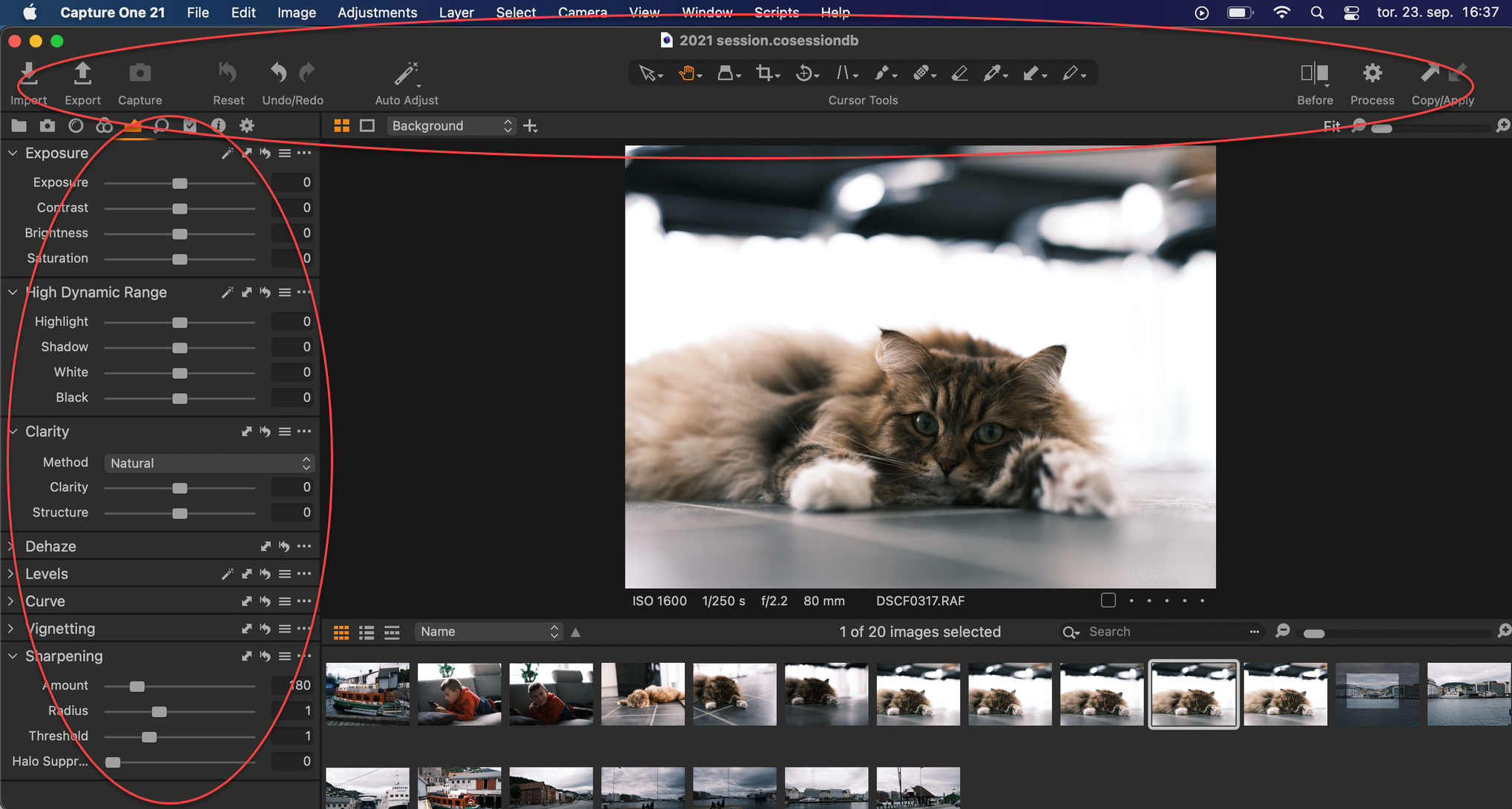
I have just moved from Windows to Mac (M1) and last week I upgraded to Capture 1 Pro 21. When I start C1, it is by default autohide the tool tab on the left. I have to uncheck autohide everytime I open. How can I set show tool tab on left hand as default?
And I would also like to tool tab on top to show, but it goes into autohide, when I enter fullscreen. Any suggestions?
I have tried to save workplace, but it didn't help. Was still autohide when I starte C1.
I have red marked on picture how I would like it to be when I open the program and it is in full screen. Can I also have it open in fullscreen as default? Or it that a setting on the Mac system?
-

First, you can't have any app open in Full Screen mode. The best you can do with Capture One is have it open to cover the entire screen except for the Mac toolbar. To do that, Option-click on the green circle (upper left) in the Capture One window. That trick works for all Mac apps, and C1 remembers the setting across launches.
For your Auto-Hide question, Go into View...Customize...Customize Tools and set it as you want. Then save the workspace (with the tools, browser and any other customizations you want) as a custom workspace. Be sure that everything's configured as you want before saving the workspace. You might also, for example, want to change the tools, tab or other settings and include them in your saved workspace.
0 -
Little addendum from my side: Abbott is right with everything, but it makes sense to quit C1 after you saved the new workspace. Then reopen it and check if everything is ok. If you don't do this, your new workspace setting might get lost if C1 crashes. C1 not always remembers screen settings. Especially when using two screens, things can get annoying from time to time.
0 -
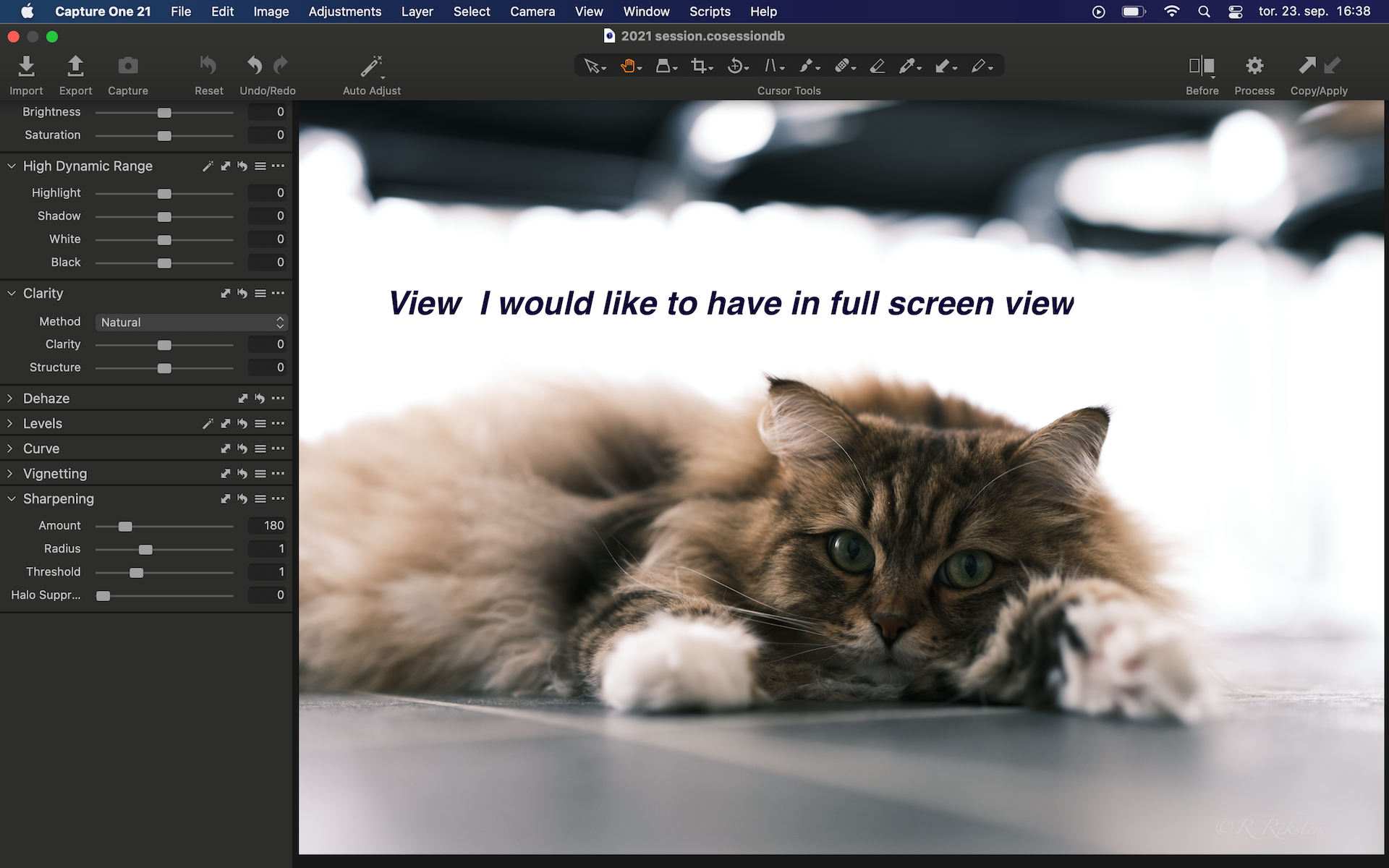
Thank you both. I already tried the workspace. Tried again, closing program en reopen. And when my problem it that when I hit fullscreen (I'm ok with pushing the green full screen button after opening) all goes into auto hide. I took a video screen shot, but was not allowed to upload here.
Seems like a bug to me that one cannot have the toolbar on the left side and the upper toolbar showing as default, when you hit the fullscreen button. I have the 13" M1 Mac Pro, but the size shouldn't matter, should it?
 0
0 -
You can make another desktop on your Mac, tell Capture One to always launch on that desktop, hide the dock on that desktop and use Abbott's trick to maximize the C One window on that desktop. It will get you just what you want.
I don't remember the steps to make another desktop but googling "multiple desktops on OS X" will get you instructions. Then you have to right-click CO when it's running and tell it to always launch on this desktop. Again, I'm fuzzy on this part but google is your friend.
It works fine on an M1 Mac.
0
Post is closed for comments.
Comments
4 comments