Duplicated menu entries

When I right-click on an image in the browser the popup menu shows duplicated menu sections. This is on the german locale. Can anyone confirm this?
This is version 14.4.0.135, don't know if this was already the case on previous versions.
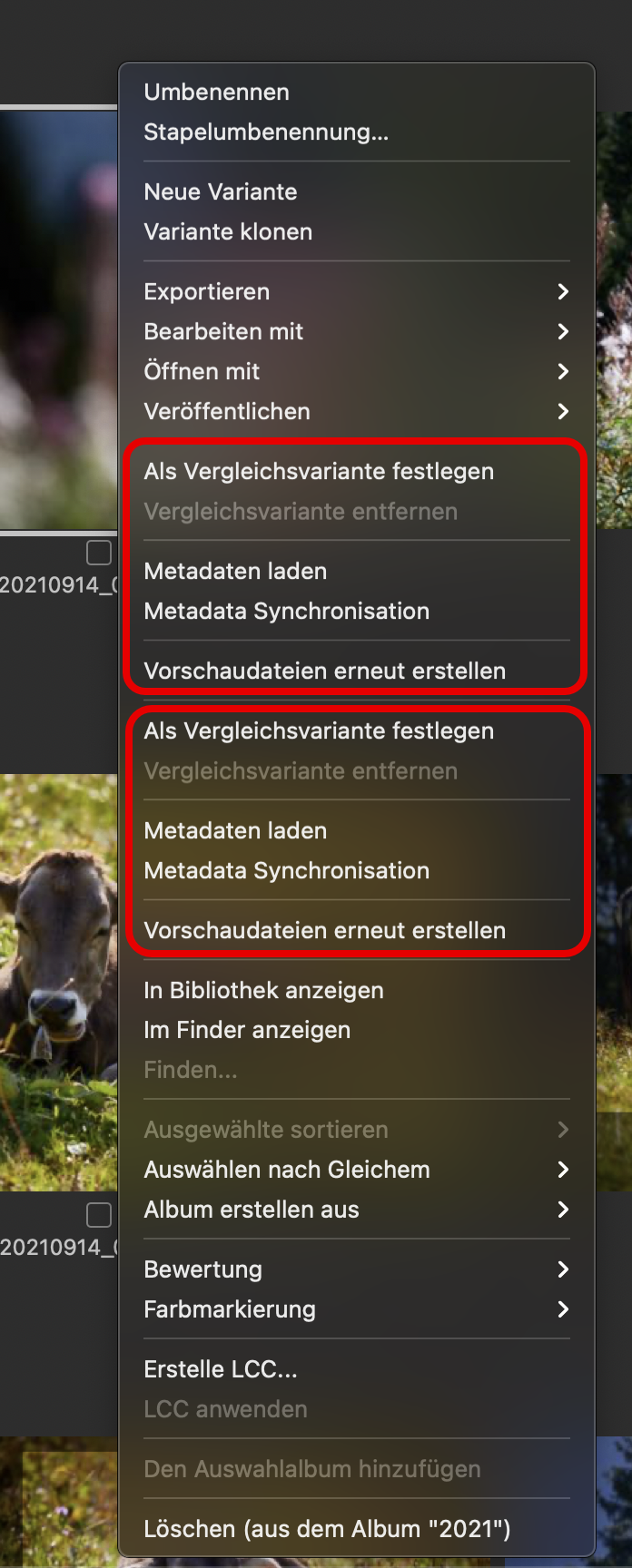
-
Nope, same version here and Menu "Ablage* doesn't show duplicates. Which amazes me in a way. I still see an old plist in the preference folder of my user library
Which OS version are you using?
 0
0 -
I see the same thing.
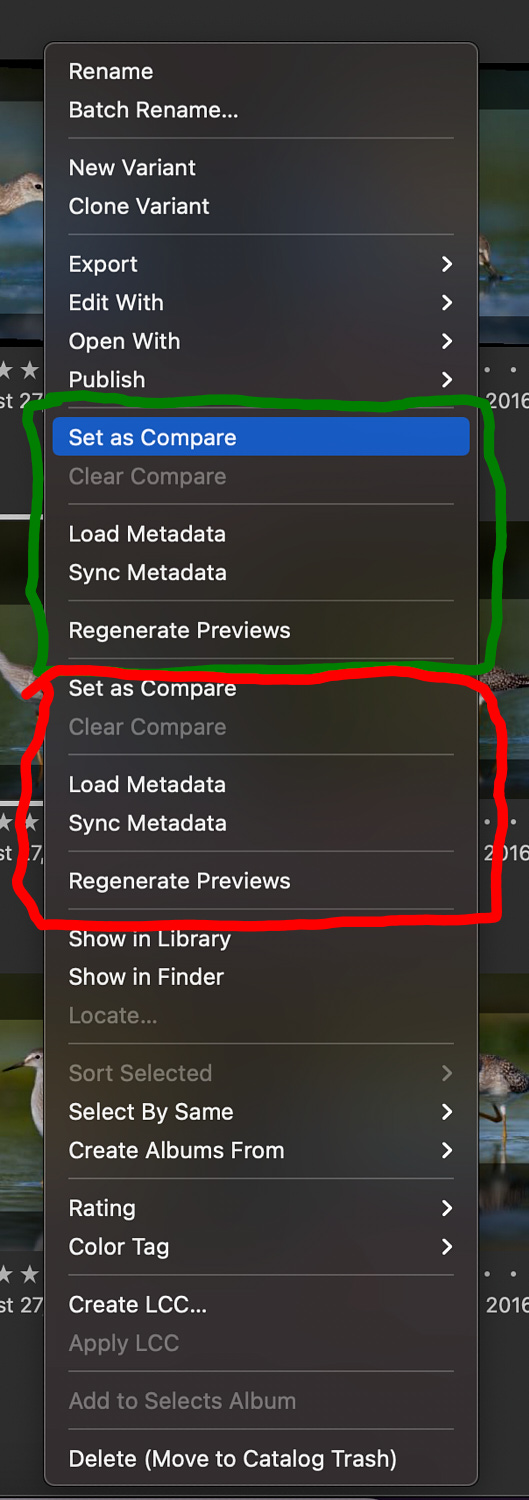 0
0 -

remove c1 including all support files and reinstall it, this often solves such annoyance which are common with c1 updates.
0 -
Nope, same version here and Menu "Ablage* doesn't show duplicates
@Joachim: Menu "Ablage" doesn't show the duplicates, its only the popup menu which appears when right clicking on an image.
My ~/Library/Preferences folder only contains the captureone14.plist file
0 -
@Mario, this information I haven't read carefully enough.
Hahahaha, the same here. 🤪 Danish gameboys (= C1 devs) at work again. I said "which amazes me in a way" as I'm used to get every quirk of them. Funny that no Beta-tester saw that.
I think, they could sell that as a feature in their "what's new in C1" list. Like "double reading to make sure you always have enough to read".
1 -
I wouldn't necessarily follow the advise from CSP (remove and clean C1 files and then reinstall).
While this process often does solve problems related to C1 "upgrades", it is often quite painful (you often need to recreate some setup/workflow procedures anew).I did perform C1 cleanup (deleted .plist files, stopped short of reinstalling C1) in order to fix "Edit With" problem.
This did not solve our issue of duplicated menu.0 -
deleted .plist files
Deleting the plist file may not remove your preferences. That changed several versions of macOS ago. The contents of the plist file are more of a backup, not the actual working preferences. To make sure your preferences are reset you need to run the defaults command from a terminal window. The command is
defaults delete com.captureone.captureone14
After running that command you'll see the com.captureone.captureone14.plist file has been reset to 0 bytes.
I have no clue if clearing preferences will fix the duplicated entries in the context menu.
0
Post is closed for comments.
Comments
7 comments