capture one filters

Hello ,
I cannot add a filters (ex:camera or lens) because de window add/hide filters doesn't appear when I clic on the action (...)
I am in the trial version capture one 21
txs
jlouis wertz
-

Hello JLouis, of which "filters" are you talking? I was just typing "filter" in the "help" line and all it came up were styles/presets or global (search) filters. But I don't know the French translations of the menu, so I'm not sure to understand what you are looking for.
0 -
Are you clicking on the correct ... button? The one you need is as pointed out here.
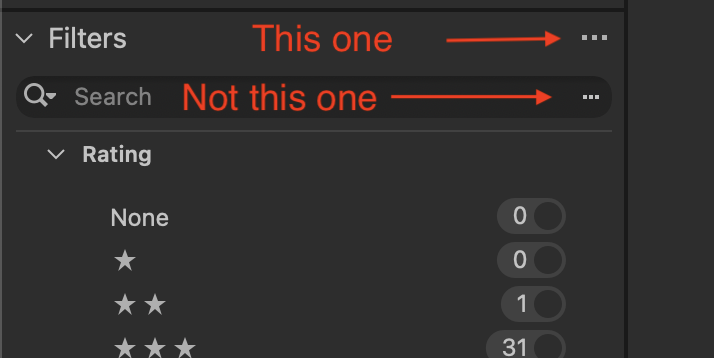
Ian
0 -
yes I am clicking on the correct one.
the other one is the advanced research. and work propelly
I have restart it and it still not working.
txs for reply
0 -
Strange. So do you not get this menu at all, or do you get the menu but Show/Hide Filters is missing from it?
Ian
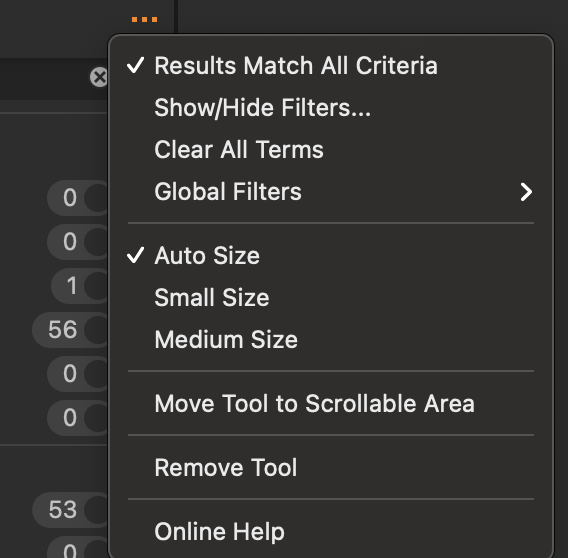 0
0

Post is closed for comments.
Comments
4 comments