Can't see my uploaded pictures

Hi there; would appreciate any help. It's been a year since I used Capture One 20 for a Mac, due to Covid...anyway, I started a new session (tried multiple times), I fill in the regular information, try to upload my pictures out of a folder or card and nothing happens...I don't see the pictures. Makes no sense to me and retired a dozen ways on looked online for videos as it's been a while - if anyone has any advice would sure help...thanks.
-
What does "fill in the regular information" mean? How are you uploading? Where are you putting the images?
Try this... create a new session. Click on the Capture Folder under Session Folders. Right click and select Show in Finder. A Finder window will open with the proper Capture folder selected. There may or may not be a CaptureOne folder inside of the Capture folder. If it's there ignore it.
Now use Finder to copy images into the Capture folder. Capture One should see them. If it doesn't make sure you are not looking at the Viewer only. If the browser is selected and you still don't see the images tell us more.
0 -
Thank you Marco, but damn, cannot figure this out. I followed your instructions...new session - capture folder - right click and show in finder - opened finder and found images - but from here it got messy. I copied the pictures into the Capture folder - but then they don't show in Capture One, and I am not sure what you mean about 'looking at Viewer only." That part confuses me. Thanks, David
0 -
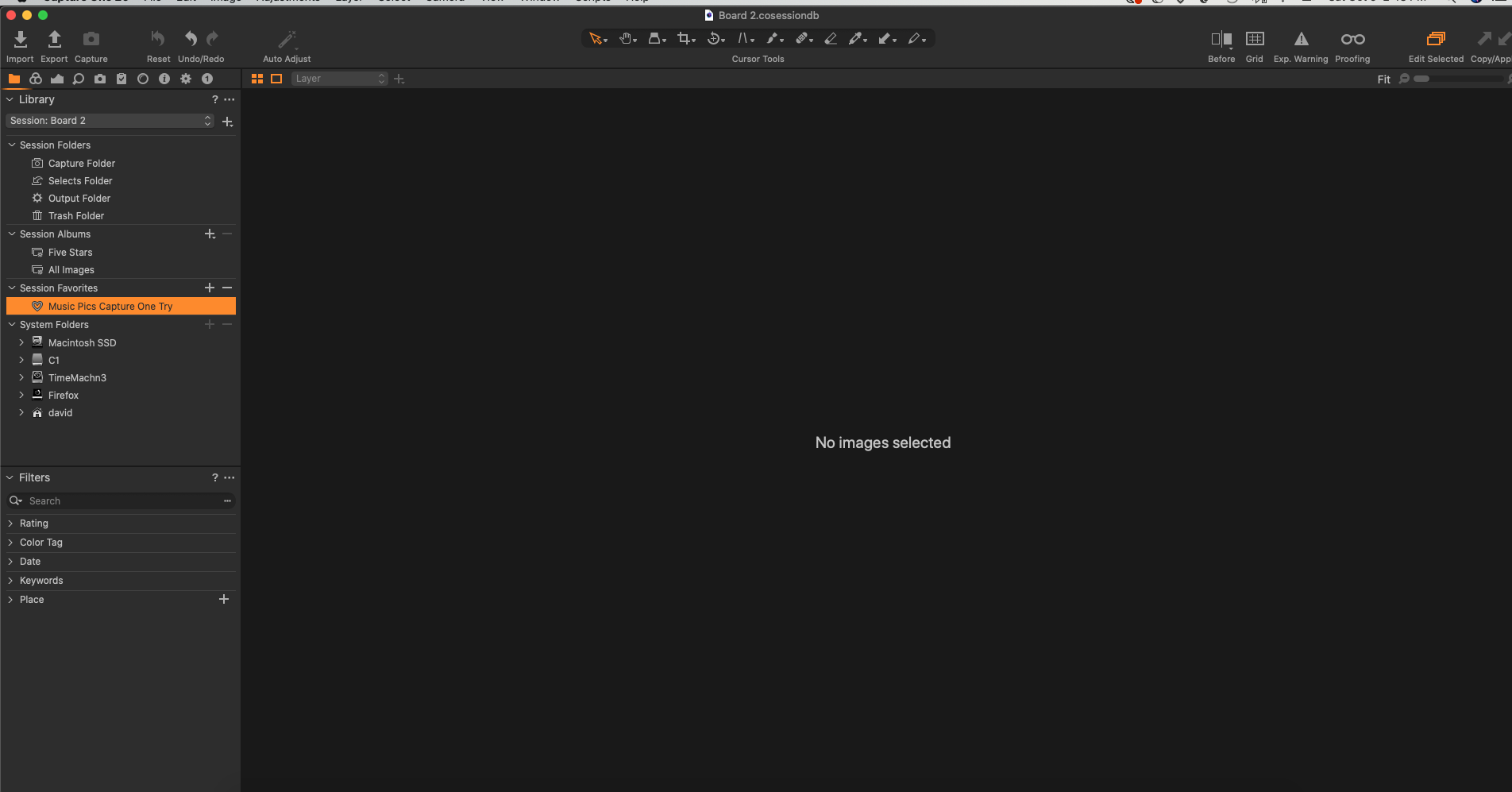
I tried this a second way; import icon on top left - new session - found 30 images in folder on desktop - the pictures showed in the viewer - I hit upload - and then nothing....this is all I see.
 0
0 -
You are looking at the viewer, but you must be lookig at the browser. Goto menu>view>browser or hit the keyboard shortcut.
0 -
Argh; thank you. Not a computer guy, clearly. I actually did look through that menu and hit most every button as I assumed there was something I switched off accidentally, etc. That worked. Thanks for your time.
0 -
Screenshots are very helpful sometimes...
0

Post is closed for comments.
Comments
6 comments