Inability to change the type of crop

Hello, since the latest version 14.4.1.6 it is impossible for me to change the type of framing either cm, px, ect. (see my attached image) Is the area still grayed out? With a loaded image of course!
I searched all the software not found!
Can someone help me?
Thanks in advance.
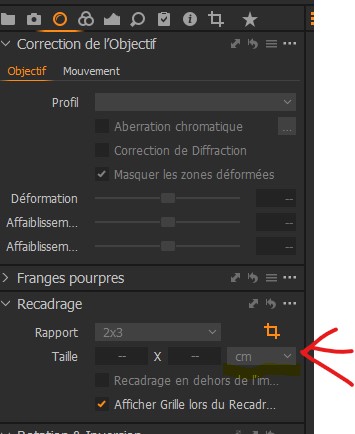
-

Alain,
I have no answer for you. This is not something I have seen using or testing C1.
However, a question about your screen capture image.
Your Lens tool seems to be suggesting that the currently captured image has no lens profile of any sort. I'm not sure that it is possible to be in that state. I could not find a way to force it to happen.
Is it possible that somehow the image file, as loaded into memory, has some sort of problem and cannot be properly understood by Capture One? Based on your screen shot it seems to me that the problem may be more than just the setting of crop ratios and sizes.
Do all of your images show the same problem?
0 -

Probably tiff, jpeg etc. = no lens profile.
0 -
Indeed, gb.
And if that is the case it might raise questions about file sizes and dimensions and whether they are within specification for editing.
However, the question as presented seems to imply that the problem is not limited to only some images.
Either way discovering more about the files seems like a good starting point.
0 -
Hello,
I solved my problem with a full CO initialization! Also deletion of user profiles and data. A complete basic install.
Everything works fine now!
Thank you for your help which allowed me to see where the problem came from.Sincerely yours.
0 -
Hi Alain,
Usually C1 will successfully bring forward all of the version and release related variable user settings and configuration information but if something does go wrong the results may be unpredicatable.
I'm glad your intuition was right and you successfully overcame the problem.
0 -
Thank you for your answer and see you soon for another question.
0 -
It looks as though you didn't have an image selected in the browser. I see exactly that when I have no image selected, like this (in English).
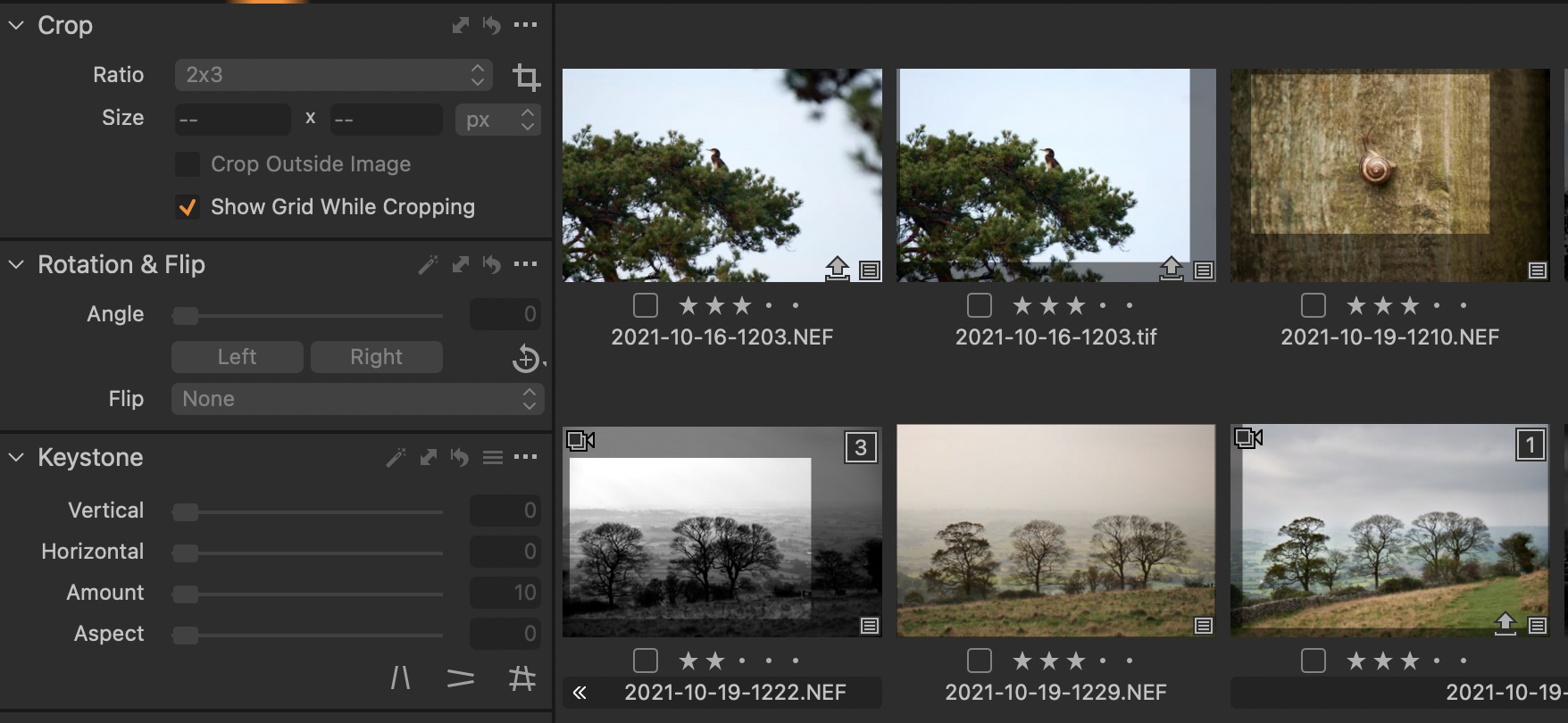
But as soon as I select one of the images, those choices are no longer greyed out, like this.
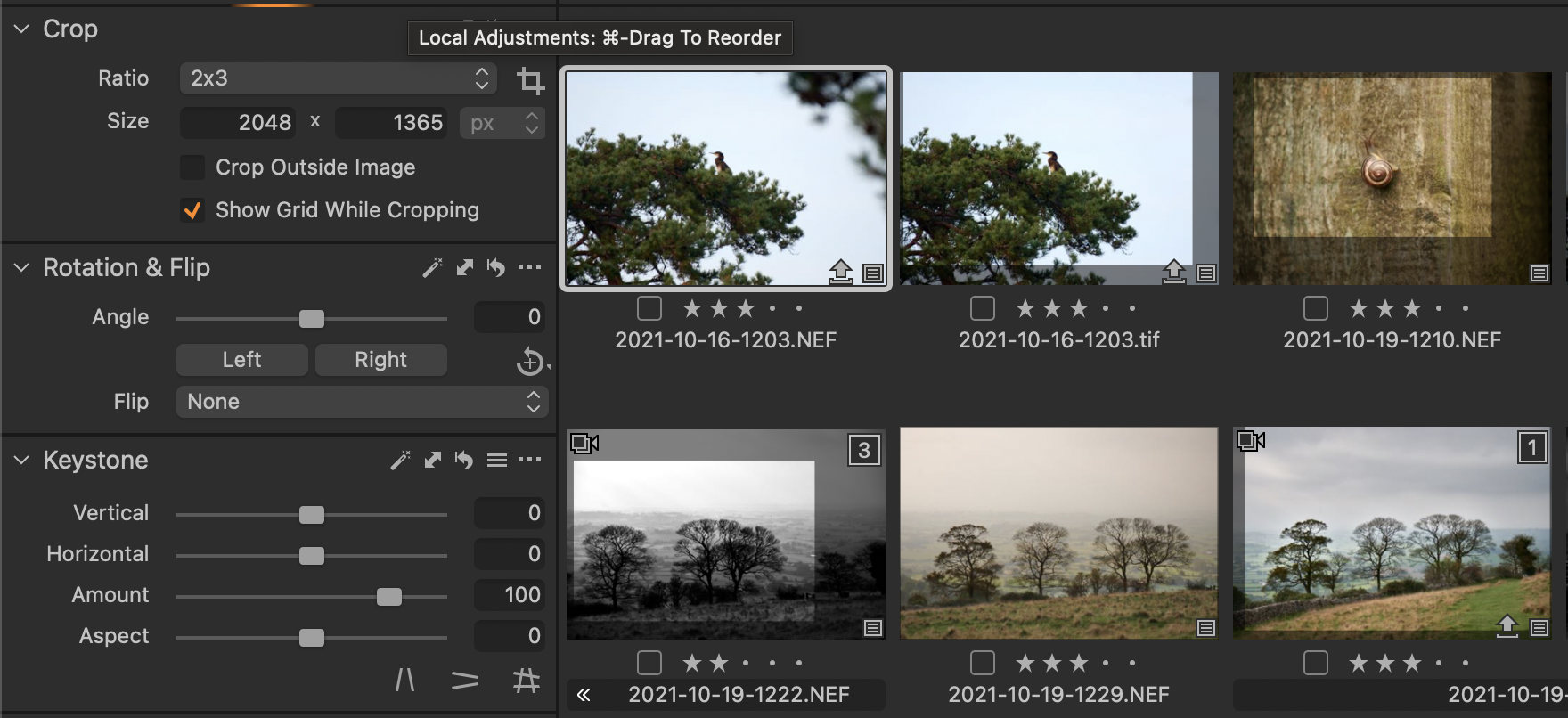
Ian
0 -
But I see that you say that you had an image selected. The other possibility is that the selected image was one that could not be edited - for example an image that is smaller than the minimum size that Capture One allows you to edit.
Ian
0 -
Thank you Ian for your help!
My problem is solved!Alain
0

Post is closed for comments.
Comments
9 comments