Moving images between catalogs

I accidentally imported (and processed) new images to my 2019 catalog. How do I move them to the correct catalog?
0
-
One way would be
- add them to a collection in the 2019 catalog (an album)
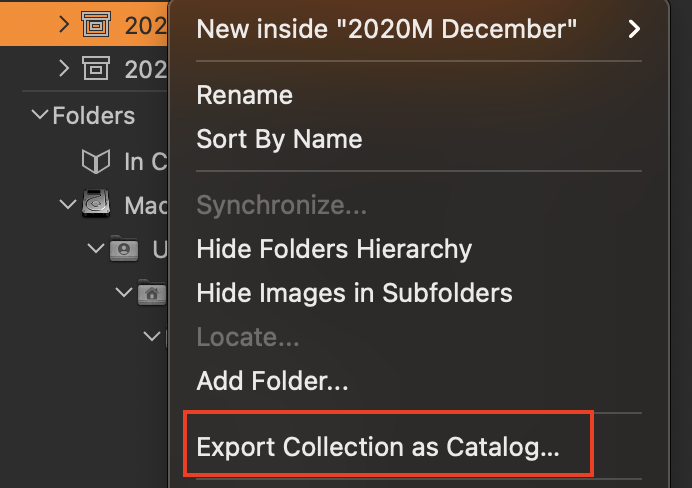
- right click the album and choose Export Collection as Catalog (see screenshot)
- open the correct catalog and import to it the catalog created in the previous step.
You wouldn't need to keep the intermediate catalog once everything was safely in the right catalog.
Ian
 0
0 -
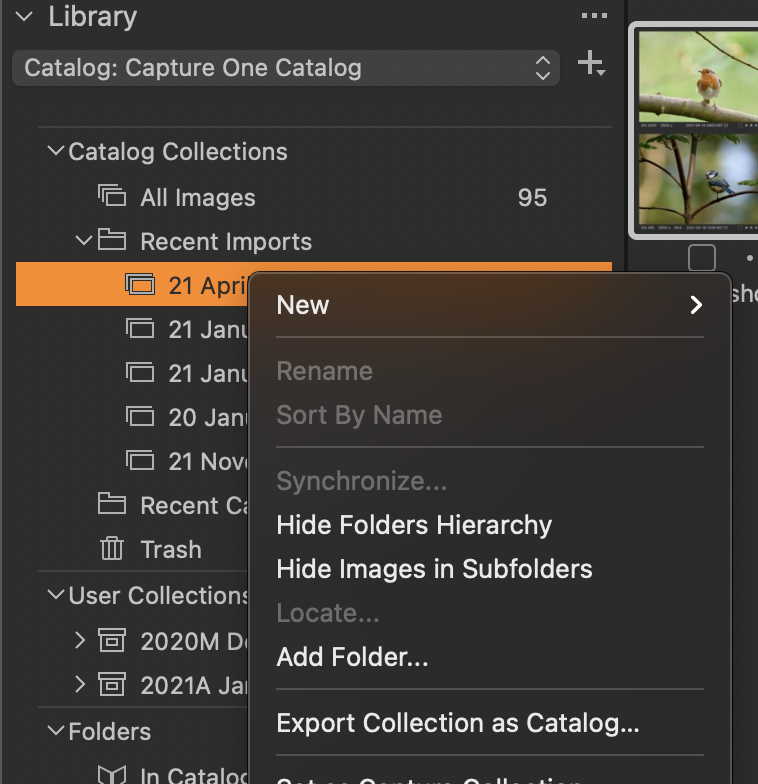
... in fact an experiment proves that you don't necessarily have to add them to an album first. If they were all imported at the same time, and if that import still shows in the recent imports list, you can just right-click the appropriate import and choose Export Collection as Catalog from there.
Ian
 0
0 -
Many thanks Ian for your help. This worked fine.
0

Post is closed for comments.
Comments
3 comments