"Edit with" does not work

Hello all,
I am using Capture One Express Fuji (14.4.1.16) with a recent MacBook with M1 chip.
I would like to edit my images with Affinity Photo using the "Edit with" (Deutsch: "Bearbeiten mit") function during development in Capture One.
I have enabled the programs with a check mark in the Capture One preferences and they also show up under "Edit with".
Now when a RAW wants to send to Affinitiy via "Edit with", the program does not open.
When I insert Affinity Photo via "Browse", Capture One shuts down and I get an error message.
Can someone maybe help me?
Thanks in advance and best regards
Translated with www.DeepL.com/Translator (free version)
-

> Nameless user: Capture One shuts down and I get an error message
I totally agree, Capture One's secret error messages are annoying.
Did you try to close C1, and restart the computer?
0 -
 Permanently deleted user
I totally agree, Capture One's secret error messages are annoying.
😏 😁 😄
It's like going to your Doctor, saying "I've got a symptom", and expecting a full and accurate diagnosis...
0 -

I thought "Edit with " is a "Plug in" option. If so, according to the documentation, Plug ins are not available when using the Express version.
So I am now puzzled if it is the case that you are using an Express version but also seeing the "Edit with" option in the menu.
Perhaps the "not available" information in the Documentation is incorrect?
0 -
Hello,
Same thing for me.
I work on mac OS (Big on) with C1 (Nikon).
Since version 14.4 of C1, the Edit with Photoshop function does not work anymore.... The TIF file is generated in C1's library but it does not open automatically in PS. It must be selected and opened with PS...Version 14.3 did not have any problem...
The problem persists even after a reboot.
See the screenshots...
14.4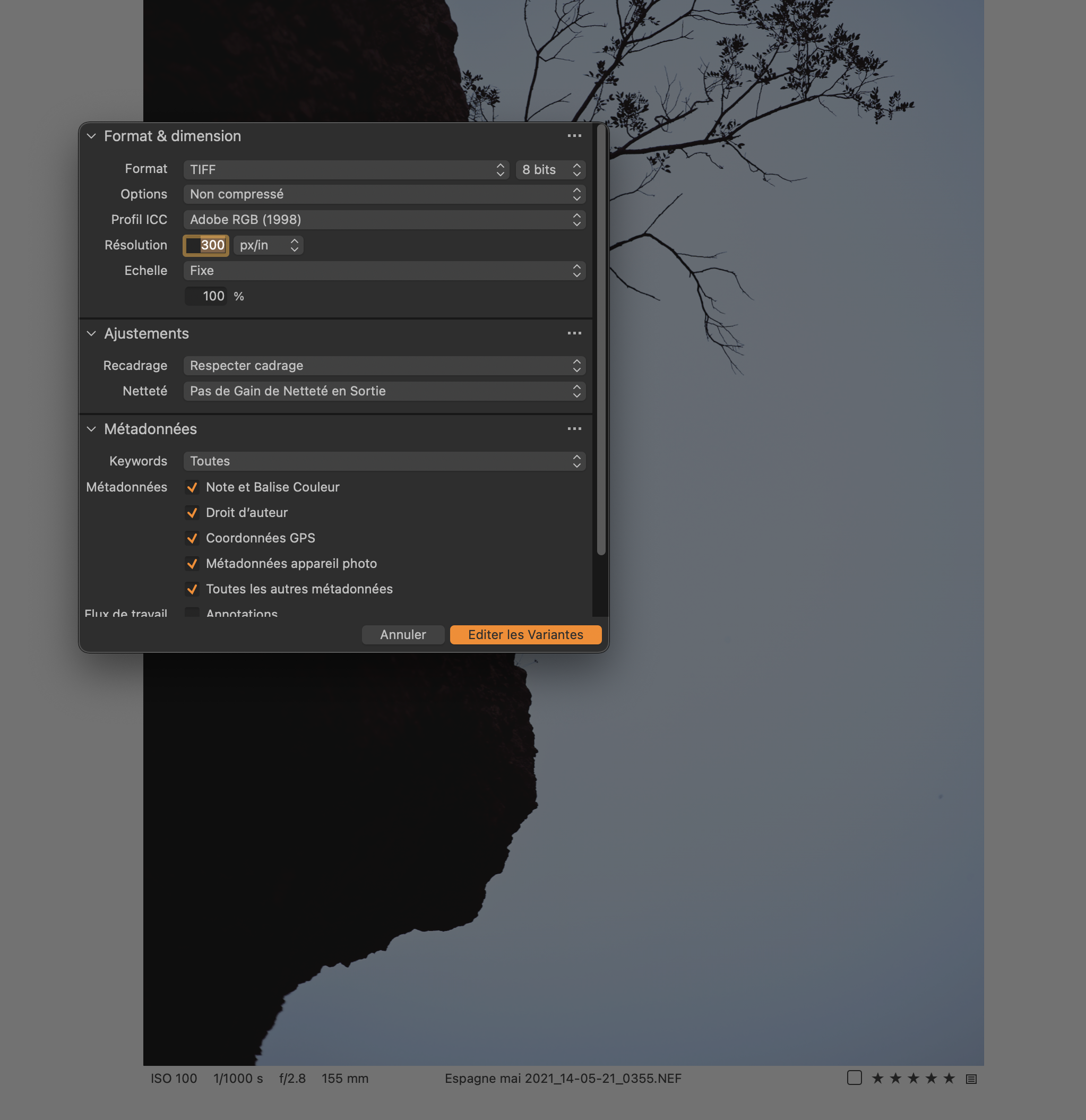
14.3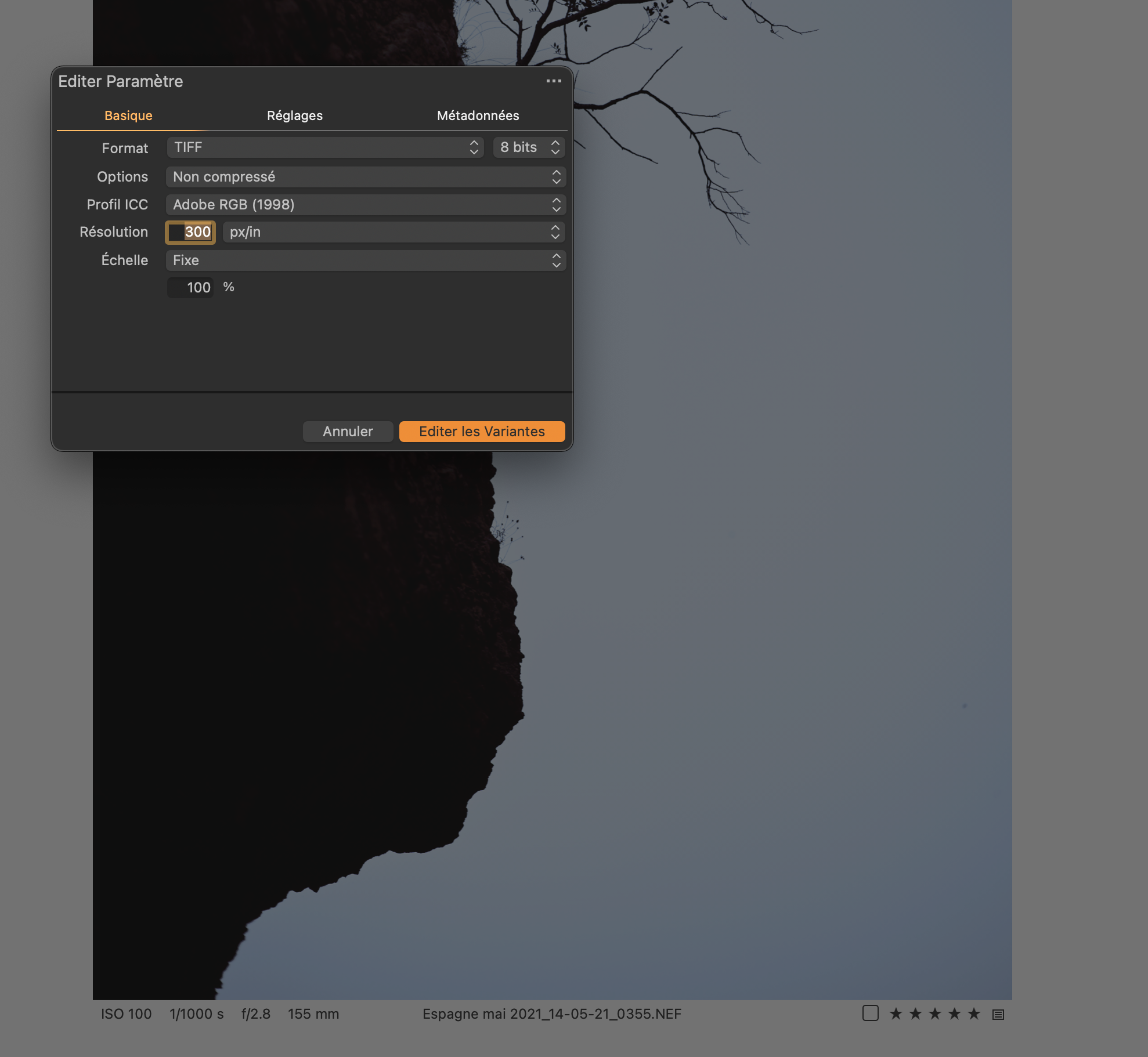 0
0 -
https://support.captureone.com/hc/en-us/community/posts/4408247245073/comments/4408331829137
Amazing what you find if you look.
-1 -
I looked... but not in the right place...
The famous preferences file !!!! It's been a long time...
I should have thought about it...
Thanks a lot Shane for the way...
Thank you so much Jason Collin for the tip!!!0 -

Hello,
I'm on C1 22 Express Fujifilm (build 15.3.2.11) and I have Affinity Photo selected in the allowed application list – but the "Edit with.." does not open Affinity Photo no matter what.
On the contrary, "Edit with.." works fine and as expected in Apple Photos.
Monterey 12.5, MBP with M1 Pro chip. Any ideas?
Thanks!
0 -

Hey Shane, you're useless at solving problems. I've been searching these forums for 30 minutes and still haven't found a solution that works.
0
Post is closed for comments.
Comments
8 comments