Export stalls - CO21 express

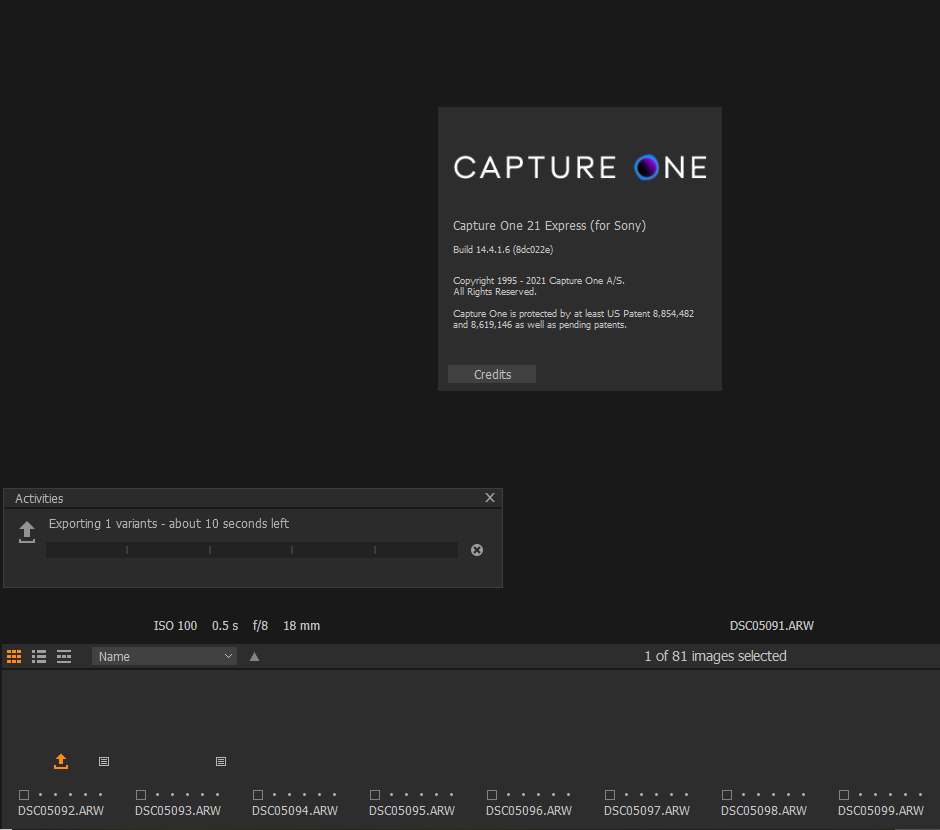
When I try to export, the activity icon just spins and the file never saves. I was able to export some pics prior to the stall, one at a time. My settings are all default. I finally gave up and exited, which gave me the warning an export was being performed but I exited anyway. I couldn't start up CO again because it said a version was already running. Rebooted and restarted CO, many of my previews aren't displaying, the image trying to export shows the the activity window says it's exporting 1 variant with about 10 seconds left, but it never finishes. Here's a view of the last picture to successfully export, showing the settings: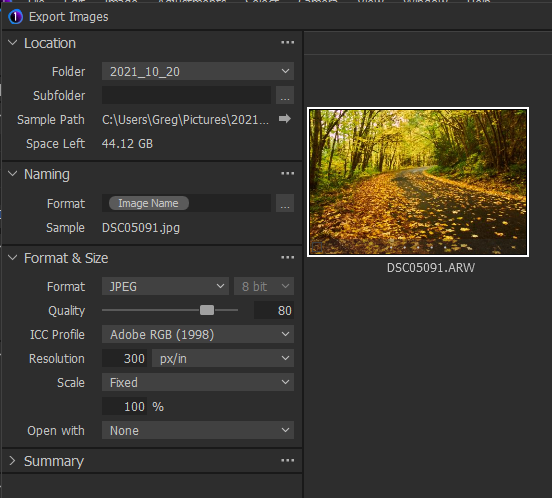
This is after rebooting and starting CO21 up again. Note no previews, activity window says it's exporting, and the image it's trying to export (no thumbnail) shows orange export arrow.
-

Is it freezing after reboot at the second screen shot you show
or is it working as usual (excerpt for the hung export activity)?0 -
I didn't try editing any pictures at that point, because the thumbnails weren't displaying and I knew I wouldn't be able to export any of my changes. Prior to the hung export and reboot, I had been able to edit and export slightly over 40 pictures, but exporting only one at a time. One hung, so I tried exporting another, and that one also never saved. Now when I bring up CO21, everything's messed up and it says it's exporting. I'd be content to hobble along with the ability to only modify/export one photo at a time, but how do I make the automatic export stop every time I start CO21?
0 -
Close off the export window you show in your first screen shot and try
adding back the old Export tab if it is not already there.
(Right click the tools menu bar and select Export from the Add Tool Tabs list.)
To this you can add the Export Queue tool in the same way, if it is not already there.
Click the three dots on the right of the Export Queue tool and select Clear Queue.
Then restart C1 and see what happens.
If you don't have any previews showing after that select all the blank previews and regenerate them via Menu - Image - Regenerate Previews.
If still having problems try turning hardware acceleration off in preferences.
Then close C1 and clear the ImageCore cache by deleting the ImageCore folder at
C:\Users\User_Name\AppData\Local\CaptureOne\ImageCore
then restart C1 again.0 -
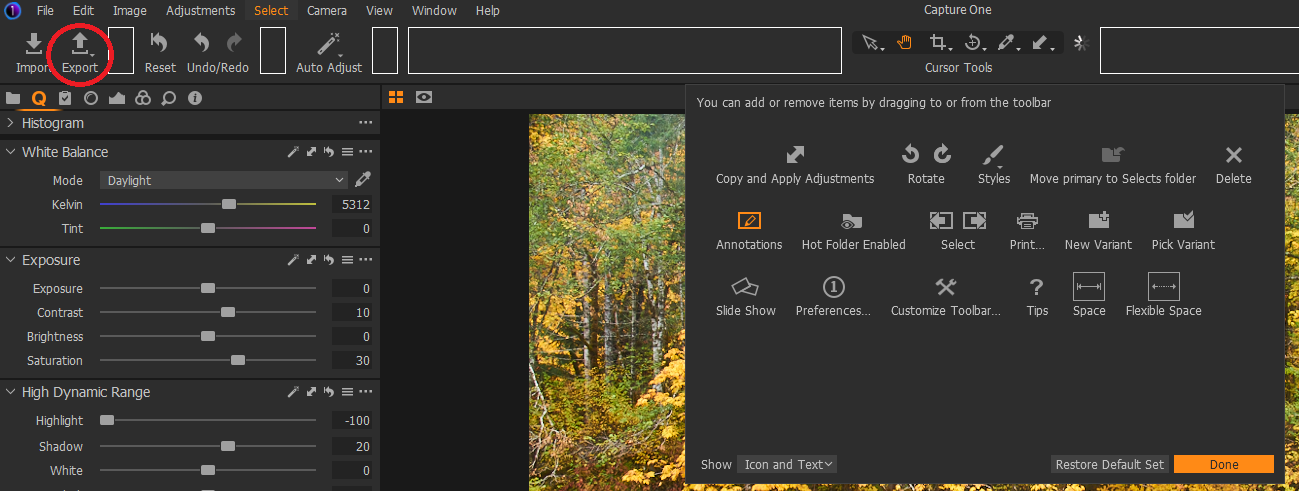
I'm assuming the tool bar is the area across the top of my screen. If so, right clicking only brings up a window with the icon options, shown here near the center of the tool bar:

Since I couldn't do that, I skipped to the part about turning off hardware acceleration. This seems to have done the trick and I am once again able to edit pictures and export them one at a time (I'm afraid to try multiples). What is the downside of turning off hardware acceleration other than possibly the speed at which the files save? Anyway, I very much appreciate your help getting this to work again and if I run into additional issues I'll add to this thread. I'm hoping whatever is causing this problem will be resolved in a future release, hopefully soon!
0 -
Glad you got it working.
I was referring to the bar circled below.
You might want to add the export tab back anyway
just in case it is more reliable than the new separate export window.
Hardware acceleration on or off?
Pretty sure it is just about speed.
You could try exporting the same bunch of images with it on, then off, and check time difference.
Results would depend on your CPU/Video Card specs balance.
It seems to be common problem with C1. 0
0 -
Thanks BeO for the link, it may explain why my computer is having problems with the hardware acceleration.
gb, not sure what you mean when you say "adding back the old Export tab" to the toolbar. I've already got that option there (circled). That's how I always export. As you can see below it's not an item in the customization choices because it's already on the toolbar.
I'm cautiously optimistic that the problem has been solved and sure appreciate the help from both of you. Keeping my fingers crossed...
 0
0 -
gy, the Tool Tabs bar is just below your red circle as I showed
with my blue circle on your screen shot two posts above.
It's the one with the Library, Lens, Color etc tab icons.
Right click there.
Apart from just adding the Export Tab you can add or remove
any tabs or tools to set up C1 exactly how you want it.Edit: Oops.. just realized you can right click anywhere in any tool window
to get the add/delete tabs/tools list.0 -

It may be worth reviewing the differences between the Express Versions and the "Pro" versions of C1 in case they have a bearing on any issues being reported.
https://support.captureone.com/hc/en-us/articles/360003502857
0 -
Thanks SFA, I missed that gy had the Express version
which does not have the customizable interface.0

Post is closed for comments.
Comments
10 comments