Windows 11/Capture 21 bugs

I recently updated my laptop to Windows 11 and to Capture 21 14.4.1.6 and seeing some issues. All appear related to rendering dialogs on the screen and were not issues I've seen before.
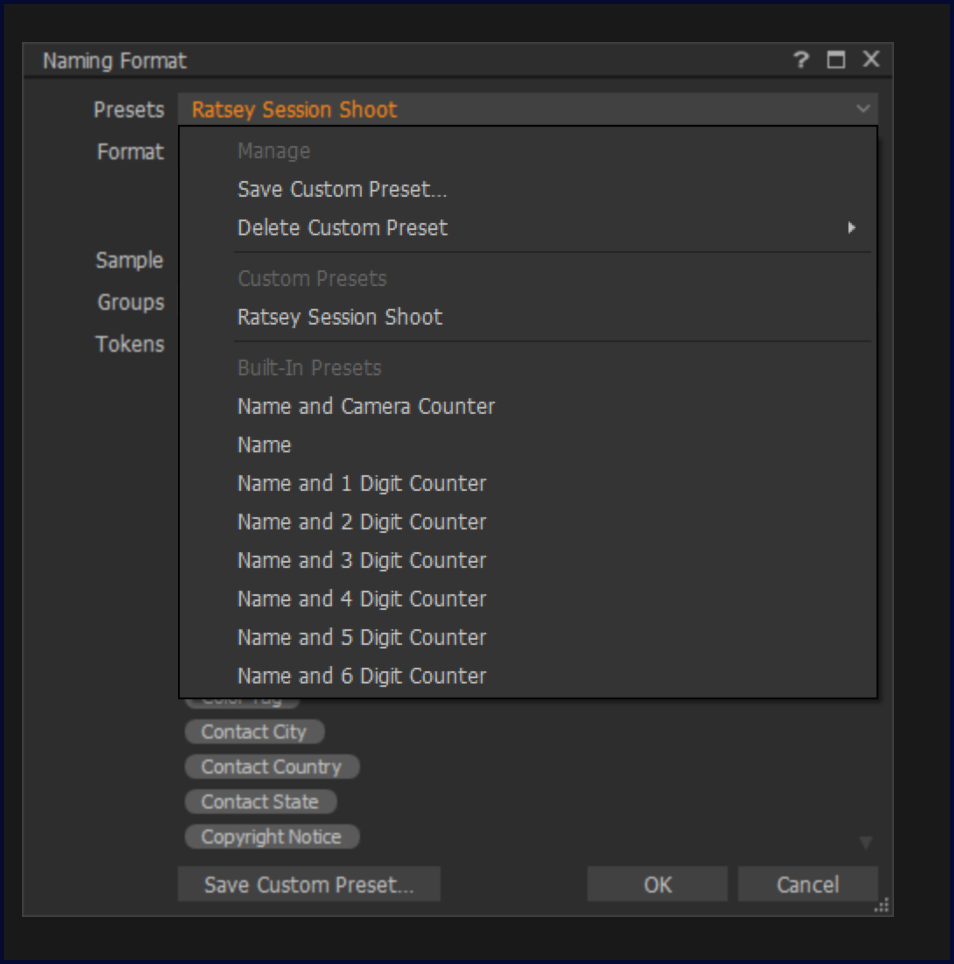
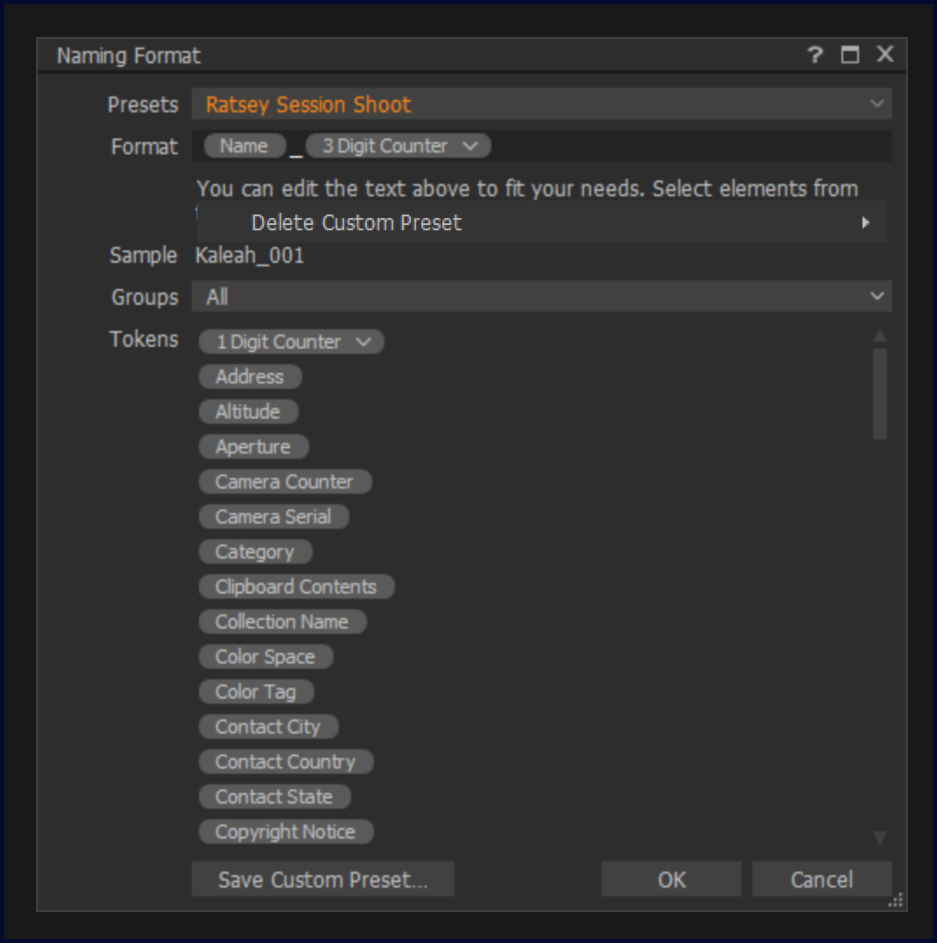
1. When choosing a naming format for a session, pressing the dropdown to reveal options works, but as soon as the mouse pointer is moved to try to select something, the window 'breaks down':
On dropdown:
On mouse over:
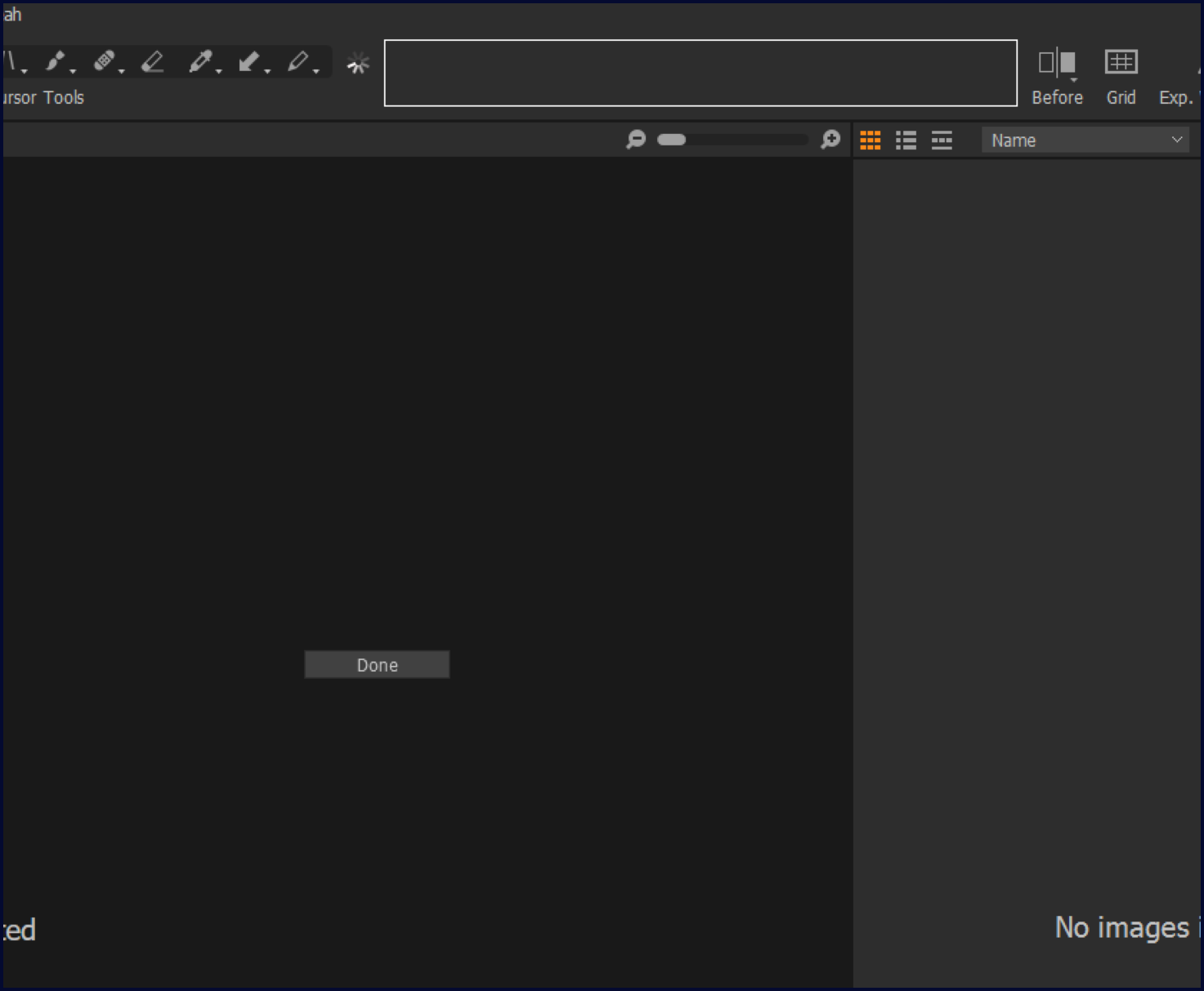
2. When trying to customise the interface, it appears that a dialog opens but all it shows is 'done' in the middle of the screen. There's no way to do anything at this point other than to close Capture 21.
-

Sorry, i just tried all that on my windows 11 system with the same capture one version, but i can not reproduce this issue. So it must be an issue specific to your hardware config, i would contact support and file a bug.
Frank
1 -

I'm having the same issue with the menus disappearing when you mouse-over them. Were you able to get this fixed? It's infuriating.
I'm using a 13" Surface Book 2.
0 -
The problem just 'went away'. Whether through a Windows 11 update, a graphics card driver update, or a Capture One update, I don't know.
My commiserations - I know what you're going through - it's painful and pretty much renders the app useless.
0 -
I appreciate the quick response. I'm checking for updates now, and there were a couple. Fingers crossed this fixed the problem.
0
Post is closed for comments.
Comments
4 comments