before and after view options

why i can't find the before and after option in my capture one 20, if i use Y it brings the eraser option, I also tried shift+Y and it did not work
0
-
I believe "Y" and the before/after slider didn't become available until Capture One 21. In earlier versions you needed to click and hold on the reset icon in the toolbar while holding the option key. Pretty sure I'm remembering that right. In case my memory is wrong check it out on a test image where you don't care if you lose all your edits :-)
0 -
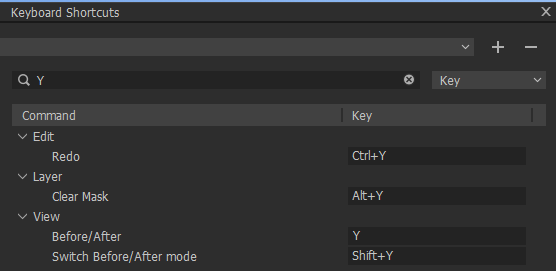
Goto menu: "Edit> Edit keyboard shortcuts" to find out your current settings.
For example, below, I filtered for the Key Y, this is still the default since I never changed the command for Y. Still on version 20.
 0
0

Post is closed for comments.
Comments
2 comments