ライブラリに何も表示されない

昨日まで、ライブラリにフォルダが階層状に表示され、クリックすればフォルダ内の写真(jpgやRAW)が見られていたのですが、急に何も表示されなくなりました。
※添付の画像右側をご覧ください。
何度も再インストールを試していますが改善されません。これは何かのバグでしょうか。
どなたか解決法をご存じでしたらお教えください。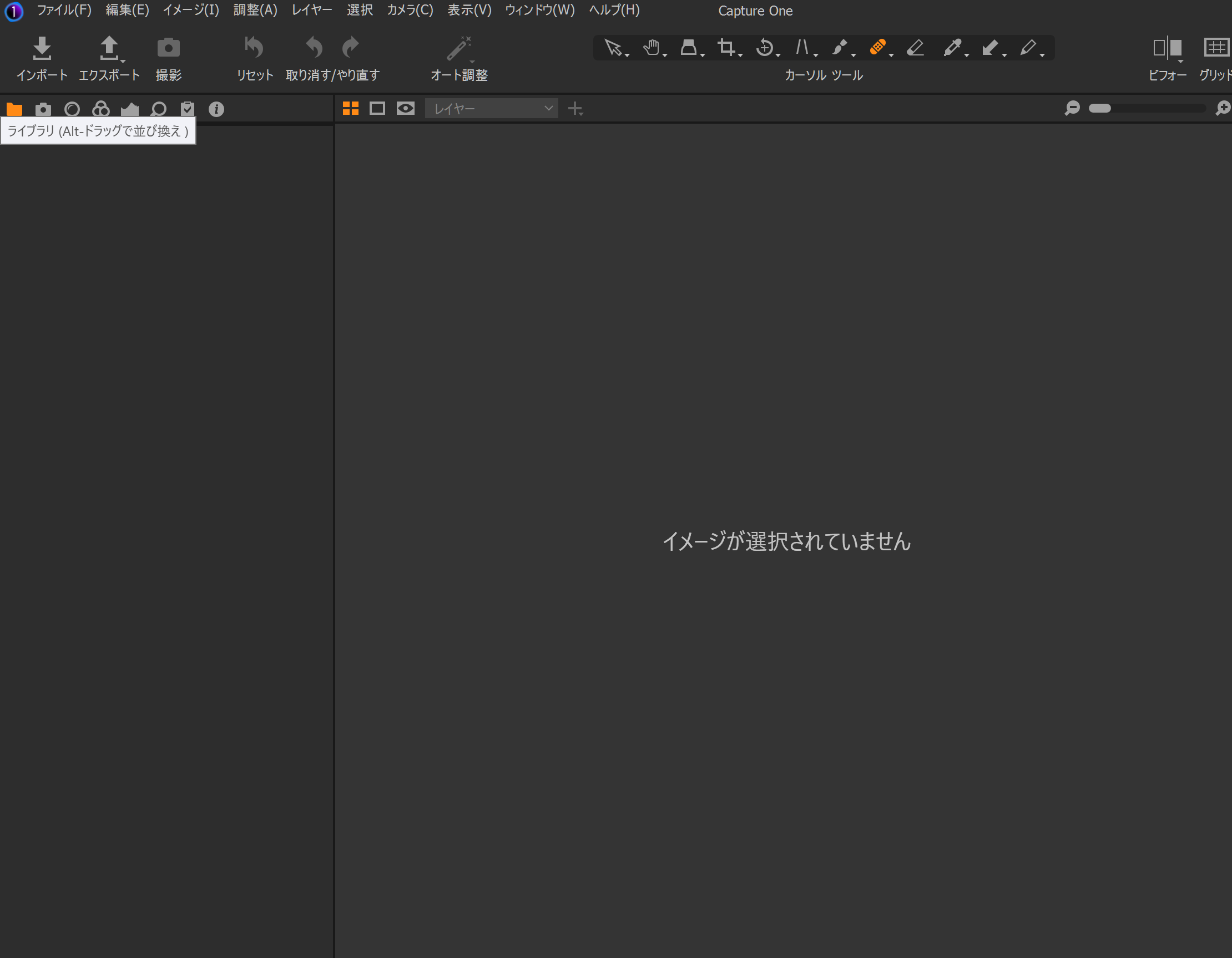
-

Try verifying your catalog or session to check and repair errors.
Menu - File - Verify Catalog or Session.
https://support.captureone.com/hc/en-us/articles/360002424318-How-to-recover-a-corrupt-Catalog-0 -

Is your Catalogue or Session named "Capture One"?
0 -
I've tried everything you've told me, but Capture One doesn't seem to recognise any of the folders, including the external HDD...
0 -
Create a new catalog and see if the usual file structure reappears.
If it does, try importing the old catalog.Otherwise try uninstalling and reinstalling Capture One.
0 -
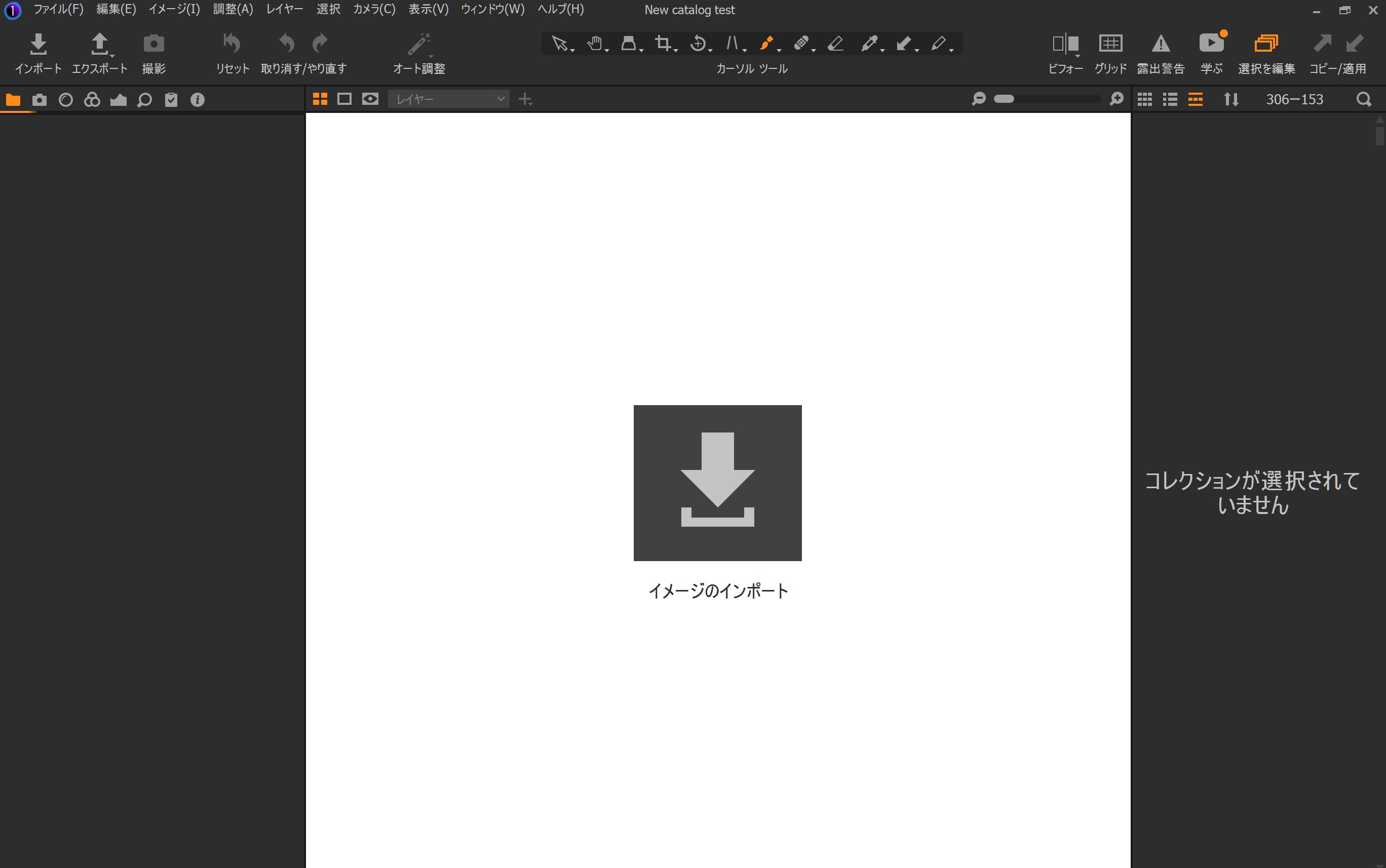
Thank you for the advice :-) But it did not work ...so I will re-re-re-installing capture one again !
0 -
You might need to remove folders manually for a more through uninstall:
https://support.captureone.com/hc/en-us/articles/360002402377-How-do-I-uninstall-Capture-One-#h_01F12NY5VYERHA19G888NPKNY4Try restoring the default workspace:
Menu - Window - Workspace - Default.Can you just right click in the Library tab and add the Library tool back?
0 -
Hi gb,
Thank you for your advice,
"right click in the Library tab and add the Library tool back?"
finally I was able to recover my library :-)
Thank you so much !0 -
Good to see it was a simple fix.
0
Post is closed for comments.
Comments
8 comments