Image size bug

There is a new Bug in capture one,
When I try to cut the Image size it is not working, I can make it smaller but not bigger anymore. I cannot change from pixels to inches... and nothing is working correct with the tool. If I select the original size its not working.. and the weak support of capture one is letting me down again.. by not answering.
Somebody got a solution... need to finish a work..
Its the second time that a stupid bug leads to massive problems in my work. I really can't believe that this should be a professional software..
-
Not sure what you mean by cut the image size. What are you trying to do? Which tool is it you are using that is not working correctly?
Ian
0 -
Sry for my bad english, its the tool where you can change size. For example from original to16:9.
0 -

That would be the crop tool. You can select the aspect ratio and select a portion of the image to fit that aspect ratio. I don't believe you've ever been able to make an image larger using that tool. To make an image larger you need to go to the Export panel or click Export in the tool bar. If you set the "scale" to dimensions you can type in your desired dimensions. In pixels, inches, mm, or cm.
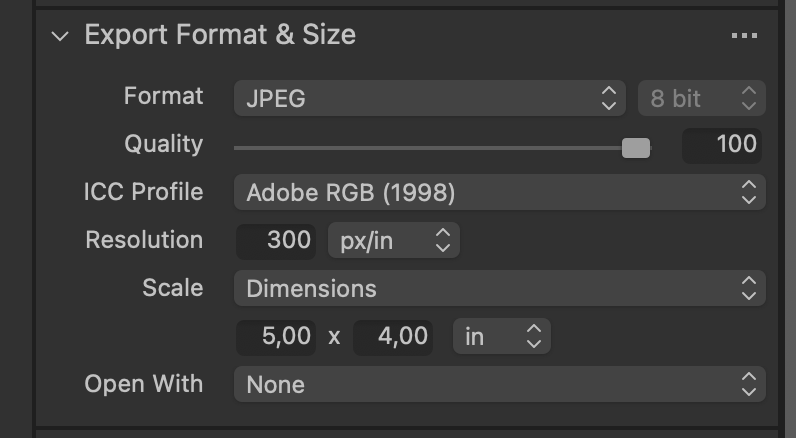 0
0 -
No i dont want to make my picture bigger. I try to crop into my piture... and made it from 3:2 to 16:9 and now i cant change it. And the bar where you can type in how much pixels.. dont work anymore. And i cant get back to the full size of the picture. And it crops totally weird in the other pictures i have imported.
0 -
I even cannot change from pixels to mm or do something. I only can crop in.. and cant go back. Every photo is affected ... my home libary. And i cant change something. The buttons work anymore.
0 -
Have you done a long press on the crop tool to see what aspect ratio is selected? As for px/in/mm/cm that is selected by your proofing profile, even when proofing is off.
The crop tool and the proofing profile work together. You might need to make changes in both places to get what you want.
As for resetting a crop... Select the lens tool tab and click on the reset arrow for the crop tool.
0 -
 0
0 -
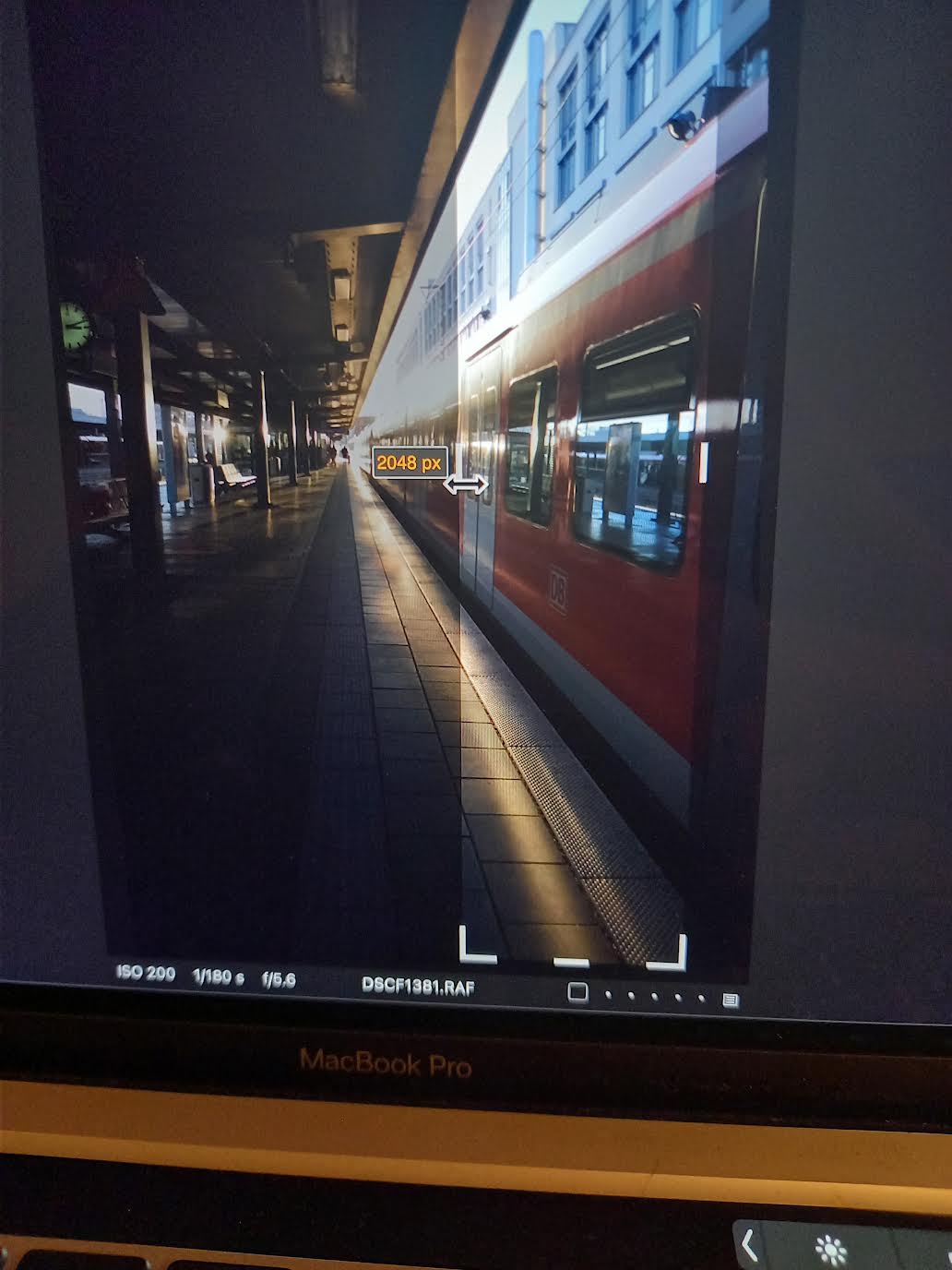
for examble it randomly crops in and I cannot change it anymore. my hole Library and my complete photos are like this.. and nothing work. does anyone know, who can help?
I really try to reach the support but that's a bad joke. I did everything.. every update.. nothing works.
0 -
No the resetting of a crop don't work
0 -
@marco hyman
@ian wilson
Thanks for trying to help ✌0 -
This is very strange, and as you can tell from the replies you are getting it does not seem to be a problem that others have seen. Other things you could try
- create a new session or catalog - does the problem still occur. If it doesn't, then there could be a problem with the existing catalog or session. (Try this first as it is quicker and easier.)
- uninstall and reinstall Capture One
Also, I don't think we have asked you yet what version of Capture One you are on, and what version of MacOS. Are they the latest? Are they compatible (for instance Monterey support was only recently introduced.)
Ian
0

Post is closed for comments.
Comments
11 comments