Could not initialize the plugin 'Open With Menu'. Capture One 22

Could not initialize the plugin 'Open With Menu'. Reason: The plugin operation timed out
Trial version of Capture One / 22.
I’m seeing the above alert when I open the app.
Running: macOS Monterery 21.0.1
Macbook Pro 16-inch 2021.
Apple M1 Pro
NB: Had to choose Capture One 21 forum etc... nothing matches.
David
-
I have the same problem on my 3 Macs?
Thank you if anyone can help.
Merry Christmas
John
0 -
Have you looked in Preferences?

BTW, "Open with" is different to "Edit with".
Season's greetings.
0 -
Yes... and happy christmas!

 0
0 -
I have the same issue since I upgraded to v22. I submitted a ticket, but the C1 staff seems to be quite busy...
0 -
Hi Robert,
I'm not expecting to hear back right now. Tis the season to be jolly etc.
Have a good one.
David
0 -

Clicking ‘Enable’ twice did the trick. The first time it popped up the error shown by David; the second time it worked.
0 -
Mine's greyed out, showing disabled.
0 -
Working fine now.
0 -
It's working now on my 3 Mac's.
0 -
Allowing full disk access in the Apple settings did the trick for me. Then I activated the plugin 2 times and now it works.
0 -
Hi Sebastian,
Getting mine working didn't last long.
I have been in touch with Capture one Tech and they say it's a bug, I have sent them a bug report.
I have also reverted back to Capture One 21 as all my three Mac had to same problem.
0 -
You're right. After reading your comment I restarted my MacBook Pro 14" ...et voila, here we go again... so annoying.
0 -
It's started doing it in version 21 now.
This problem has been around for a few years on and off.
Could you please submit a request to Support.
0 -
Did so, just a few seconds ago.
0 -
I have been Beta testing version 22, the problem seems to have been fixed, fingers crossed.
0 -

Bought Capture One.
Bought a brand new MacBook Pro.
Installed Capture One 22 first thing.
This error shows up. 😩Please help.
0 -
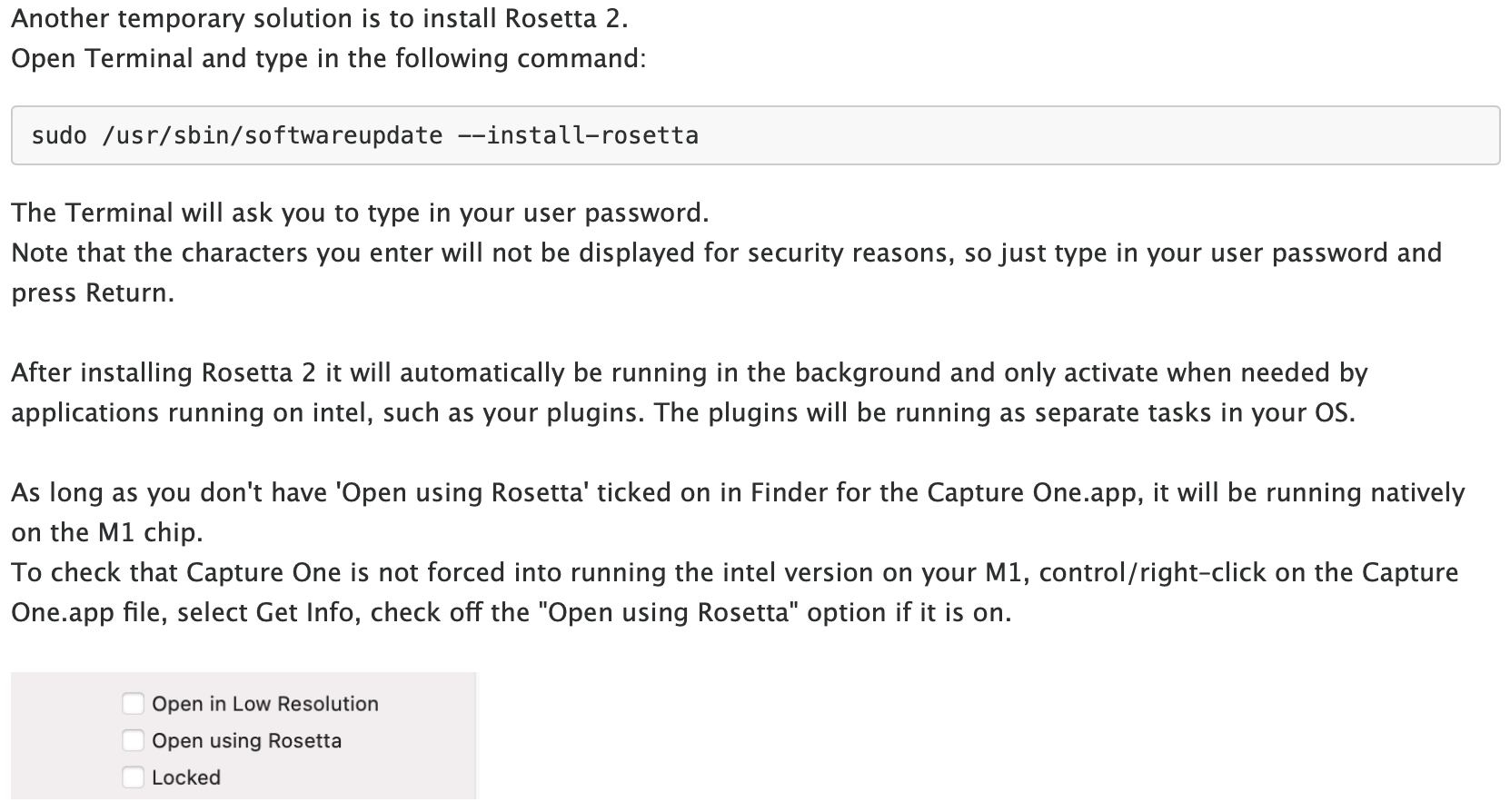
Even though I tried to avoid it when I bought my new Mac, one thing worked for me. Install Rosetta 2. After that, the error no longer occurs.
1 -
This is what the Capture One Support told me.
 1
1 -
My suggestion would be to submit a request so this bug can be fix forever, the bug has been around for a few years.
I submitted a request to Capture One re the bug, they responded quickly and also let me know when they thought it had fixed.
1 -
How do I submit bugs?
0 -
Hi Edward,
Scroll to the top of this page, "Submit a request"
When Capture One Tech respond they should ask you to submit a bug report which is very easy.
Good Luck.
John
0
Post is closed for comments.
Comments
21 comments