Strange line in exported image with Laowa lens

Hi here,
I have been using the Capture One 20 for fujifilm for more than a year. I am quite satisfied with both the workflow and the output results.
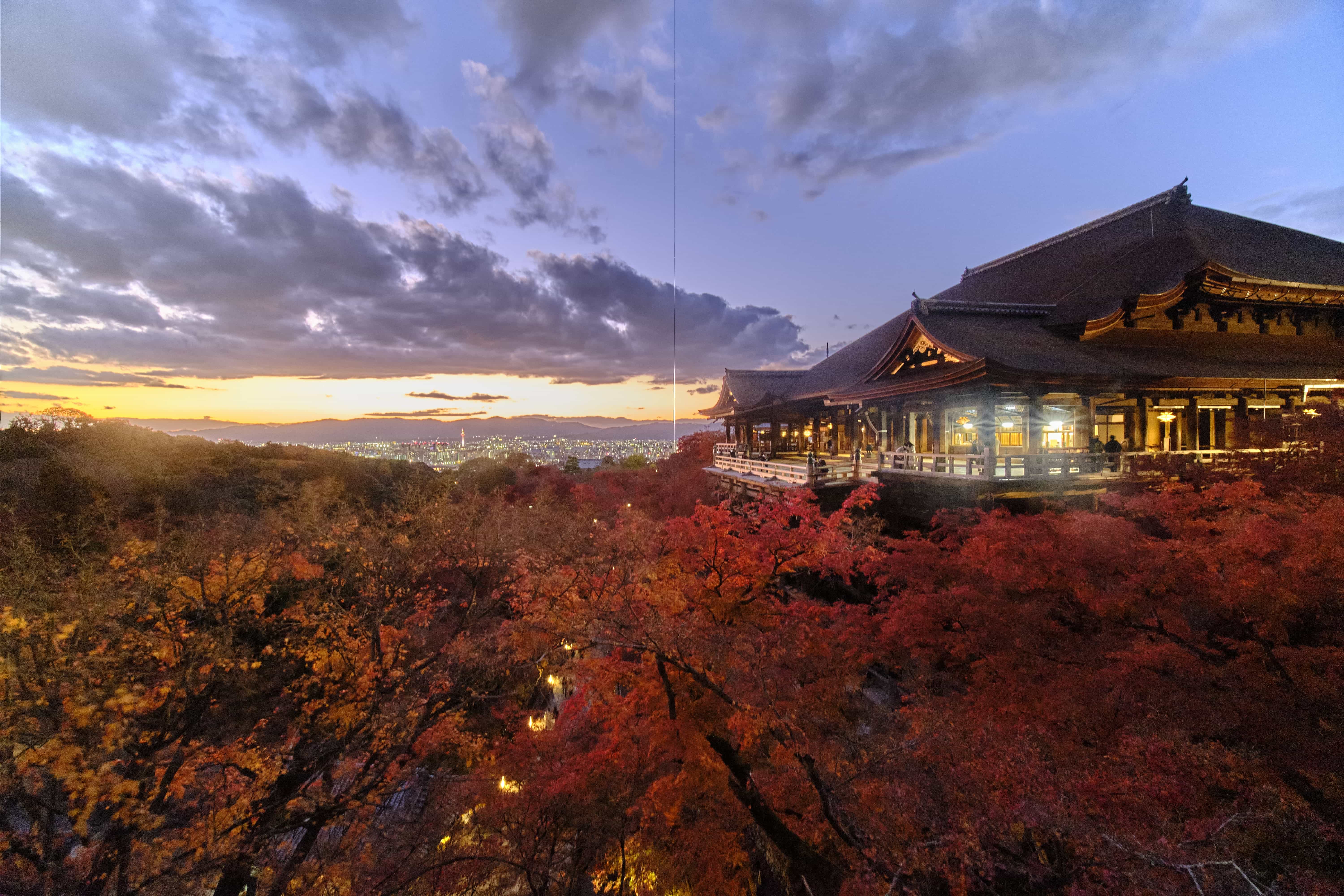
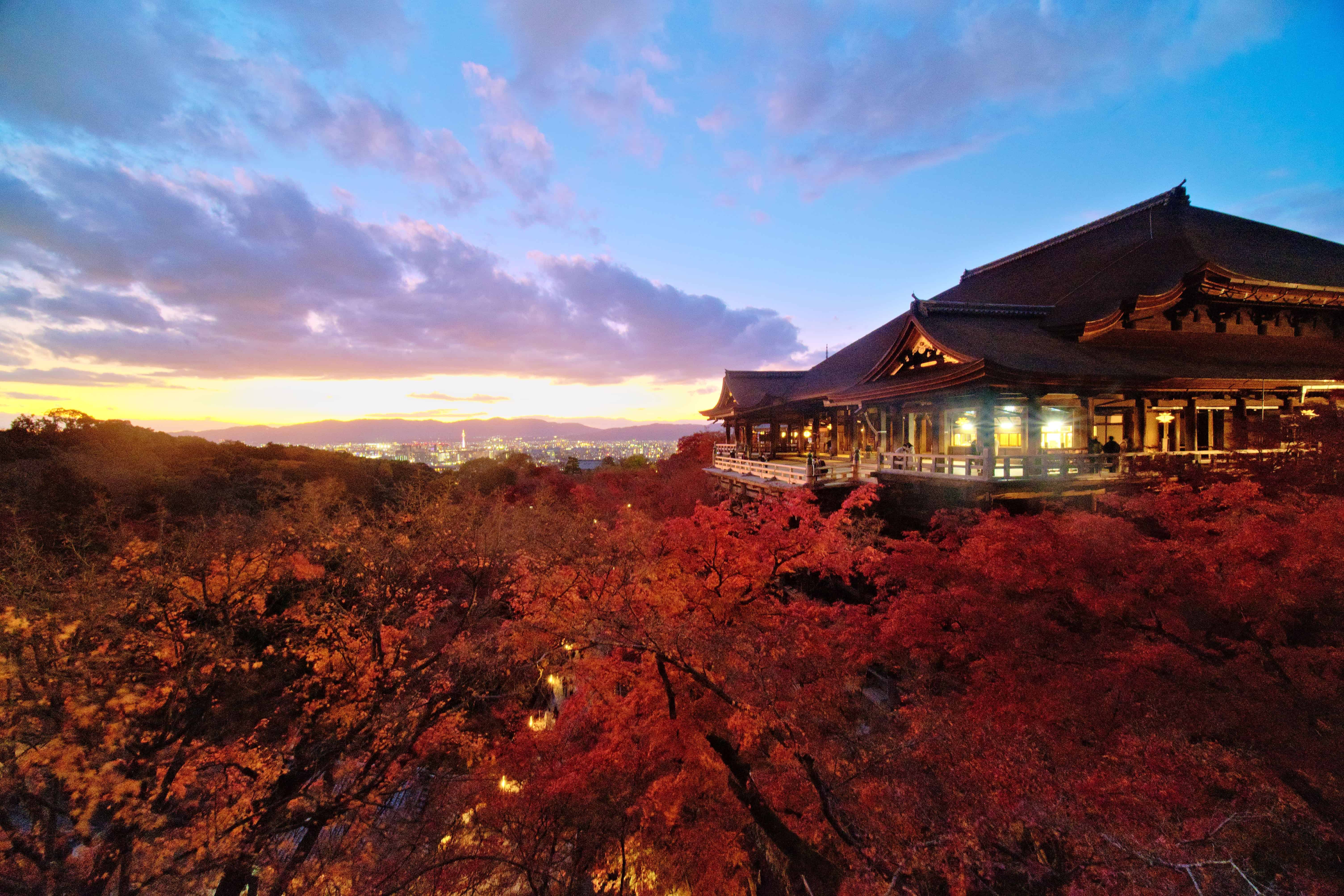
I have recently added two Laowa/Venus Optics lens into my collection, a 9mm f2.8 and a 60mm F2.8 2X. However, I noticed that Capture one exports strange images from these two lens. A straight line appears in the middle of the image from the top to the bottom, Please see the attachment. I have tried different export formats, all of them show the same result. I tried with other raw edit software, but none of them generate such line, so I think the problem is with the Capture One.
I really like the Capture One, and like to conclude all my image processing in one platform, but these lines are too annoying and disappointing. Does anyone have the same experience and where do I find solutions for this problem? Thank you in advance.
[JPEG generated by Capture One]
[JPEG generated by RawTherapee]
-
Only images captured with these two lenses? Images with the same camera but other lenses are ok? Strange. Do you see this also in C1 preview image or only in the exported file?
Idea1: Can you change the lens profile in lens correction tool?
Idea2: Can you disable the hardware acceleration in the preference dialog?
0 -

That is indeed very odd.
My immediate thoughts were exactly the same as BeO's.
If they change nothing it might be interesting to try some different output settings. File type and sizes for example, just to see if anything changes. The results may provide some clues about where to look next.
0 -
Hi, thanks for the ideas.
> Images with the same camera but other lenses are ok?
Yeah, all other lenses I have (fujifilm and samyang) are all OK.
> Do you see this also in C1 preview image or only in the exported file?
The preview is fine, only in the exported files.
> Idea1: Can you change the lens profile in lens correction tool?
I don't think C1 now has the Laowa lens profile so I am using the "manufacture profile". I was using the same profile for my samyang 12mm f2 and was fine. Which profile do you want me to use? Or I just try a random one?
> Idea2: Can you disable the hardware acceleration in the preference dialog?
Let me try this0 -
Idea2: Can you disable the hardware acceleration in the preference dialog?
The Idea2 worked, thank you very much. Do you think it is a bug in the hardware acceleration? Where can I report this bug?
0 -
Maybe a gpu driver bug/mismatch.
It would be worth checking for any updates to the driver to see if that makes a difference.
If you have recently had a GPU driver update - try going back one version! It has been known to be better ... sometimes.
0 -
Sometimes it is bug, sometimes it is a problem with drivers or GPU initialization of C1 or a combination, or else.
As SFA pointed out, a driver update can help. There is also a trouble shooting article which might be helpful.
Or just leave hardware acceleration disabled for the export (for a while) and check a few weeks later, after the next operating system update, maybe the issue just disappears.
0 -
I see, thank you for the solutions, I will check my system.
0 -
If you do not find a solution from the suggestions the way to report a problem is to use the "Submit a request" feature that can be found on the top line of the Community pages (and other places) and report the problem under the most appropriate subject.
The Support system is used for both technical and administrative and licensing matters. Choosing the most appropriate section to send the report to should make the process as smooth as possible.
0

Post is closed for comments.
Comments
8 comments