Missing Catalog

I have a catalog in C1 which shows there to be 78 images in it. when I open the catalog there are no images, the catalog is also not in the pictures folder, I also have a catalog with 14 images missing from it. I would appreciate any help.
Thanks
-
Please explain more.
- If you can't open the catalog, how do you know there are 78 images in it?
- And if it's not in the Pictures folder, do you know where it is or are you able to track down where it is? (There's no obligation to keep them in the Pictures folder, of course.)
- Are the 78 images managed (stored in the catalog) or referenced (stored somewhere on your computer file system)?
- With the catalog that has 14 missing images, if you know where they are on your computer, can you synchronise the folder(s) in question?
Ian
0 -
Hi Ian
Thanks for your reply, in answer to your questions, when I open the catalog in C1 it says under all images 78 46 on a certain day 16 on another date and 16 on another date. The catalog is not in the pictures folder. I am unsure if they are stored elsewhere. although in both folders the path says /users/my name/library/application support/capture one/backups/the file name/and date. the rest of my paths for my other catalogs show the path as /users/my name/pictures. fairly new to C1 so any help would be appreciated.
David
0 -
I guess you see an empty space and a sentence "no images selected" or something similar? That's the viewer which shows one or many images whic are selected in the browser. To show the images you need to bring up the browser. Hit G on the keyboard.
If my guess is wrong please show screenshots of C1 here. ALso, tell us what you did exactly to bring the 78 images into C1 (e.g. exact settings of the import dialog)
0 -
If you haven't done so yet, take your time to view the video sessions, maybe side by side with your C1 application, this is very helpful,
e.g. start here:
https://learn.captureone.com/#category=109
0 -
It sounds as though what you are looking at is a catalog backup made by Capture One, as shown here for a catalog that I have just backed up.

You can either set Capture One to backup your catalog(s) on a regular basis (such as every time you close the catalog, once a day, once a week, etc) or you can manually get it to do a backup from the File menu...

As the dialog box says, what it backs up is the database and the adjustment settings. It doesn't back up the image files themselves. You should rely on a system backup (for instance using Time Machine) to safeguard the actual images. The location of your backup catalog is fairly standard - as you can see from my screenshot, mine is in the equivalent place, though you can back it up to some other location if you want to. (On my other computer, I do.)
You wouldn't normally open the backup catalog directly. It's there so that you can restore a corrupted catalog, which you could do from the Restore Catalog... option on the menu in my screen shot.
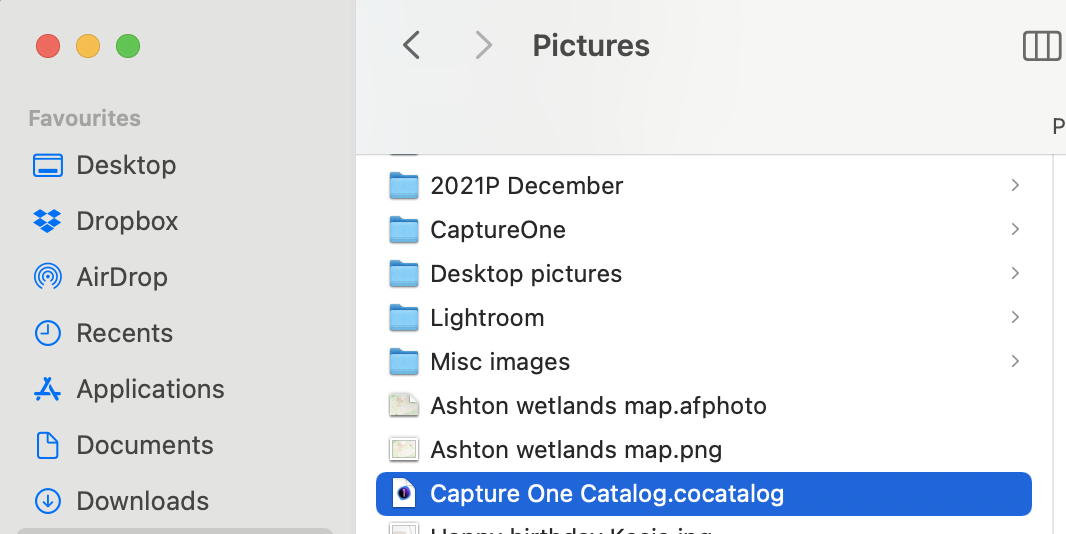
The backup in my screen shot is of a catalog called Capture One Catalog, as you can see. The actual catalog of that name is in my Pictures folder. If you have a catalog in your Pictures folder of the same name as your backed-up catalog, you are good to go with that, and you don't need to concern yourself with the back-up unless a problem arises.
Ian
 0
0


Post is closed for comments.
Comments
5 comments