Add the ability to pin search filters in browser specifically for navigation in several folders

Hi,
I'm new to Capture One, and while having searched everywhere, didn't find a way to do so, so I guess it may not be implemented.
While browsing/navigating in the browser thru several folders I would like to be able to keep the search filters I made/chosen at a specific moment on every folder I could be browsing afterward from the moment I pinned the given search filters. Unpinning would stop the behaviour at any moment too and just keep search filters as they are for folders visited subsequently.
Just to try to be clearer : I really don't want to use smart album for that, and only be able to navigate thru folders while keeping current search filters alive during navigation.
Another way around may be to add a general search filter level in the browser that can be set/unset at any moment.
By the way, adding the ability to filter offline/online images would be great too with that feature, but I saw someone else has already asked for it.
If unclear, please ask me and I'll try to give a clearer explanation (be patient , English is not my mother tongue ;))...
Have a nice day, week, and year btw ;), and thanks to the teams at Capture One for your wonderful tool.
Pierre Lagarde
-

Pierre,
I think you could do this now with the Advanced Search facility and maybe, to speed your most used searches up a little, some saved User defined Search Presets.
That may not be a perfect fit for your requirements description but may come close because search (and sub filter) lines can be turned on and off when the search is in use.
0 -
Thanks for your quick answer :D
I already use the advanced options but, as you stated, it's clearly not the same purpose and doesn't meet my expectation which is essentially not to have to repeat the selection of a filter (advanced saved, imbedded presets or any) each time I pick another folder.
Of course, I agree the advanced search tool is already a good tool but it would go further and be even more handy with the ability to maintain the selected filter once for any folder reached thru navigation (in a way or another) without having to pick it again each time.
On the other hand, I agree I'm picky :D...
0 -
Pierre,
As I recall the Advanced Search tool, once active, does apply to changing folder selections and albums (sometimes perhaps a little confusingly!) as one selects different Library choices.
It certainly does on my system using sessions (Windows 10 and with this machine running C1 V20 at the moment - I don't recall any difference when using V21 or V22 but I do not recall specifically checking for changes.
In that respect the Search concept is different compared to the Filter concept - hence the ability to apply filters to searches.
0 -
I don't use sessions, only folder browsing.
The way it applies is once you chose a filter it's keeping it for the given folder. It's already a good thing, but I must re-select a filter each time I go to another folder that hasn't already been associated to the given filter (or is associated to one I don't want to use anymore) in the tree.
I'm on C1 22 on a Mac, that may be a difference too.
0 -
Put it in another way : in the "Folders" tree navigation (not sessions, nor albums, collections or whatsoever), I would like also to be able to link (or not) a search filter to my whole navigation, and not only to each folder I go to by reselecting the filter I want to apply each time.
0 -
Pierre,
Are you using a catalog and importing the files to the catalogue database?
0 -
My files are all in my main catalog. I'm not importing anything. It's already done.
I'm just navigating in the "Folders" tree in the "Library" tool. Everything is in place in my catalog.
As already stated, I only use the "Folders" tree, I mostly don't need anything else, anyway. I'm not talking about collections, albums or sessions. Only the "Folders" part of the "Library" tool.
I don't get your question in fact.
My request is not connected to importing into catalogs. It's only connected to navigation in the "Folders" tree of the "Library" tools and having search filters in the browser window that applies to the list of image in this browser window.
I just want to have a search filter that applies to my whole navigation when I need it, not only attached to each folder I go to in the tree and see in my browser window.
I guess it would be easier to understand with screenshots.. probably.
0 -
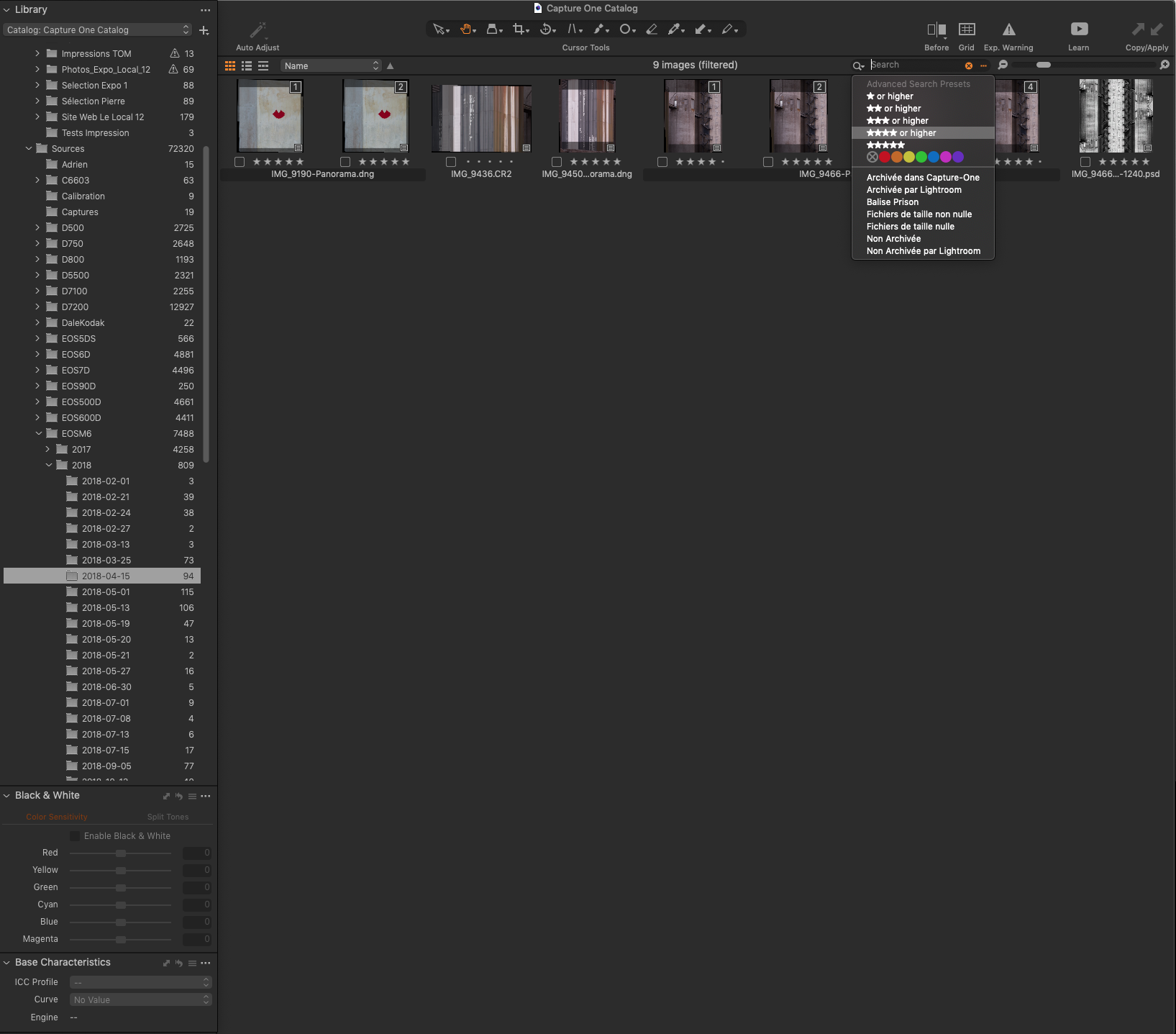
On this first image, I'm on the folder 2018-04-15 having selected a search filter "four stars or higher"...
Now if I go to another folder, I lose this filter and if I want it to be applied again I need to select it again...
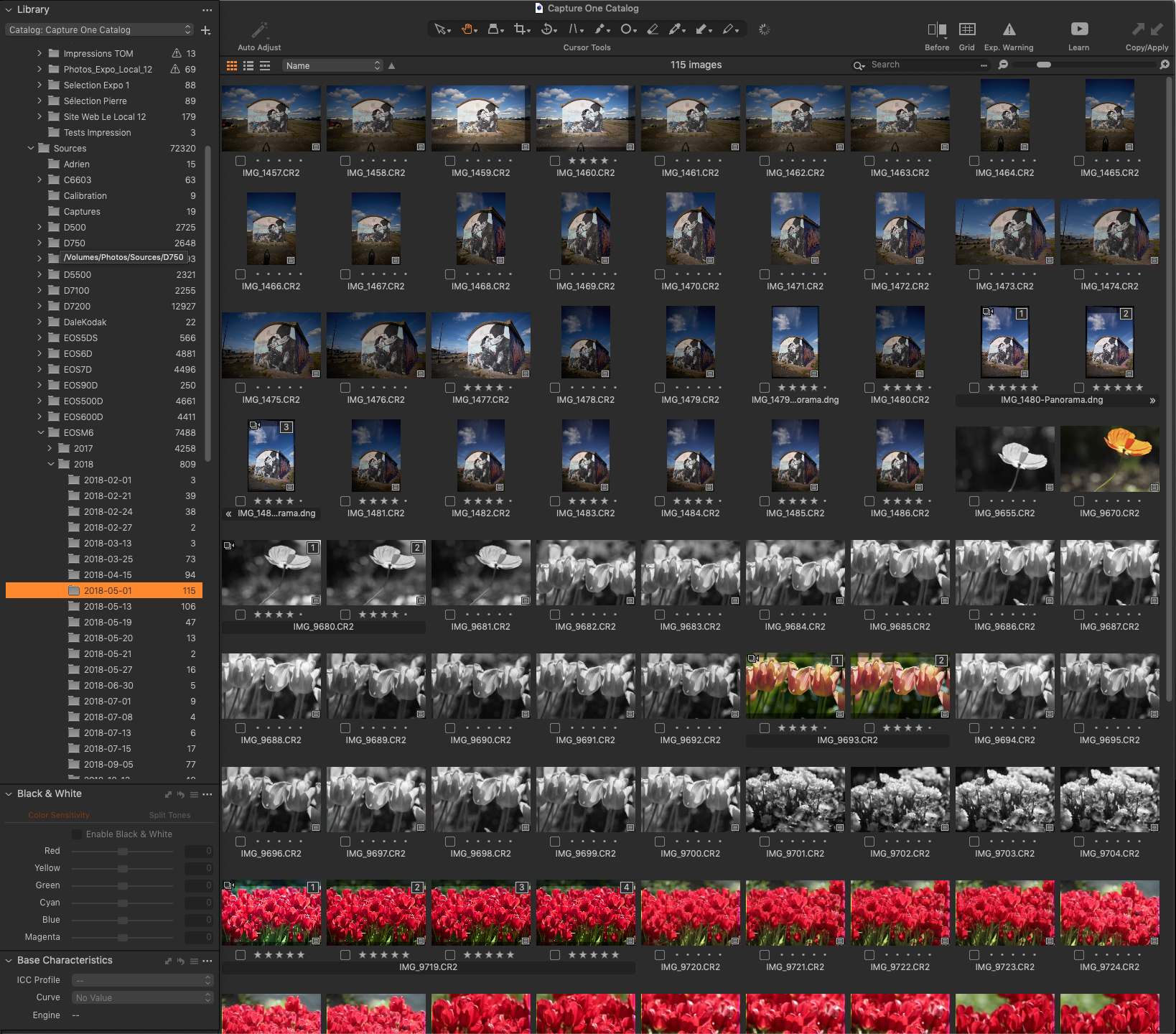
So, what would be cool, is to have a search filter that applies to a top level of navigation (the whole navigation in fact) at will, in addition to this ability of choosing filters for each folder...
Hope it is clearer now.
0
Post is closed for comments.
Comments
8 comments