новичок

пробная версия, не открываются некоторые инструменты
-
If you want some help with this problem, you'll have to tell us more. For instance, what version of Windows are you on? What tools don't open? What happens when you try to open them? Do you see any error messages?
Ian
0 -
винда 11, не открываются:филтры, цветовой баланс, рецепты экспорта, цветовой редактор,кривая. я их добавила в панель инструментов, но когда я на них нажимаю, то они не открываются.
0 -
So for instance with colour balance: are you saying that you can see this tool
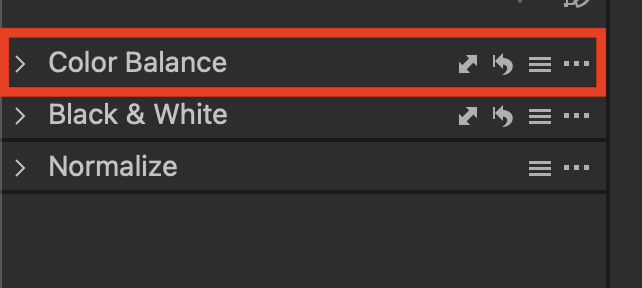
but when you click the > it doesn't open like this?
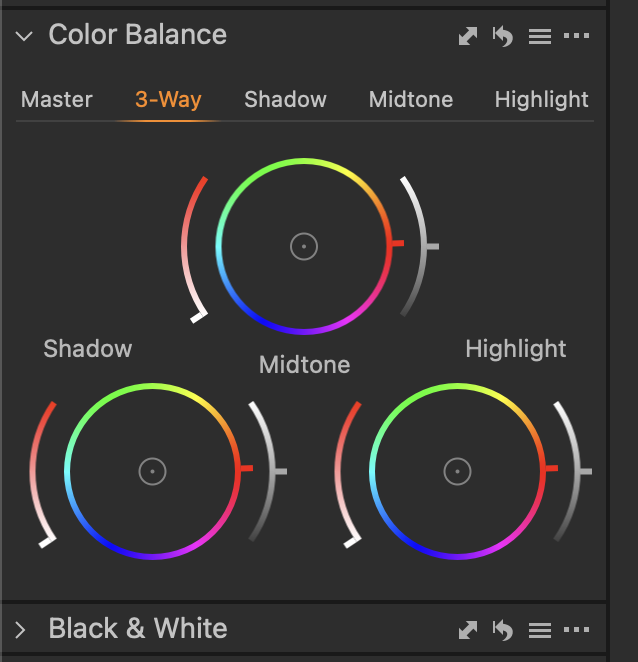
Ian
0 -
 Permanently deleted user
винда 11, не открываются:филтры, цветовой баланс, рецепты экспорта, цветовой редактор,кривая. я их добавила в панель инструментов, но когда я на них нажимаю, то они не открываются.
Assuming that Ian is doing this: is there any particular reason why YOU can't use online translation tools in order to discuss your issue, rather than expecting the users here to do this work for you?
On an English language forum, it's clearly in the interests of all visitors to discuss issues in English.
Предполагая, что Ян делает это: есть ли какая-то конкретная причина, по которой ВЫ не можете использовать инструменты онлайн-перевода для обсуждения вашей проблемы, вместо того, чтобы ожидать, что пользователи здесь сделают эту работу за вас?
На англоязычном форуме всем посетителям явно выгодно обсуждать вопросы на английском языке.
0 -
Keith - you're correct in your assumption. (I studied Russian to O Level at school, and it is the only subject I actually failed!)
Fortunately MacOS Monterey now has a built-in translation tool, which is really useful.
Ian
0 -
да, именно так, я вижу данный инструмент, но он не открывается(
0 -
One possible reason for that is that there isn't enough space for it to open, if your screen resolution is small. Is the tool in the scrolling part of the tool tab, or in the pinned part? Can you open the tool if you drag it off the toolbar, like this?
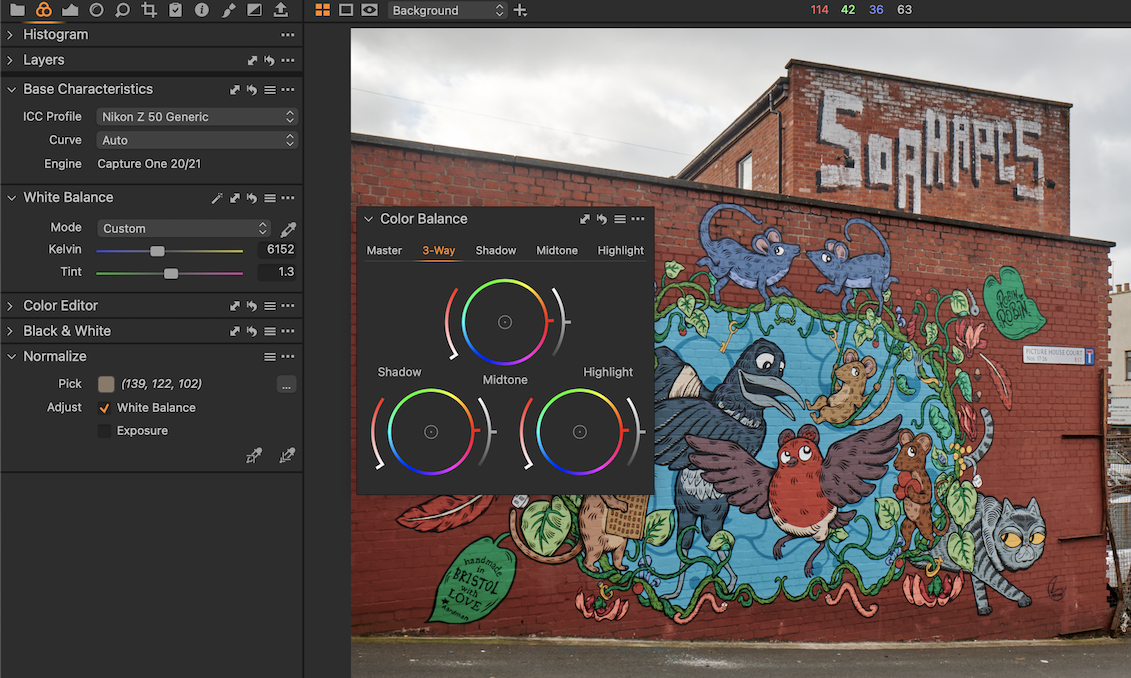
Ian
0

Post is closed for comments.
Comments
7 comments